un vietnamien bien tranquille

Having a time to read some notable documents: The spy who loved us – Thomas Bass, and The perfect spy – Larry Berman. At first, I’d thought: oh, all these stories I’ve knew quite well already, there’s no need to read more. But then I considered it’s good to be reflective, reading the same stories in another language, from other points of view.

I’d read these two books (in English), which contains quite some interpreting errors (most of them are unintentional I think) then I proceeded to their Vietnamese translations (which are really bad, lots of linguistic mistakes), but again another reflections of reflections. All readings confirmed my understanding about the Vietnamese legendary intelligence agent Phạm Xuân Ẩn, whose role is now recognized as crucially decisive in the second IndoChina war.

Espionage and Journalism

As the first IndoChina war was approaching its end, the Việt Minh leaders knew that it’s just a matter of time before the American get their hands in. They had lived and fought with the French long enough that they had extensively well understanding on their enemy, the same is not true for the Americans. During the 9 years of the first IndoChina war, Ẩn had already worked against the French, under his cousin Phạm Xuân Giai, head of South Vietnam’s Cinquième Bureau – department for psychological warfare, who was working for the French’s Deuxième Bureau.

In 1957, Phạm Xuân Ẩn was ordered to go to the States, studying journalism (as a cover), learning their language, culture, their way of thinking… a preparation that later turned out to have devastating effects. During the time in America (and even long before), Ẩn has developed a sympathy (if not admiration) for American people and culture, and at the same time, touting his horns in a war to come against them.

These two professions were very contradictory, but also very similar. The intelligence job involves collecting information, analyzing it, and jealously keeping it secret, like a cat covering its droppings. The journalist, on the other hand, collects information, analyzes it, and then publishes it to the world. (Phạm Xuân Ẩn)

Information and disinformation

Upon coming back (1959), Ẩn worked for several presses: Việt Tấn Xã, Reuters, Time… Among all journalists in Saigon at the time, Ẩn is considered to be the best informants: new – comers introduced with him for guidances, seasoned ones seeked him for tips. He had various sources in the governments, army officers, secret polices… he had the best ears on the ground for everything. He is dubbed: “the weatherman” who foretell the political atmosphere, generals consulted him before planning coup d’état, the Buddhist monks informed him in advance if they prepare a protestant self – burning.

He made very good friend and closed cooperation with Edward Lansdale, head of IndoChina CIA division, the legendary agent nick – named: the king – maker, who manipulated every puppets on the Southern political stage, yet Lansdale had never doubted it. People was thinking he could be a CIA agent, a French sûreté, a South VN secret police, or he could be both. But none ever thought of him working for the Red NLF.

After the war, upon learning about the fact, some of his colleagues have tried to prove that Ẩn could had been giving disinformation at times. In fact, all his written records at the Time magazine (where he worked for 10 years) proved the opposite. Had he done it, with all the overwhelming clandestine agents among the presses, things could have easily been cross – checked and that would betray Ẩn, the espionage. And he of course hadn’t made those preliminary mistakes.

The source had given me the story on condition that I shouldn’t reveal it before it happened. These are the ethics of the press. You have to observe them, no matter how tough it may be. These are also the ethics of an intelligence agent who knows the propaganda value of burning monks. (Phạm Xuân Ẩn)

Balance and Objective

One thing Ẩn learned in American news career is that: a writing must be well – balanced, not biased in any directions, and at the same time it has to be objective, giving useful information to help coming to some helpful conclusions. Yet the two are usually contradictory. Similarly, questions have been raised about the nature of a man who lived an extremely dangerous double life for 30 years, about the one who deeply admires American culture but fiercefully fights against them.

In fact, Ẩn made true friend to many American journalists, help them in many cases, many of whom still love him even after learning that he was a spy. Many would recall how he saved the life of Robert Sam Anson, the war correspondent who was arrested by the VC in Cambodia. Ẩn came closest to getting discovered when he promised to Anson’s wife (who was begging for help) that he would do everything he could, a dangerous remark which implies he really could do something. Anson was later released as per request Ẩn made to his superiors, a truth Anson would only know for sure years later.

He was a man of wisdom, courage, and clear – headed patriotism. He was also – even if it seems ironic to say this under the circumstances – a man of extraordinary integrity. He loved us at our best even while confronting us at our worst. (Daniel Ellsberg)

Strategy and Tactic

A pattern in Ẩn’s stories, as usual, as an amusing raconteur: I’m a strategic analyst, I was concentrating on background information and situation assessment. Yet it’s a reason he gives in order not to get into too much details that he wouldn’t want to release even in the next 50 years: that’s related to too many people, many have died, but some still alive with their relatives, there’s no reason to cause harm to them anyway (Ẩn has always been loyal and protective to his information sources, from either sides, many of which is built upon personal relations).

But Western researchers found this an “undeniable fact”: he’s been awarded with 16 medals, among which 2 are general (one “Hero of the People’s Army” medal, the highest military award in VN, and another medal for “50 years of Party’s service”), the other 14 are all credited to specific battles, 4 of which is apparently known: the Ấp Bắc battle (1963), the Tết offensive (1968), the Lam Sơn 1972 operation, and the final 1975 campaign. That gives some obvious hints on his role as a tactical adviser who devised detailed tactics to be used in various battles.

He would have had enough knowledge of the battlefield tactics, rules of engagement, logistics and battle – readiness of both the Vietnamese and Americans in that area at that time to give pretty good advice on the way to set up a trap for them. Certainly Ấp Bắc had the hallmarks of a trap. (Nick Turner)

Nguyễn Văn Tào (nom de guerre: Tư Cang), head of the H.63 spy ring, direct ‘boss’ of Phạm Xuân Ẩn, famous for his ability of pistol shooting with both hands, and never miss a shot.

Phạm Xuân Ẩn (nom de guerre: Hai Trung), the strategic analyzer whose information, documents, assessments… greatly changed the pace of war.

Nguyễn Văn Thương (nom de guerre: Hai Thương), one of the couriers who run Ẩn’s messages. He was arrested, tortured, both his 2 legs were cut off six times, each without any narcotic. He could had saved his life, but he chose to save the network.

How could someone so voluble and open about his life be a spy? How could someone so funny and pointed in his remarks about human stupidity be a Communist? …He was a divided man of utter integrity, someone who lived a lie and always told the truth. (Thomas Bass)

Communists and Nationalists

This is the point of hatred conflicting among Vietnamese communities for so many years. My point of view, which is also reflected tho – throughly throughout the books (can be seen as 2 American views) is that: the communists, they had an ideologue (no matter right or wrong it could be), and they had determinations. On that basics, they’d had detailed planning and extensive efforts to carry it out, and they’d made sacrifices to carry it out to the end. The same is not true with the so called southerners’ nationalism.

As long as the Americans were pumping money in, the Southern government staffs were trying to steal as much as possible, and pretend to be supportive to the Americans’ causes while avoiding fights and casualties on the battle fields. They’d lost, as they presented nothing, not nationalists, not even anti – communists, but only their own personal and family’s interests. The consequence can be seen clearly: the majority of southern people took side, they have always been sympathetic to the Communists’ national independence causes, although they’re not communists.

Communism and Patriotism

It would eventually become clear why so many people have made extreme efforts and sacrifices, it was not because of any ideology. Of the total 43 members of the H.63 espionage network, 25 were captured, tortured, many of them chose to die, but the network remained unbroken. They were couriers, who in 15 continuous years, ran the total 498 messages (reports) from Phạm Xuân Ẩn to the Iron Triangle Củ Chi, from where it would be delivered directly to the Politburo in Hà Nội. Ẩn always kept an poison pill in his pocket, ready for a death that was hanging over him for those 15 years.

Many who survived the war found themselves disillusioned with the post – war living, finding that the new regime has become even more corrupted than the previous one, and that is not what they were fighting for. Yet they were fighting not for any individual, any ideology, any government… Many failed to realize it is patriotism in the truest and deepest meaning! Phạm Xuân Ẩn to the last year of his life, works as an consultant to TC2 (the Vietnamese equivalence of Deuxième Bureau), who doesn’t understand and doesn’t trust him, but badly need his razor – sharp analyses and assessments.

Lessons learnt

If something can be learnt from Phạm Xuân Ẩn’s life, it’s something about cultural understanding. While most VC has very limited knowledge about American culture and values, they’d succeeded in cultivating at least one spy who could think like an American, a spy who loved Americans and was loved by them in return. That way he can get deep into the adversary’s mind and soul, and know the way to defeat them.

It’s all about understanding, the French had stayed in Vietnam for a considerable amount of time, they’d learnt to divide and conquer the Vietnamese, a job they’d done excellently. It took a few generations to absorb their culture, to gain enough understanding to have successful retaliations. What the American had done in Vietnam to some extent was repeating things the French had done already, in a far larger scale.

Those above are indeed the small part of the lessons. Ẩn said: the American are very good at collecting and analyzing information, but they don’t know what to do with them (at least in scopes of the Vietnam war). Similarly, we can say: the Vietnamese know how to obtain a victory (or it supposes to be called so), but then they don’t know what to do with it. Phạm Xuân Ẩn in person is a talkative one, he can talk about his thinking all day.

But as a spy, a strategic analyzer, he is actually a very quite Vietnamese, who had much more profound thoughts and understanding but can’t say it out. Lots of our own problems are briefly reflected throughout the American books, but they’re not recognized tho – throughly by our own people… Things get passed silently in our sleeping – pleasing minds until another war, another revolution that is… just pending.

The spy who loved us – Thomas Bass (pdf.tar.gz) (mobi.tar.gz)

Perfect spy – Larry Berman (pdf.tar.gz) (mobi.tar.gz)

hoàn kiếm turtle

Ai về xứ Bắc ta đi với,
Thăm lại non sông giống Lạc Hồng.
Từ độ mang gươm đi mở cõi,
Trời Nam thương nhớ đất Thăng Long!

This could be the last living turtle in Hoàn Kiếm lake and among the lone 4 surviving individuals (2 in China and 2 in Vietnam). The specie is known to be the largest soft – shell turtle in the world.

In 1967, this turtle died (the body preserved at Ngọc Sơn temple), leaving the turtle above the last one. His post – mortem measures: 2.1 x 1.2 meter in size, 250 kg in weight, estimated age at 400 years.

Recently, there’s been much activities on protecting the last specimen of turtle living in Hoàn Kiếm lake. Preserving efforts are being taken place to: improve his living conditions and try to mate him with similar turtles in the hope of producing offspring. All Vietnamese was taught at elementary school legends behind this sacred Hoàn Kiếm turtle. And through out our history, the turtle appeared at crucial moments for not just one time… It’s the Golden Turtle who assisted King An Dương Vương in building the ancient citadel of Cổ Loa (~ 257 BC).

The turtle later helped the king in creating a multi – shot crossbow that destroyed the Northern invaders… In the last “known” advent, the Golden Turtle was sent to reclaim the Heaven’s Will Sword, which was given to Lê Lợi who carried out a 10 years resistance war and regained Vietnam’s independence. Much like King Arthur and his sword Excalibur, myths on a sword with super power sent to assist the hero is unlikely. However, the story’s moral is much more likely and profound indeed:

One year after winning, declaring independence and becoming the Emperor (1428 AD), Lê Lợi goes for boating on a lake near his palace. In the mist of the lake, the Golden Turtle appears, advances toward the boat and asks the emperor to return the sword. It suddenly became clear to Lê Lợi that the sword was only lent to him to carry out his duty, as a powerful weapon in war time, but it now must be returned to its owner, lest it would harm him and his country if misused as it’s not the appropriate tool in peace time.

Lê Lợi draws the sword out and hands it to the Golden Turtle, who grasps it with his mouth, then disappears into deep water. Aftermath, the lake was renamed Hoàn Kiếm, which means: lake of the Returned Sword (or Sword lake for short in spoken language), now at the center of Hà Nội, Việt Nam’s capital. Wise old men argue that if this only remaining sacred creature is going to die, then who would reclaim the hammer and sickle – ☭ ?

russian movies

Some recently seen (in the past few weeks) post – Soviet Russian war movies: Admiral (2008), Attack on Leningrad (2009) and Brest Fortress (2010). I can’t say anything rather than: marvelous! Both these three films should be on top of greatest war films, in many aspects: acting, costume and makeup, sound & music… comparable to any other war films ever made in the West. CGI (Computer Generated Imagery) is really good but maybe still a bit after that of Hollywood.

Russian cinema has made excellent advances, less propagandic, less rigid patterns, closer to real people in real life… that the things that made the films worth watching! In my opinion, of the series of three, the later the more interesting ones (though others may have their own different idea and evaluation).

Admiral (2008)

The films recites the life of Aleksandr Kolchak, admiral of the Russian Empire Navy. Kolchak himself was a complex character, living in a complex time: a famed Polar explorer, a valorous naval commander, a passionate lover, and eventually the Supreme Governor of the anti – communist White forces. No longer ruled by a dictatorial doctrine, Russia is now seeking to bring back true images of an extremely harsh period in her history.

The film starts with glorious feats of Kolchak commanding a destroyer in the Navy, his bravery in battles, his love affair with Anna Timiryova… and then the Red October came. Kolchak becomes the Supreme Ruler of the White Russia, who fought against the Bolshevik. Kolchak has far less success as a political leader than as a naval commander, he was finally arrested and executed by the Red. After decades of being vilified by the Soviet government, Kolchak is still now a controversial figure though there’re been rehabilitation movements to restore the place he deserves in Russian history.


Attack on Leningrad (2009)

An English journalist (of Russian origin) was trapped in the besieged city of Leningrad, the war correspondent Kate Davis was assumed dead but find herself among the starving people of the city struggling for their own survival. With the help of a kind and idealistic police women Nina Tsvetnova, they live through the 900 days in that sieged hell where food shortage only permits a ration of 125 gram of bread for each person a day. Encirclement around the city was almost completed, the only supply route through lake Ladoga was called the Road of Life (and also the Road of Death).

Nina Tsvetnova later guides a soldier group attempting to re – establish the supply route across the frozen surface of the lake. As a reward, she is permitted to bring members of her family out of the city. Nina along with the journalist take one child out with them. They succeeded but decide to return to help another child. Both two women died in the terrible city but saved two children out of the 1.5 million civil death toll, half of the city’s population.


Brest Fortress (2010)

Brest fortress was the strong hold which accounts for 5% of total Germany losses in the first phase of their Russia invasion. When German started the war, the Russian was unprepared, under – powered and defeated easily, their army was in all the way to retreat, except for this fortress. Defensed by a small unit, a regiment formation of soldiers along with their families, the fortress stands for almost a month when German has already advanced hundreds of miles into Soviet territory, leaving the point an isolated symbolically heroic fortification.

Yet they fight to the last man without any food, medical and ammunition supply, without any reinforcement. Alexander Akimov, a 15 year old young cadet of the fortress lived through the bloodshed resistance, trying to help other soldiers and his girlfriend Anya. He is the lone survivor to recall the story. The film is indeed beautiful: it concentrates on normal people, their daily lives and activities, their love, hate and humanly feelings… their choices and fates against the brutalities of war!


12 angry men


One of the films I’ve really enjoyed recently, having some free times during the new year holiday to “re – master” some classics. Yes, it is truly a classical master – piece! Off 95 minutes of the picture, almost 90 min is spent in just a single room, with 12 men discussing, arguing, debating… There’s not even a single frame for flashbacks, visualizations or imagined scenes or such things, a 2 – hour continuous hard talk between 12 jurors of a trial’s jury, to decide in a murder case whether a boy is guilty or not.

Although some scenarios in the film are quite predictable, and some details are somewhat illogical (those that could hardly occur in real world), the fascinating part of the film is about the diversity of the jury board: 12 men from different backgrounds, ages, professions… different personalities, their logic systems, their value scales… and their prejudices. Some just doesn’t care, some is more or less “a yes man”, flipping sides at any times, some just want to kill the boy cause he grew up in slum, and slum is where crime was born…

Only one man has the braveness that leads him (and later the whole board) to the truth! The film gets to the core of the American juridical system, and helps explaining why the country has a strong democracy: democratic is built upon the votes (decision making) of a mass, it’s the quality, the responsibility of the mass that decide outcomes. The film also helps explaining why in some countries, dictatorship is the only thing that’s possible. That is, eventually, people get the ruling system, the kind of government they’ve wanted!

bánh chưng

Mọi năm, đa số những đồ ăn Tết đều do trong nhà tự làm: bánh, mứt các loại, nem chả, rượu… ngày trước có những năm trong nhà tự làm đến cả chục loại bánh mứt khác nhau, hai ba loại rượu! Thật không có dịp nào để thể hiện khả năng DIY (Do It Yourself) như là dịp Tết!

Nhưng càng năm càng bớt dần, với tất cả mọi người, thời gian càng lúc càng ít lại. Thế nên Tết nhứt cũng bớt về số lượng, bớt luôn cả sự cầu kỳ, những năm gần đây thì chỉ còn làm tượng trưng vài loại. Nhưng cũng mất hẳn một ngày gói và nấu bánh chưng, bánh làm theo kiểu Huế, bé tí ti vừa đủ cho một người trong một lần ăn, kích cỡ mỗi cạnh vào khoảng 10 cm.

Ở Huế có những nhà thậm chí còn làm nhỏ hơn, chỉ khoảng 8cm. Có thể so sánh với cặp bánh chưng làm theo kích thước điển hình kiểu miền Bắc do nhà bên cạnh làm tặng (16 ~ 17 cm). Đem cặp bánh nhà làm tặng đáp lễ thì hẳn người ta sẽ ngạc nhiên phải biết! Bánh chưng làm kiểu miền Nam thậm chí còn có thể to hơn đến 20 ~ 22 cm.

vectorial

The classical SVG example rendered using a thin OpenVG layer on top of OpenGL (or Quartz) on a Mac. This is also to say goodbye to the old Lunar year (year of the tiger) that is ending!

Finished with my survey on vectorial graphics, in details, about rendering SVG using Quartz, OpenGL (ES) on Mac, iOS and some Android flatforms. I’d had the chances to systematize more my knowledge on vectorial: path, stroke, anti – aliasing, solid, gradient and pattern fill, etc… Todays, people’s all talking about 3D, OpenGL, DirectX, etc… While few mentions much about 2D stuffs, I’ve traced back some historical evolution paths, since I believe that it’s through history would we understand technologies.

In the beginning, there was… PostScript

It was John Warnock who kindled the idea, he joined Xerox in 1978 and an early version of PostScript (named InterPress) became the language to drive a laser printer. Laser printer was then a revolutionary device, which offers extraordinary graphics compared to the capability of dot or matrix printers. Warnock left and founded Adobe in 1982, the company that produced well – known graphics softwares including Illustrator, king of the vectorial editors.

Then there was DPS, PDF and Quartz

But it was Steve Job who realized the superiority of PostScript and urged John Warnock to popularize it. When Steve Jobs left Apple and started NeXT, he co – developed with Adobe DPS – Display PostScript, a derivative of PostScript – the language that drives the NeXT computer’s graphics system. When Steve has got back to Apple, DPS then evolved into what is now known as PDF, and Quartz is the C binding that bridges traditional Unix programmers to the Mac graphics world.

The X window system

The X’s designers also started with a PostScript RedBook in hand. But due to various reasons including the lack of in – depth consensus about vectorial, X maintains until now low level of PostScript support. The X server can only handle basic PostScript commands (it can’t even draw splines). X took a hybrid approach using both vectorial and raster – based solutions to the problem. Also the Unix root has an impact: X is the only true client/server windowing system to the current day.

Until now, the NeXT computer remains an idealistic symbol, pure vectorial remains a pursuit, perhaps for higher – standard devices, such as with this Backbone:

Backbone is an attempt (our attempt) at creating a Really Good Desktop. The metric we use for “Really Good” is our own. In short, to us, to carry on the NeXTSTEP® and OPENSTEP® spirit!

The Windows’ GDI

Born to be the youngest of all graphics systems, GDI learns nothing from it predecessors. Neither it is device and resolution independent (like Macs) nor a true client/server system (like X). GDI sticks to screen and the pixel unit with quite a lot implementation flaws. These flaws won’t become obvious until we come to serious editing, publishing and printing: text documents and graphics designs would never has the on – screen – display and printing qualities we would expect, though various 3rd party softwares would come to rescue somewhat the situations.

Then, things change with time

The 2D graphics systems on Mac, Windows, Unix… all has different origins, and all targets different real – world problem domains. All has hardware acceleration to various levels and qualities, and it’s hard to compare them in some cases. To the present day, no system is known to keep the original idealistic model that uses pure PostScript: X has been mixed from the beginning, Mac & iOS have switched to raster to some extent, GDI is essentially pixel – based. Then come the wind of change! It would be another story, another evolution path, but today, 3D hardwares has become quite popular with reasonable prices. It’s counter – intuitive to treat 2D as a separate part from 3D, and the trend is merging 2D to become a subset of 3D rendering. However, the process hasn’t been very easy, it would take some more time to reach maturity:

  • WPF (Windows Presentation Foundation): first came with Windows Vista, GDI now runs as part of DirectX 3D rendering environment. Vista was not a success indeed!

  • QuartzGL: Quartz2D runs on top of OpenGL since OS X 10.2 (Jaguar). However, QuartzGL is not enabled by default even in the current version (10.6 – Snow Leopard) since it’s still quite buggy.

  • GLX & AIGLX: both has some implementation problems and is competing to each other to become the official 3D extension for X.

Taken an arbitrary GDI’s API (such as MoveTo, LineTo…) we can see the parameters’ type is integer, which is in reality the pixel unit. The Quartz’s counterparts are always in float, a virtual unit so that the APIs can be device and resolution independent.

The so called “GDI printer” is actually a bitmap device, it lacks a PostScript interpreter and hence need to be attached to a computer to do the actual computing. Reason is obvious: cheapness, adding a PostScript interpreter would significantly raise the cost!

home servers


The C-Media usb board adds a cheap (~ $5) sound solution to the Debian box, sound quality is fair enough for “ad-hoc” listening (comparable to that of AC97 on-board chip, and for serious music, there’s already the home media player).

Quite a long time it takes me to finish and “stabilize” all these “home servers”… and finally here it is… On the left, you can see: #1: the 650 Watt UPS that provides about 3 hours of un – interrupted electricity for the whole system, #2: the WAP54G Access Point (hacked with OpenWRT), #3: the Comtrend ADSL router, #4: the LinkStation CHL (Debian Lenny: print server, 1T disk space for samba share, bittorrent server), #5: the LinkStation Duo (Debian Lenny: 1T of RAID-1 disk space for important data, SVN, Web, VPN servers (for remote access) and MPD music servers), #6: speakers.

All these miniature machines help streaming lossless music and HD video to the media player (LT-H90LAN – another Linux box resides in the living room). Except for the router (which is specialized hardware & firmware OEM-ed by Comtrend to FPT – the local ISP), all others devices runs Debian or another Linux variant. The total power consumption of the whole system is less than 50 Watt. Future computers would consume less than 1/10th of power compared to today’s ones… Power is the key, less power means less heat, less noise, more stable and more durable… the factors that make successful home services!

buffalo duo


My Buffalo, a 400 MHz, power-efficient ARM system (it consumes about 17W on average). The duo: two SATA disks (1TB each) running in RAID-1 configuration. The system can also act as a print server: most cheap home laser printer are not stand-alone device (lacking PostScript capability) and need to be attached to a PC in order to print, instead we can connect printer to this Buffalo box via usb and serve printing over network.

My newest toy: a Buffalo LinkStation Duo Network Attached Storage (NAS – or a poor man’s home server). Had thought about this long ago but don’t have time till now to dig a little bit low-level to get the thing to work! Basically what I want to have is a miniature general-purpose home server, which would run continuously 24/7. But you know with the temperature and electricity conditions here in HCMC, most PC would surely break down if let running continuously for a few months. The idea is to hack this NAS device to run Debian and turn it into a hybrid system: NAS (file server, torrent, UPnP…) and a home server which would handle a little more extra tasks. I took me a whole night to figure out how to do it.

1.   Boot the device via tftp, using u-boot, the universal bootloader. We need to to erase the HDD’s partition table (with something like: dd if=/dev/zero of=/dev/sd[a/b] count=1) to force the device into tftp boot.

2.   Telnet to the device and prepare the disks: using fdisk to apply a same partition structure to both two disks (/dev/sda and /dev/sdb) with the usual Linux FS: /boot, /swap, /(root), and /data). The disk structure would appear like this:

Device Boot Start End Blocks Id System
/dev/sda1 1 6 48163 fd Linux raid
/dev/sda2 7 1200 9590805 fd Linux raid
/dev/sda4 1201 60801 478745032 85 Linux extended
/dev/sda5 1201 1329 1036161 82 Linux swap
/dev/sda6 1330 60801 477708808 fd Linux raid

3.   Setup the RAID-1 (one-to-one mirror) structure, you can see that we mirror /boot (sda1, sdb1), /(root) (sda2, sdb2), and /data (sda6, sdb6), there’s no need to mirror /swap:

mdadm –create /dev/md0 –level=1 –raid-devices=2 /dev/sda1 /dev/sdb1
mdadm –create /dev/md1 –level=1 –raid-devices=2 /dev/sda2 /dev/sdb2
mdadm –create /dev/md2 –level=1 –raid-devices=2 /dev/sda6 /dev/sdb6

4.   Install Debian (Lenny) using debootstrap, a very handy tool to install Debian directly from a repository. DeBootStrap pulls the packages over network, build a new rootfs, after chroot-ing to the newly build system, pull and build the kernel from source. After that, we can use regular Debian commands to update, configure network, add softwares, etc… After rebooting, we’d got a brand new Debian with 1TB of RAID-1 disk space, which runs flawlessly and which is ready to serve my various automation tasks!

Notes: installing Debian would void the warranty and could easily brick your device, use the information at your own risk. The steps here are just summary, there’s been various try and fail to get the thing done, e.g: we need priorly to have binutils, wget, zlib and libssl binaries for debootstrap to work (download the deb files from Lenny’s repository, extract and copy over the Buffalo), after debootstrap-ing, I forgot to set the root password, and unable to login when the machine reboot, thus having to start the whole process over again. For further details, please consult the Buffalo NAS community.

UPDATE, Nov 18th, 2010

For a NAS which runs 24/7, it’s critical to monitor system status (temperature and the moving parts). I wrote this little fand script, a daemon to monitor hard disk temperature and adjust the fan’s speed accordingly. HDD’s temperature can be retrieved using smartmontools (most hard disk nowadays has S.M.A.R.T capabilities). And fan control on Buffalo LS Duo is done via the gpio module (thanks to talent hackers on the Buffalo NAS forum), something like this:

# values can be ‘off’, ‘slow’, ‘fast’ and ‘full’
$ echo ‘slow’> /proc/linkstation/gpio/fan

I’ve defined some thresholds, in a tropical country like VN, room temperature around 30° ~ 35° (Celsius) is a common thing, so if the HDD’s temperature is below 35°, we would turn off the fan. If it is between 35° ~ 40°, the fan speed would be ‘slow’, from 40° to 45°, the fan will be turned to ‘fast’, and if temperature excesses 45°, fan speed is set to ‘full’. Well, and even if 50° is reached, we would send a notification email (via sendmail) and shutdown the system. If you find it interesting, here is the fand scripts.

UPDATE, Nov 20th, 2010 (THE REAL DUO)

To pair with the Link-Station NAS is its cousin also from Buffalo, the Link-Theater LT-H90LAN. The LT-H90LAN reads media from Samba shares or DLNA server via LAN and is a 720p and 1080i HD-ready device. Although not Full-HD (1080p), that’s enough for my need (I don’t have a Full-HD TV in my house anyhow, maybe I’m waiting for 3D home video). It’s quite pleasing to enjoy good video quality and excellent audio in your living room, all streaming from a central NAS. The box also runs a variant of Linux (though hacking can be a pain, I would only left the device untouched for safe). This is one further step toward an all-Linux-devices home (thought I should buy an OpenMoko phone then).

kindle and feeds

After years in IT career facing monitors, it’s now time to care a little about your eyes, and I’m now using my Kindle for reading news, documents everyday! However web browsing on Kindle is quite inconvenient, there’s of course no touch screen (imagine how touch would look like with a 3fps responsiveness display), and the 5-ways button make web pages’ navigation a kind of clumsiness! I was thinking about some form of automation, basically we would need to convert some news-feeds into Kindle’s native format (mobi) for the ease of our reading, the steps below:

We’re going to use Calibre, the famous ebook-converting tool: sudo apt-get install calibre. Or you can install it (binary or source from) on Linux as guided here. The very nice feature of Calibre is that it can fetch news-feeds, parse and format them following a pre-defined rule-set called “recipe”, there’re hundreds of built-in recipes as well (“recipes” are actually python scripts used to parse and layout the data in html and some css). Below is how I fetch feeds from Engadget and VnExpress and convert them to .mobi, the native format that layouts very well on your Kindle:

$ ebook-convert /opt/calibre/resources/recipes/endgadget.recipe endgadget.mobi –output-profile=kindle
$ ebook-convert /opt/calibre/resources/recipes/vnexpress.recipe vnexpress.mobi –output-profile=kindle

Copy the files over your Kindle, the news feeds read out very very nice! (images on the left, click to enlarge). The next step is of course some further automation, you don’t want to do the whole thing manually everyday, do you!? All these works can be accomplished by a shell script, scheduled by crontab! Just have your home server prepare the documents and sync it to you via Dropbox, from which you can download and view on the device (Kindle naturally permits downloading .mobi documents). I’m using this way to serve myself latest news with coffee every morning!

kindle development without kdk

KDK, the Kindle’s Software Development Kit has been released for quite some times but Amazon still strictly restrict accessing to it, many many software developers (like me) have registered and received no reply. It is understandable that Amazon could be skeptical on what to put on Kindle’s app store, but it should not be that conservative toward the developing community. KDK is basically just a PBP (Personal Basic Profile) J2ME (Java Micro Edition) with Amazon’s extension, a Kindle emulator, and some tools…

Having no KDK doesn’t mean that we can not develop software for Kindle! Below are my notes on building, deploying an example application for Kindle. This would make cleared the steps needed to write applications for Kindle without the KDK. Please notes: the information is collected from many different sources, jailbreaking could be considered “illegal” according to some Term Of Use. Use the information at your own risk!

1.   Jailbreaking and usbnetwork

Download kindle-jailbreak and kindle-usbnetwork from here. Choose the files that is suitable for your device, e.g: for my Kindle 3 (wifi + 3G), it would be the jailbreak_0.4.N_k3g and usbnetwork_0.27.N_k3g. Copy the jailbreak_0.4.N_k3g file to your Kindle, then proceed to updating the system. The jailbreak exploits a hole in Busybox implementation to gain root access. Next, do the same thing with usbnetwork_0.27.N_k3g, which provides a secure shell via USB connection.

Launch the Search box on our Kindle, type ;debugOn, press enter to execute the command, then do the same thing with ~usbNetwork to start the sshd daemon. The default configuration would set Kindle to 192.168.2.2 and expect the connected PC to be 192.168.2.1. Now we’ve got root access and the entire FS (file system) in the palms of our hands. Spend some times exploring it, when done, put the Kindle back to normal use by issuing ~usbNetwork again, then ;debugOff.

2.   Key and file signing

This is the most important part! Kindle’s “kindlets” are exactly Java’s jar file with .azw2 extension, however, we can’t just simply copy and run it. The applet is linked against several system libraries located at: /opt/amazon/ebook/lib/Kindlet-1.1.jar and /opt/amazon/ebook/sdk/lib/*.jar (copy these files to your PC for local jar building in place of those provided by the KDK).

The .azw2 file must also be signed with 3 different keys located at: /var/local/java/keystore/developer.keystore and the security policy is defined at: /opt/amazon/ebook/security/. For more information on signing, please refer to this post. If you’re tweaking your Kindle and writing apps for it, I suggest that we would just use the signing key of Andrew de Quincey, the first one to figure out about this, so that free softwares can be easily shared among Kindle’s users.

Configure the usbnetwork interface and access Kindle via sshd. Image below: the command htop running on Kindle’s ssh console.

When finished with hacking, we can un – install these two exploits to restore Kindle back to original state (and receive official updates from Amazon), but that would be after the next section, when we’d been able to deploy our own software on it!

3.   KindleGoban – an example app

I’m going to deploy KindleGoban, a Go (weiqi) game viewer, as an example app. Adrian Petrescu, the man behind this open source game, is perhaps, an insider of Amazon’s KDK project. But technically he’s under a NDA (non disclosure agreement) and won’t be able to say anything except the publicly available information. However, he did indirectly provide valuable resources.

First, copy the developer_keystore (mentioned in #2) to your PC & Kindle (at /var/local/java/keystore/developer.keystore). Then download KindleGoban (and its dependency library KWT. Make some changes to the build.xml to include KWT (adding several widgets) and get rid of the KDK’s stuffs (which we don’t have). Then build, sign and deploy the .azw2 file to your Kindle. And there you are, a nice Go game viewer!

# first, build and sign the jar file
$ ant build.xml
$ jar cvfm KindleGoban.azw2 KindleGoban.mf bin/*
$ ./signkindlet developer_keystore KindleGoban.azw2
# copy the file over to your Kindle, also need
# to copy an example .sgf file for testing
$ scp KindleGoban.azw2 root@192.168.2.2:/mnt/us/documents

4.   Resources

This section gonna be regularly updated on the availability of documents, tools.. for development on Kindle. Please note most of these are from third – parties rather than Amazon, which are the results of hacking, reverse – engineering… and some other information indirectly available from the KDK. At the moment, we only have this official javadoc from Amazon which describes the KDK’s APIs.

  • Savory: a native ebook converting daemon for Kindle.
  • Kindle emulator: need to double check this.
  • KWT: Kindle Widget Toolkit.
  • Mangle: a manga viewer for Kindle.
  • Qindle: a Qt port for Kindle.

KindleGoban screenshots, this is, like most Kindle projects at the moment, is just starting, would expect more features in the time coming.

vietnamese dictionaries for kindle


The dictionaries’ screen-shots

Kindle in my idea, is a very promising device, and I’m compiling, for the purposes of reading, some Vietnamese dictionaries for it. For the Chinese language, there’s no non – trivial solution at the moment, but it’s simple for the cases of English and French. Below are the steps I note down for remembering, it’s just a matter of data conversion and packaging. Non – technical readers can skip directly to step #5 below to download and use the dictionaries.

Dictionaries on Kindle have Mobipocket’s format (Amazon bought Mobipocket in 2005). The data set we’re going to use is available on StarDict in which the English ↔ Vietnamese and French ↔ Vietnamese data was originally created by the author Hồ Ngọc Đức. The data set has some minor holes and errors, but it’s the most usable set for Vietnamese at the moment (many Vietnamese softwares, websites… use this data).

1.   Download the data from StarDict, e.g: stardict-dictd_anh-viet-2.4.2.bz2. Extract it, there will be a .ifo (info) file, a .idx (index) file, and a .dz file which actually has .gz format, rename to .gz and unzip to get the real data file (.dict).

2.   Convert the data to an intermediate format, we’re going to make a tab – delimiter file. Fire – up StarDict utility: stardict-editor, jump to the 2nd tab (Decrypt), browse to the .ifo file and have it convert the data to something like: dictd_anh-viet.txt.

3.   Convert to Mobilepocket format: python tab2opt.py -utf dictd_anh-viet.txt. The python script used to convert data is available at this site and would produce a file like: dictd_anh-viet.opf.

4.   Package the final .mobi file: wine mobigen.exe dictd_anh-viet.opf. The mobigen utility is available from here, for convenient reason, I would just use this Windows’ binary via wine.

5.   Connect your Kindle using USB cable and copy the anh_viet.mobi or phap_viet.mobi files over to the ‘documents’ directory. The dictionaries should be available for use right now on Kindle’s home page. We can also set one of these to be Kindle’s default dictionary so that we can lookup words’ meanings without leaving the document we’re on!

kindle 3


Can not resist to this temptation anymore. Kindle price dropped significantly lately and it’s time to pick a e-ink display book reader for myself. I’ve been curious about electronic paper display, the alternative to LCD or OLED displays widely used on hand – held. Actually there’s been various devices (phone, watch…) which make use of electronic paper, but none has the success like Kindle.

The first impression is that the display, which is 16 gray – scale colors, really looks like traditional paper, and reading on it is an actual pleasure. The screen refresh rate is quite low (maybe less then 6 fps), which means video would never be an option on Kindle. To my surprise, sound is extremely good, the external speaker produces stereo which may be far better than on my laptop. Wifi works fine and the experimental browser (which only supports JavaScript, no Flash, no Java) is enough for basic email and web surfing.

Connecting to my Linux box, the device appears as a normal USB mount to easily copy files over. I find Kindle very suitable for my needs: document reading, a bit of music, and casual web & email. Moreover, Kindle does not create the impression that it is an electronic device. The battery is advertised to last about 10 days (with wifi on, and even more with wifi off), so we don’t have to care about recharging very often. It simply boots up and runs, and displays nice pictures in screen – saver mode.

Amazon recently released Kindle’s SDK beta (Software Development Kit) with Java as the primary language (J2ME), and maybe C/C++ for system development. The machine’s GUI proposes to me a lot of interesting ideas on usabilities and UI design!

whatever happened to programming?

There’s the change that I’m really worried about: that the way a lot of programming goes today isn’t any fun because it’s just plugging in magic incantations – combine somebody else’s software and start it up. It doesn’t have much creativity. I’m worried that it’s becoming too boring because you don’t have a chance to do anything much new… The problem is that coding isn’t fun if all you can do is call things out of a library, if you can’t write the library yourself. If the job of coding is just to be finding the right combination of parameters, that does fairly obvious things, then who’d want to go into that as a career? (Coders at Work – Peter Siebel, quoting Donald Knuth)

Ví dụ về chức năng đơn giản nhất: resize ảnh trên các browsers, ảnh trên: Firefox, ảnh dưới: Chrome, (ảnh được chụp lại và hiển thị nguyên kích cỡ từ 2 browser, cả 2 dùng cùng một ảnh gốc kích thước lớn). Có thể thấy chức năng resize ảnh của Firefox, IE kém rất xa so với các browser khác.

Whatever happened to programming? Điều gì đã xảy ra với lập trình? Khi ở năm 1 đại học (1998), tôi có viết một 3D engine đơn giản bằng Borland C, lúc đó sách vở thiếu, internet thì chưa có. Mục tiêu đặt ra rất đơn giản: hiển thị (xoay) một đối tượng 3D đọc từ file mô tả tọa độ các đỉnh. Bằng những hình dung hình học đơn giản, tôi xây dựng một phép chiếu: giao điểm của đường thẳng từ mắt tới các đỉnh của vật thể với mặt phẳng chiếu chính là pixel được hiển thị trên màn hình. Sau đó ít lâu đọc thêm tài liệu, tôi mới biết đó gọi là: phép chiếu phối cảnh – perspective projection. Một số đoạn code released từ game Doom giúp tôi hiểu rõ hơn kỹ thuật chiếu dùng trong game thực: ray casting.

Sau đó 1 thời gian bắt đầu có internet, chúng tôi lại “say mê” tìm hiểu các kỹ thuật graphics “tối tân” hơn. Còn nhớ lúc đó có trang web winasm.net, nơi chỉ vẻ rất nhiều về Gouroud, Phong shading, light, bump mapping, sprites… Chúng tôi đọc các code viết chủ yếu bằng Assembly, rồi viết lại bằng C/C++ trong cái “engine” của mình. Chuyện là như thế, chúng tôi “nghĩ gì viết nấy”, đa số các trường hợp là “phát minh lại cái bánh xe”, bắt đầu bằng việc tự xây dựng những mô hình, thuật toán “ngây thơ” trong đầu. Cái “engine” của tôi so với các engine chuyên nghiệp bây giờ thì thật đáng xấu hổ, nhưng ít nhất chúng tôi hiểu những ý tưởng, nguyên tắc vận hành cơ bản.

Những điều kể ra trên đây chỉ mới là a, b, c… trong computer graphics, lĩnh vực có rất rất nhiều thuật toán, kỹ xảo, mánh khóe… hấp dẫn và độc đáo. Còn nhớ vì ham thích viết các chương trình đồ họa và xử lý ảnh nên một số môn khác tôi không chú ý tới. Như các môn AI, có lần tôi copy code của một người bạn về nộp làm bài tập (đã được cho phép). Đó chỉ là một chương trình chơi caro (croix-zero) dùng thuật toán A*, nhưng vì cúp cua nên tôi không biết về A*, ngồi cả đêm đọc xem cái chương trình đơn giản đó làm cái gì nhưng vẫn không tài nào hiểu được. Sau đó “bổ túc kiến thức” thì biết là A* cũng chẳng phải là điều gì phức tạp, nhưng nếu không có ý tưởng về thuật toán trong đầu… thì code cũng như một đám rừng chẳng cho anh biết được gì về nó.

Sau đó tôi viết nhiều về xử lý ảnh, tới đây thì nền tảng toán trở nên quan trọng, đa số các khái niệm là đủ phức tạp để không tự hình dung bằng trực quan trực giác được. Nhưng nghiên cứu kỹ lưỡng chút thì rồi chúng tôi cũng hiểu được ý tưởng đằng sau các khái niệm convolution, high – pass, low – pass filters… Nhờ những kiến thức đó mà bây giờ tôi có thể có được những nhận định đúng hơn, ví dụ như một chức năng tưởng chừng hết sức đơn giản như resize ảnh, nhưng cho đến tận bây giờ vẫn chưa được implement đúng trên hầu hết các trình xử lý ảnh phổ biến: GIMP, Photoshop… Có thể các bạn không tin điều này, nhưng GIMP, Photoshop, Firefox… resize ảnh bằng giải thuật tuyến tính nên có thể bỏ đi những thông tin quan trọng, và giữ lại những pixel không quan trọng.

Một số kỹ sư phần mềm nói với tôi: suốt nhiều năm đi làm chưa bao giờ anh ta phải cài đặt một thuật toán nào đã học ở trường, việc lập trình hiện tại chỉ là lắp ghép các module, library ở high – level, rất ít khi đụng đến bản chất thật low – level bên dưới. Tôi cũng đồng ý như thế, một số dự án đơn giản là làm việc ở high – level, không phải sản phẩm nào cũng đòi hỏi kỹ năng sáng tạo, đòi hỏi kỹ sư có hiểu biết sâu về các thuật toán chuyên biệt. Nhưng nói như vậy không có nghĩa là những kỹ năng đó không cần thiết và không quan trọng. Nếu không có những kỹ năng đó thì mãi mãi chúng ta chỉ làm được những công việc “làng nhàng”, thậm chí những công việc “làng nhàng” cũng đòi hỏi những khả năng know – how, tổ chức code nhất định. Trong nghề lập trình tôi vẫn ưa thích kiểu người hay “đi phát minh lại cái bánh xe”.

Thế nên mới biết là những điều nói ra càng đơn giản thì lại càng không đơn giản! Nhiều engineer trẻ tôi gặp sau này thường không có sự quan tâm tới những yếu tố đơn giản và cơ bản như thế. Dĩ nhiên những điều trên đây chẳng có gì to tát, cũng như đa số các vấn đề lập trình cũng không phải là điều gì lớn lao. Nhưng trước hết hãy cho tôi thấy bạn có hiểu biết cơ bản về vấn đề mình đang làm, đừng gọi hai vòng lặp for lồng nhau là: “thuật toán”, hãy có khả năng đọc hiểu mô tả của thuật toán và biến nó thành code chạy tốt… trước khi phán đó là những điều cơ bản không cần để ý tới. Tất cả bắt đầu với suy nghĩ của chính mình, với cái mô hình và trình tự trong đầu mình, chứ không phải bắt đầu với danh sách các khái niệm, chữ nghĩa, API… mà anh thậm chí không hiểu nội dung đằng sau nó! Sau đó thì mới có thể nói đến ý tưởng, điểm mạnh điểm yếu, chỗ dùng được (không dùng được) và sự khác biệt của các công nghệ!

Một cách rất quan trọng để hiểu công nghệ không phải là từ thuật toán, ý tưởng, mà là từ… lịch sử. Nếu quan tâm đọc lịch sử computer graphics, bạn sẽ biết đằng sau “Phong shading” là Bùi Tường Phong, một người Việt. Hay bạn sẽ hiểu tại sao SGI (Silicon Graphics Inc.) có nhiều ảnh hưởng đến thế, tại sao những phong cách, sản phẩm của công ty đó lại thiết đặt nên những tiêu chuẩn vàng trong cộng đồng computer graphics (ví dụ như OpenGL), tại sao máy Mac dùng UEFI chứ không dùng BIOS, tại sao NextStep và OpenStep dùng “vector display” chứ không phải là “bitmap display” như đa số các windowing system khác… Sự phát triển của công nghệ là một quá trình tiến hóa liên quan tới những yếu tố xã hội và con người, chứ không đơn giản là sự phức tạp hóa các ý tưởng kỹ thuật!

đặng lệ quân

Nhạc ngoại đặt lời Việt bất kể thế nào cũng phải cho nó một cái nội dung bi lụy, buồn phiền… để phù hợp với tâm lý đa số thính giả!

Gần đây nghe nhiều nhạc của cô ca sĩ Đài Loan này. Những người bạn TQ tôi gặp, cả những người bạn Việt có học tiếng Hoa mỗi khi karaoke thì lại lôi những bài của Teresa Teng ra: Vầng trăng nói hộ lòng tôi月亮代表我的心, Ngày nào anh trở lại何日君再来… Chẳng phải trước đây ở Trung Hoa (lục địa) người ta thường nói: ngày nghe Lão Đặng (Deng Xiao Ping), đêm nghe Tiểu Đặng đó sao!?

Lời Việt: Tan tác - Ngọc Lan 

Điều này hơi hơi giống như sau 75, Hà Nội âm thầm và nồng nhiệt đón nhận giọng ca não nề Khánh Ly và loại âm nhạc thiểu não, trừu tượng của Trịnh Công Sơn như những liều thuốc an thần giúp lãng quên và xoa dịu đời sống tinh thần bế tắc… Điều khác biệt ở chỗ của người tràn đầy sức sống: 请爱着我请再爱着我, trong khi của ta xứng đáng được liệt vào loại vong quốc chi ca.

chinese rendering server

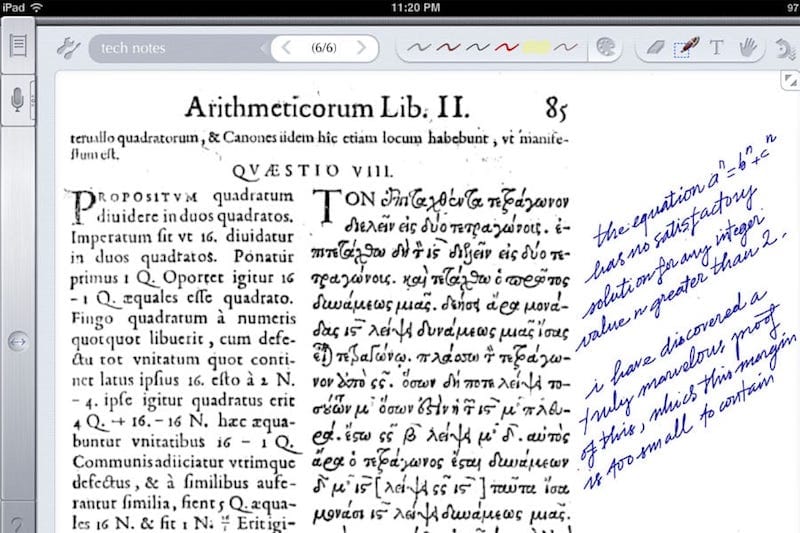
In my previous post, we can see the image – replacement technique being applied to mathematical formulas rendering. Replacing text by image can be seen in various Web’s techniques, mainly to display things that browser can’t! It’s a possibility that many Web technologies would never converge into common “form factors”: how many years have passed but SVG is still not supported on all browsers, how font technologies are still fighting stiffly with each other? Various issues would always remain unresolved and image replacement, though ugly and inconvenient, could be used as a temporary solution.

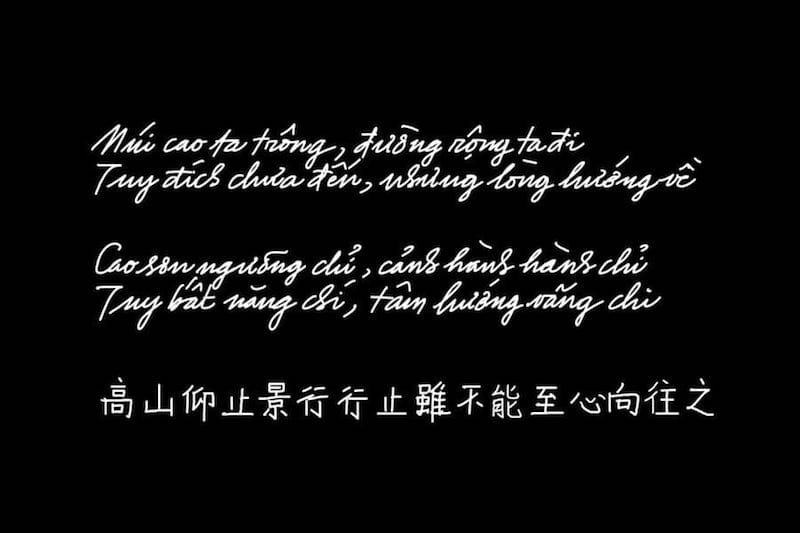
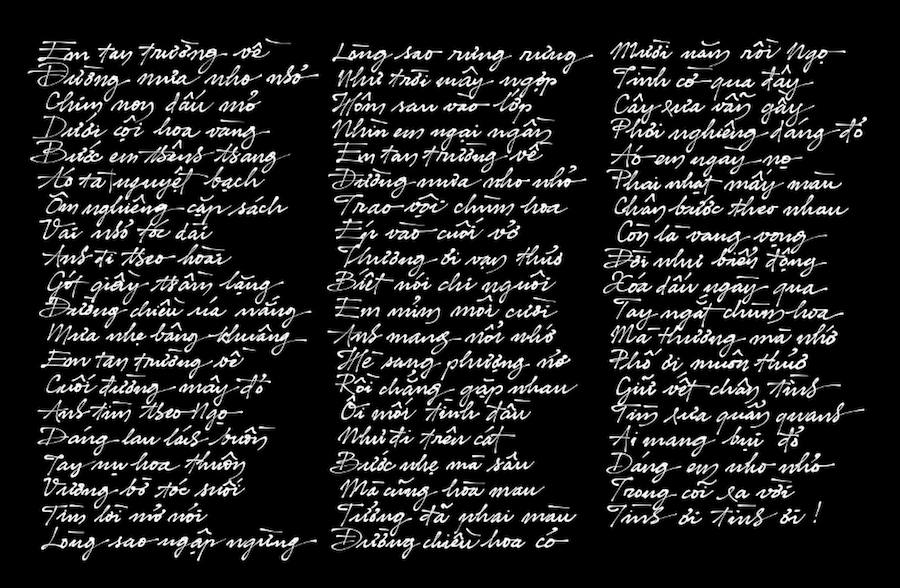
As you can see in the image above: the first line is a popular Chinese straight – stroke font that can be seen on most browsers, the next lines are nice calligraphy (brush – stroke) fonts that can hardly be seen on the web! I’m going to try using FreeType2 for a very specific problem: rendering Chinese fonts, the only reason is just simple: aesthetics! Searching around, I can’t find any simple, standalone solution: nice Chinese fonts are very big, a typical ttf file has size from 5MB to 50MB depending on the character set and quality (with that size, it’s obvious that we should use a server side solution). Packages like Pango or Cairo are too complex, and would require additional dependencies (which is unavailable on a free Linux host).

It takes me a whole day struggling with FreeType2’s reference and manual to get it work with Chinese fonts (quite different from conventional Latin fonts indeed), and finally here it is! You can access the executable at: http://tkxuyen.com/freetype2.php with the following syntax: freetype2.php ? text=… &font=… &size=… &color=… here is an example. Below are renderings with different sizes (anti – alias works really well):

text=洛阳城东桃李花飞来飞去落谁家&font=2&size=11&color=111111
text=洛阳城东桃李花飞来飞去落谁家&font=2&size=12&color=111111
text=洛阳城东桃李花飞来飞去落谁家&font=2&size=13&color=111111
text=洛阳城东桃李花飞来飞去落谁家&font=2&size=14&color=111111
text=洛阳城东桃李花飞来飞去落谁家&font=2&size=15&color=111111
text=洛阳城东桃李花飞来飞去落谁家&font=2&size=16&color=111111
text=洛阳城东桃李花飞来飞去落谁家&font=2&size=18&color=111111
text=洛阳城东桃李花飞来飞去落谁家&font=2&size=19&color=111111

and renderings with 3 different Chinese fonts (very big files, installed on server) and in different colors. Just note these fonts are a bit non-standard: they produce traditional Chinese characters as output, but only accept simplified Chinese as input:

text=洛阳城东桃李花飞来飞去落谁家&font=2&size=19&color=FF1111
text=洛阳城东桃李花飞来飞去落谁家&font=1&size=19&color=11FF11
text=洛阳城东桃李花飞来飞去落谁家&font=0&size=19&color=1111FF

Update, Jun 6th, 2021:

Due to some changes on my web-hosting, CGI is disabled for some reason. I really don’t have time to figure out why, so just temporarily remove the Chinese font rendering for now!

FreeType2 is an very handy open source library, it’s available on many flatform: Unix, Dos, Windows, Mac, Amiga, BeOS, Symbian… and it does a very good job of handling typefaces! Since FreeType2’s patent issues have expired since May, 2010, we would see an increasing application of FreeType2 in many areas.

This is my very simple C code (~250 LOC) to experiment with FreeType2: loading font, loading glyph, rendering bitmap, dealing with Unicode… To compile, just something like: gcc gifsave.c freetype2.c -o freetype2.cgi `pkg-config --cflags --libs freetype2`. I hope I can have time to extend the code into a more usable form: multi – line layout, alignment, RTF support, etc… Some restrictions are imposed to protect the server, if some text can’t be rendered (e.g: rendering dimensions are too large), an error image like this is displayed instead:

latex rendering server


Some example expressions rendered by MimeTeX (it’s good to appear to be smarter than you are!) If an expression fails to be rendered, you would see an error image like this:

Recently, the wonderful yourequations.com site (which I’ve been using to occasionally render mathematical expressions on web pages) has ceased it’s service due to heavy traffic. I was thinking about running my own LaTeX rendering server, things turned out to be pretty easy as follow, thanks to the excellent MimeTeX package, a LaTeX reduced subset. It’s also interesting to experiment the “stone age technique” of CGI, first download and compile the package:

wget http://www.forkosh.com/mimetex.zip
unzip mimetex.zip
cd mimetex
cc -DAA mimetex.c gifsave.c -lm -o latex.cgi
# test the binary, view the ‘fermat.gif’ image
./latex.cgi -i “a^2+b^2=c^2” -e fermat.gif

Uploaded to host, latex.cgi runs without any dependencies. The ugly thing with my (free) Linux host is that although it does allow CGI, it doesn’t allow CGI to return documents of type ‘image/gif’ no matter what. To work around, I wrote a small PHP script, which parses the GET input, calls CGI to generate and save image in a cache directory, then redirects request to the LaTeX image. This also helps not to expose your CGI directly on the web too!

// use ‘system’ command to execute CGI
$cmd = “$mimetex_path -e “.$full_filename;
$cmd = $cmd.” “.escapeshellarg($formula);
system($cmd,$status_code);
$text = $pictures_path.”/”.$filename;
return $text;

I’ve been always loving CGI for its simplicity, CGI, Perl, Python… old things never die! Although I have almost no experiences with them, they let you do whatever you want to given a little tweaking know – hows. Please note that MimeTeX is not as full – featured as LaTeX, it can’t render some too – complex expressions and it uses an ugly bitmap font. If your server has some LaTeX support, consider using MathTeX, a more advanced version from the same author.

Update, Jun 6th, 2021

Due to some changes on my web-hosting, CGI is disabled for some reason. I really don’t have time to figure out why, so just temporarily remove LaTeX rendering for now!

technical debt

Các yếu tố nội tại ảnh hưởng đến sự thành bại của một dự án phần mềm, chưa nói đến các yếu tố ngoại cảnh…

Những gì nhắc đến trong bài này không phải là “rocket science”, cũng chưa đáng gọi là công nghệ tối tân. Đó mới chỉ là các kiến thức cơ bản mà đa số có thể học được ở nhà trường, cộng với kinh nghiệm sau một vài năm làm việc! Tại sao thực trạng đa số coder Việt Nam như tôi thấy lại ảm đạm đến vậy? Những gì họ học được đều hình thức, hời hợt, nằm trên bề mặt con chữ và khái niệm suông, ít người có được kiến thức thực dụng khả dĩ tự làm được những product mới!

Một phần là do đa số coder làm việc trong những dự án out-source, code họ viết thường là những đoạn nhỏ không quá 1000 dòng, thêm vào trên khung sườn do người khác viết sẵn! Phần khác là khả năng tự tìm tòi, tự giải quyết vấn đề bằng chính suy nghĩ của mình. Nếu họ biết tự thử nghiệm những project cá nhân nhỏ cỡ 30 000 ~ 50 000 LOC chứ không copy & paste code thì kinh nghiệm, độ nhạy bén trong cách tiếp cận & giải quyết vấn đề, khả năng sử dụng ngôn ngữ & công nghệ của họ đã khác!

Một lý do nữa là do cách dạy, cách học từ chương chỉ giúp cho sinh viên có được một mớ ngôn từ, khái niệm trống rỗng mà không thực sự hiểu nội dung sâu bên trong của chúng, và càng không biết các cách ứng dụng, kỹ xảo dùng trong thực tế. Đa số né tránh các bài toán cấp thấp và cụ thể, thích sử dụng các thư viện có sẵn với lý do don’t reinvent the wheel – đừng phát minh lại cái bánh xe. Cách ngụy biện đó vẫn đứng vững cho đến khi chúng ta đi chế tạo cái xe thì phát hiện ra đến cái bánh chúng ta cũng chưa làm được!

Technical debt là một ẩn dụ đôi khi được dùng trong ngành công nghệ phần mềm (CNPM), và là ẩn dụ đúng nhất cho thực trạng CNPM Việt Nam hiện tại. Phát triển phần mềm cũng như mọi công việc kinh doanh khác, về bản chất giống việc vay nợ, tức hiệu suất sinh lời phải đủ để trả lãi và quay vòng vốn trong một khoảng thời gian nhất định. Dĩ nhiên các yếu tố kỹ thuật khó lòng có thể được định lượng như tiền bạc, nhưng theo một nghĩa nào đó, nếu tỉ lệ các vấn đề được giải quyết thấp hơn so với tỉ lệ các vấn đề phát sinh, thì điều đó có nghĩa là dự án đang “tăng trưởng âm”. Tuy mượn một thuật ngữ từ lĩnh vực kinh tế, song “nợ kỹ thuật” thuần túy đề cập các vấn đề kỹ thuật như được trình bày sau đây:

NỢ LOẠI I

Đây đơn thuần là sự yếu kém về khả năng kỹ thuật và khả năng hiểu biết làm chủ công nghệ. Sự yếu kém này gồm nhiều dạng:

Kỹ năng cơ bản: có lần một senior engineer có 6 năm kinh nghiệm hỏi tôi về một khai báo C++ như sau (nằm trong file .cpp):

int CSomeClass::m_someVariable = 1;

Sau 1 phút xem xét vấn đề, tôi hiểu ngay là người này không biết cách khai báo “static member variable” trong một “C++ class”, anh ta nghĩ nó cũng giống Java, chỉ cần khai báo trong định nghĩa class (file .h) là đủ.

Khả năng am hiểu công nghệ: một lần khác, một technical manager trình bày với tôi về 3D, OpenGL… anh ta nói rất nhiều về các khái niệm, thuật ngữ, danh sách dài các API. Nhưng chỉ sau một vài câu hỏi, tôi biết ngay người này không hiểu cách thức hoạt động cơ bản của một 3D engine, chưa nói đến các chi tiết phức tạp của một 3D driver. Mãi 4 tháng sau đó, sau một quá trình mày mò, anh ta mới bắt đầu hiểu ra những yếu tố đơn giản như: các hàm vẽ 3D không làm việc cùng một cách như các hàm vẽ 2D.

Sự yếu kém của các coder Việt nam tập trung nhiều vào nhóm Nợ loại 1. Những kỹ năng cơ bản cần phải được đào tạo thật kỹ, không phải chỉ là lý thuyết mà còn là các kỹ thuật, kỹ xảo ứng dụng thực tế. Nó giống như một người nói về kiếm, dĩ nhiên anh ta có thể nói về các “kiếm chiêu”, “kiếm pháp” anh ta học (đọc) được ở đâu đó. Nhưng điều này hoàn toàn khác với chuyện anh ta có thể dùng kiếm để chiến thắng những đối thủ (dự án) khó khăn, sừng sỏ!

Yếu kém về kỹ năng cơ bản kéo dài thời gian thực hiện những feature nhỏ, làm không đúng cách khiến phải làm đi làm lại nhiều lần. Tôi đã thấy một người implement một UI’s button: đơn giản chỉ là vẽ một cái nút với 1 dòng text & image. Anh ta không thực sự hiểu nó làm việc như thế nào, anh ta copy code từ đâu đó. Có thể các bạn không tin nhưng đó là sự thật, cái button được sửa đi sửa lại suốt 6 tháng mà vẫn chưa hoạt động đúng!

Sự yếu kém trong hiểu biết công nghệ cơ bản dẫn đến nhiều hệ quả nghiêm trọng hơn: định hướng sai, không hiểu các yêu cầu hợp lý và không nhận ra những yêu cầu phi lý của khách hàng, phí phạm tài nguyên cho những bước đi sai lầm. Hậu quả nhẹ nhàng nhất là: chỉ giải quyết được vấn đề trong một số tình huống phiến diện, thiếu bài bản. Nhưng thường thì hậu quả không tốt đến thế: làm sai lệch các hiểu biết chung của dự án, sử dụng công cụ, công nghệ không đúng chỗ, đặt ra những mục tiêu không tưởng, không có thật.

NỢ LOẠI II

Là những quyết định sai lầm (về kỹ thuật hay quản lý) dưới các áp lực từ phía kinh doanh hoặc từ những độ đo, cách đánh giá không phản ánh sự thật, duy ý chí.

Một ví dụ nhỏ: sau khi định hướng, khung ứng dụng được dựng lên trên nền một “3D test driver”. Bản thân driver là một “school project” có cải tiến chút ít, bản thân ứng dụng được viết trên một số giả định về các khả năng mà driver và hardware có thể cung cấp. Sau khi test, ứng dụng không đạt yêu cầu, và do đó quyết định optimization được đưa ra: chúng ta biết việc này ảnh hưởng đến kiến trúc cơ bản và lâu dài của software nhưng trước hết nó phải pass được 1 số measures nhất định!

Dĩ nhiên người có kinh nghiệm sẽ hiểu ngay là các độ đo đặt không đúng chỗ: driver và application mới chỉ là những code đơn giản, khó lòng có thể optimize nhiều, hardware 2D cũ hoàn toàn không đáp ứng, thậm chí là không tương thích dù là trong concept với các yêu cầu 3D mới. Và cũng không khó khăn để nhận ra: dường như với tác giả cái “3D driver” này, đây mới là lần đầu tiên ông ta thử nghiệm các kỹ thuật 3D, dĩ nhiên các concepts “bài bản” vừa học được đều rất đẹp cho đến khi người ta biết rằng 1 “real world project” hoàn toàn khác 1 “school project”.

KẾT LUẬN

Những món nợ kỹ thuật dù lớn, dù nhỏ đều góp phần ảnh hưởng tới hiệu suất và sự thành bại của dự án. Tất cả đều có chung nguyên nhân: chất lượng nguồn nhân lực! Các thành viên cần phải được chuẩn bị (kiến thức & kinh nghiệm) cho vấn đề mình đang giải quyết, từ khâu design đến coding, cho đến các scopes & milestones của dự án. Trong một dự án nhiều người, nhiều giai đoạn, tất cả những món nợ này được tích lũy theo cấp số nhân: sửa sai trên những code sai của những định hướng sai… và kết quả là lãi mẹ đẻ lãi con và nợ trở thành không trả nổi.

engineering dogmas

Over the years in our software community, I’ve seen a lot of dogmas, myths and lies that spread like ‘cholera’. That only reflects the fact that many programmers just repeat like parrots what they ‘learned’ from school, news, books… without their own justification, and to some extent, reflect their lacking of experiences. A good engineer should, at least, have some abilities to judge the pros and cons, weak points and strong points, when to use, and when not to use a method, a language or a technology.

Design first, then code!

The principle is, in general, not wrong. However, pragmatically, a software’s final structure, architecture… is not achievable as product of an immediate thought or a single design cycle. In most cases, the “first design” is certainly not the correct one. It’s not in a deterministic process that we can build software, complex product would always requires a lot of trial and fail. And from my experiences, good designs are sustainable solutions after a tedious process of experiments to eliminate wrong directions. We need coders of strong analysis and experimental skills rather than the “evangelic designers”!

Where are the documents?

We are going to make clear distinction: do we need coders who really understand what they are doing, or we just need some paper to present to customers? In countless cases did I see that coders do not understanding what they are doing: they don’t understand a feature, they don’t know how to archive that, they are unable to judge the pros and cons, they just mechanically copy and paste code from somewhere. Documents only provide rough, general views on the matters. If you’re going to mention about a static-web-page project, I would agree that document is something. But if you’re mentioning system programming, it’s the code that is the document!

Poor skills and wrong knowledges

This is simply put: countless! Just to name a few:

Poor skills: once, a coder being asked to fix a “null pointer exception”. What he did is adding a “if (pointer != NULL)” line into the code. It’s not fixing, it’s just hiding, fixing is find out why the pointer is NULL, not prevent it from being executed! Another time, another coder, getting frustrated under a crash situation, place a “try… catch” around the buggy code segment. This is again, not fixing, with this way of hiding, we’re just going to accumulate faultinesses until the software crashes silently for no reasons!

Object oriented programming rules: OOP is more beautiful in theory than in practice. OOP provides a nice way for modeling, but it come at costs: bloating code. It is not until the project grows above 1M LOC that OOP become a burden, that we would need to do the “functional decomposition” optimization tasks. It’s the execution (functional) tree that decides performance, not the inheritance tree that obscures runtime characteristics!

Design pattern rules: this is again, not true! I agree that patterns reflect some good coding practices, but software could never be built from the so call “patterns” (there hasn’t been any such proven process). I really don’t understand what is a “singleton” if it’s essentially (in C/C++ syntax) a static variable, I also don’t understand what we need from a “factory” if it’s essentially a “switch… case” structure!?

Management myths

Managers tend to forget what they’d learned when they were coders. There’re lots of myths in software management, just some examples:

  • Software people is of a same type and the same background.

  • We already have a book that’s full of standards and procedures for building software. That provide out people with everything they need to know!

  • If we get behind schedule, we can add more programmers and catch up.

  • Project requirements continually change, but change can be easily accommodated because software is flexible.

There have been extensive criticisms on various OOP models and OOP implementations (Java, C#, C++, MFC, Objective C, glib…) The AntiPatterns wiki and many other authors provide good anti-examples on the uses of patterns!

Linus Torvalds, being criticised: “the kernel has no obvious design”, had replied: “Linux is evolution, not intelligent designs”! The same applied for similarly complex projects!

Document is for understanding, but is not the understanding itself.

Software project management is the domain of vast diversity! No simple rules applied to a software process!

3d particles

Some funs with 3D effects. Just some years ago, rendering 3D particles like water, smoke, fire, fog… was an extremely hard task. I remember how struggling it was for me to build 3D models for a waterfall (with moving water) or a shouting-crowd stadium. It’s enjoyable to see how graphics has advanced in the past few years, these effects are now easily achievable.

Video above: the classical Utah teapot with steam coming out from its spout, rendered with Panda3D, the well-known open-source game engine originally released by Disney, which has a feature-rich C++ core with Python scripting for application development.

basic algorithms

The book is my primary source of interest while being a freshman, which presents a wide range of algorithms in a very coherent and systematic way. I remember “rescuing” this hard-copy from a Fahasa‘s junk pile for about 4 USD, which from that time on became a student’s most precious thing! You can read the soft-copy here.

This is among the subjects I was very fascinated the early years at university: algorithms, graph theory, geometry, image processing… I was not quite good at “symbolic” math (like algebra), but “visual” math offered me much inspiration. The thing I would remember most is Robert Sedgewick‘s Algorithms, a book that I’ve read through over and over again many many times. It is indeed the most important Computer Science textbook that beginners MUST read until today.

The Java applet below is “refurbished” from the code I wrote the first year at college, which visualizes the nature of different sorting algorithms (original code was written in Borland C++ 3.1 with BGI – Borland Graphics Interface). This is among my various attempts to visualize the knowledge collected from the book, which had taught me that even a simple thing like “bubble sort” is not that “very simple”! Let select an algorithm in the dropdown list and click ‘Start’ and see the differences!

My visualizations above are very early (1997), much prior to those demonstrations on wiki. Later on, I’d learned that the author R.Sedgewick put a great emphasis on algorithms’ visualizing himself, his work used PostScript. Many new ways of visualization are really impressive and easy to understand, such as this (using JavaScript).

I started with with C/C++ at school, then continue with C/C++, Java, Design Patterns… on various projects. Later I abandoned Design Patterns (and Java), then I abandoned C++. To me there’s no Design Patterns, there’s only data structures and algorithms! Would write another post on the bloating and non-sense usages of Design Patterns later on!

It seems that most software engineers today lack fundamental knowledges and skills. It’s quite apparent that you could not rely on a guy talking about architecture, GoF’s design patterns… all the time but can not state the algorithmic differences between a DFS (depth first search) and a BFS (breadth first search).