analog computers

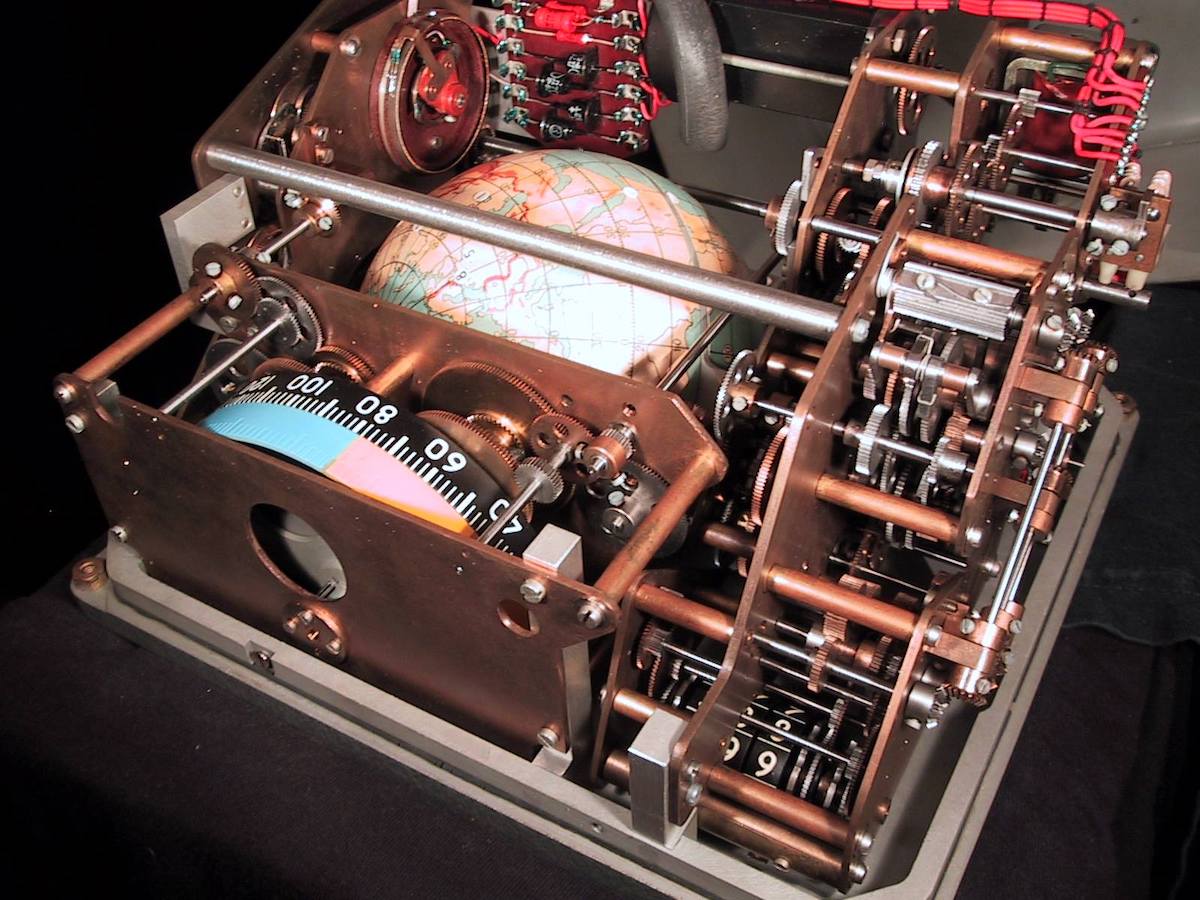
Một chủ đề ưa thích của tôi là lịch sử Khoa học Kỹ thuật. Lên Đại học, tiếp xúc với các khái niệm automata, tự động hoá và điều khiển, tôi được học chung về các nguyên tắc đầu vào và đầu ra của các hệ thống máy tính điện tử. Tất cả các tín hiệu “in và out” (sensor, control, actuator…) được “lượng hoá” từ tín hiệu analog thành digital, vì máy tính hoạt động trên nguyên tắc tín hiệu số, dĩ nhiên có một số bộ chuyển đổi AD, DA đâu đó. Nhưng mãi lâu về sau, tôi mới được biết đến cái gọi là “analog computer”, ngược hẳn với “digital computer”, đó là những “máy tính tương tự”, hoạt động trên các “tín hiệu tương tự”, sử dụng những nguyên tắc cơ, điện, quang… Một ví dụ “kinh khủng” nhất cho các “analog computer” là các “máy tính” sử dụng trong điều khiển tàu vũ trụ của Liên Xô, mở ra bên trong thấy toàn các bánh xe cơ giới!

Một sự thật làm tôi há hốc mồm vì kinh ngạc! Tàu con thoi Soyuz được phóng lên vũ trụ và hạ cánh xuống mặt đất, được tự động hoá từ A đến Z, không cần người điều khiển, sử dụng những bánh xe, cánh tay đòn hoàn toàn cơ giới như thế. Trong khi “Tàu con thoi – space shuttle” của Mỹ, sử dụng “digital computer” hẳn hoi – hiện đại hơn Liên Xô cả một thế hệ, nhưng không thể tự động hoá hoàn toàn, phải có người điều khiển! Các hình dưới đây, bảng điều khiển tàu vũ trụ Liên Xô, một quả địa cầu được xoay bằng các trục và bánh xe, để chỉ cho phi công biết con tàu đang ở đâu so với mặt đất! Mở ra bên trong trông như một cái đồng hồ, một kỳ quan thực sự về cơ khí phức tạp! Phải mất rất lâu ta mới hiểu ra rằng, có nhiều hơn một cách để làm “chuyện ấy”, và những “cách khác” ấy đôi khi rất “dị” so với “quan điểm thông thường”!

quy tắc 10,000 giờ

Quy tắc 10,000 giờ liệu có đúng!? Từ lâu các “bài” trên internet “kháo nhau” rằng, dù là lĩnh vực gì, tập trung cho nó đủ 10,000 giờ, bạn sẽ trở thành “chuyên gia” trong lĩnh vực đó!? Mới nghe tôi đã phì cười… Như tôi, lập trình C: Borland C++, Visual C++, Objective-C, glibC… xoay quanh mỗi ngôn ngữ C hơn 20 năm, thời gian bỏ vào đó hơn 10,000 giờ nhiều lần.

Hay thời gian dành cho thuyền bè 6, 7 năm qua cũng đã hơn 10,000 giờ, mà cũng chưa nên cơm cháo gì! Cuộc sống ko dể dàng đến thế! Thật ớn ăn cho các “tác giả” – “giả cầy” của thời buổi marketing, PR, sale, SEO… những lĩnh vực lúc nào cũng chỉ muốn “mì ăn liền” và hiệu quả nhanh chóng. Họ đang nô dịch chúng ta từ trong suy nghĩ… 10,000 giờ ư, chuyện nhỏ!!!

goat cart

The two sides of my life: The world wide web and The wide wild wet, a heavy – loaded feeling like the donkey in the image below!

algorithms

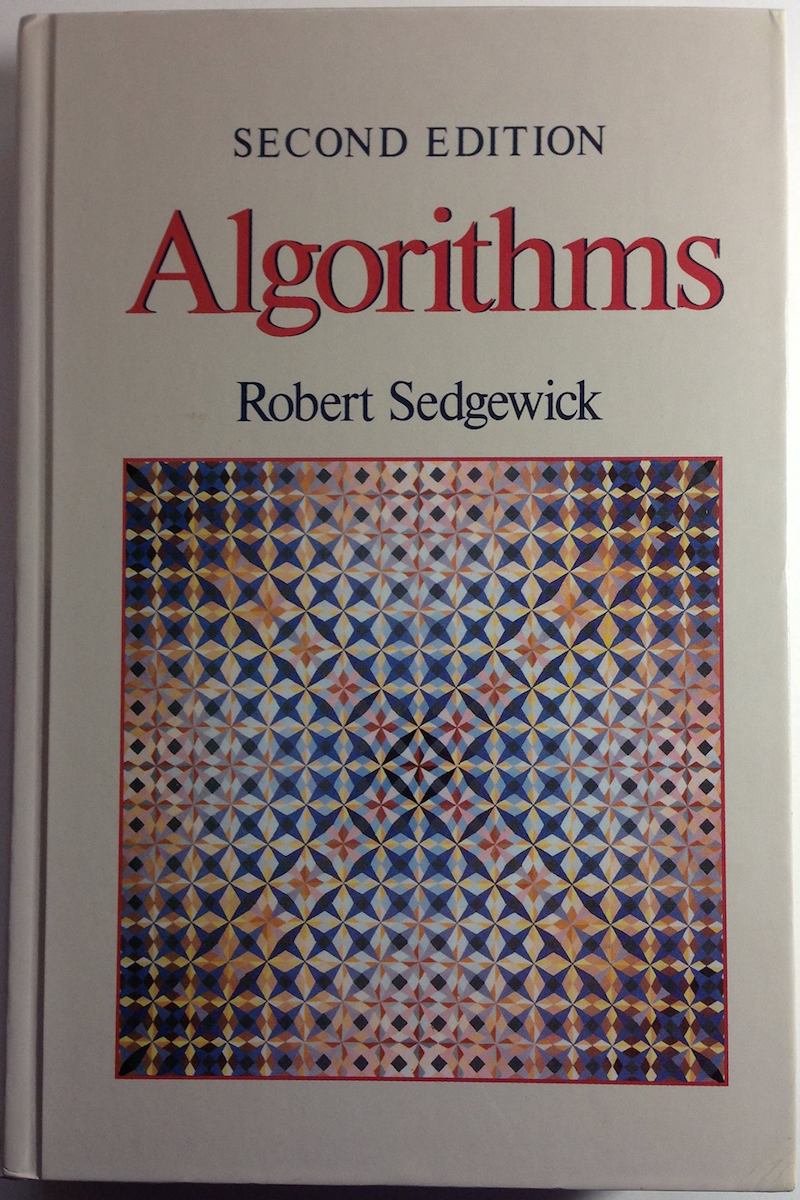
Một phần quan trọng của 4 năm ĐH nằm trong cuốn này. Sách ngoại văn bìa cứng, bản in đẹp giấy tốt, đồng giá 50K/cuốn. Những năm 199x, FAHASA nhập sách ngoại về, bán chẳng ai mua, canh me đi qua lúc nó sale off, xúc luôn một lúc cả chục cuốn, từ Algorithms, Data structure, Computer graphics… cho đến Algebra, Advanced Calculus, Statistics, Mathematical Analysis, etc… Cũng là lý do tại sao thuật ngữ Toán, Tin… ko hề biết tiếng Việt. Cũng chưa thấy cuốn sách Tin học nào hay và bổ ích như cuốn này. Nói cho đúng là cái cách hành văn khoa học tiếng Anh của nó ám ảnh mình, ít khi thấy được một cách hành văn hay, súc tích, dể hiểu đến như thế, cộng thêm minh hoạ cực kỳ xinh đẹp.

Nếu nói mức độ hiểu vấn đề nó thể hiện qua khả năng diễn đạt, trình bày lại để cho người khác cũng hiểu thì tác giả cuốn này đúng là siêu đẳng! Về sau phát hiện ra, cả thư viện Đại học Khoa học Tự nhiên cũng chỉ có đúng một cuốn này, mình có riêng một cuốn! Không có thói quen đọc nhiều sách, theo mình, cả ĐH chỉ cần đọc chừng 3, 4 cuốn, và cả cuộc đời chắc không cần đến 20 cuốn. Đọc nhiều phí hoài tuổi xanh đi! Dự định sau này mình sẽ đóng cái kệ sách cao đến sát trần nhà, bỏ bớt những cuốn không đọc lên trên cao để không phải đụng đến chúng! Sách hay thì ít như sao buổi sớm, mà sách lôm côm lại nhiều như… lá rụng mùa thu! Sau bác nào đó thấy sách ngon, mượn ko trả, tiếc đứt ruột!

the man of wisdom delights in water…

仁者樂山
智者樂水

Written with a Bamboo stylus on iPad, using my inking mentioned earlier! A quote from Confucius’ Analects, and its partial, literal equivalence in English on this post’s title. Looks like there’s still lots of space for improvements on creating real, good looking strokes (for Chinese round brush and other kinds of brushes). Really discontent with my Chinese handwriting, it’s never been good enough for me, it’s been degrading greatly over time without practicing! My handwriting reflects my messy, chronically — undisciplined character!

inking

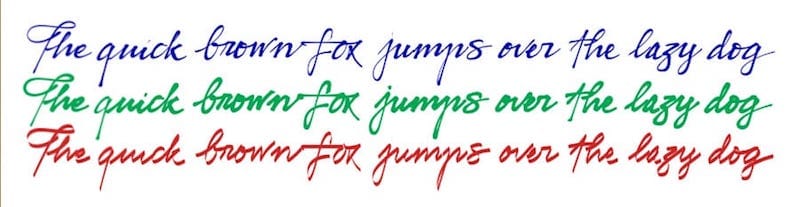
My proudly – announced achievement for the last 6 working months, now is a registering (pending) patent in the U.S. It’s about create inking effect to handwriting on iPad (ideally with a stylus): you can apply many pen styles: ball pen, fountain pen, calligraphy pen, Chinese round brush, and different levels of ink wetness. You may have seen my handwriting in severalpreviousposts, but this is completely different, a big step forward, much more a realistic look like ink on paper. You need to see it in action to witness how interesting the “beautification effect” it is!

Different pen styles:

Different ink wetness:

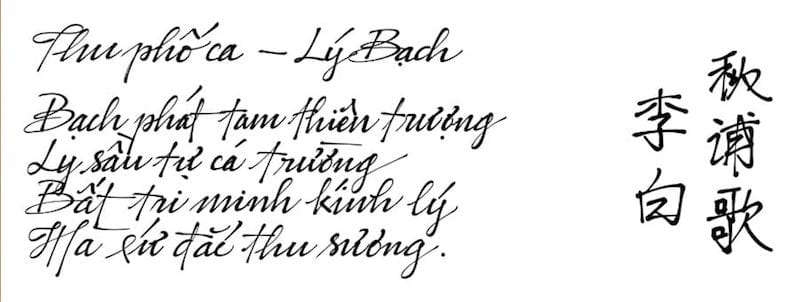
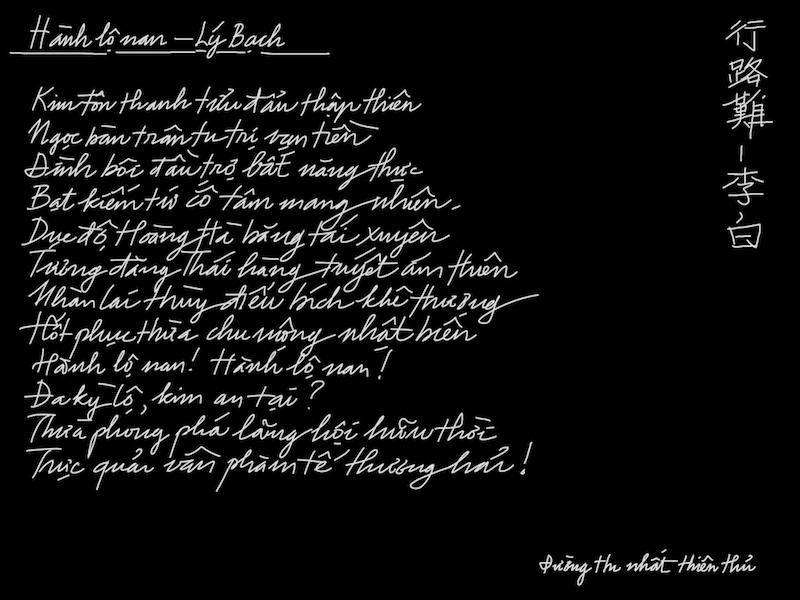
Another writing example, a poem in both Vietnamese and Chinese:

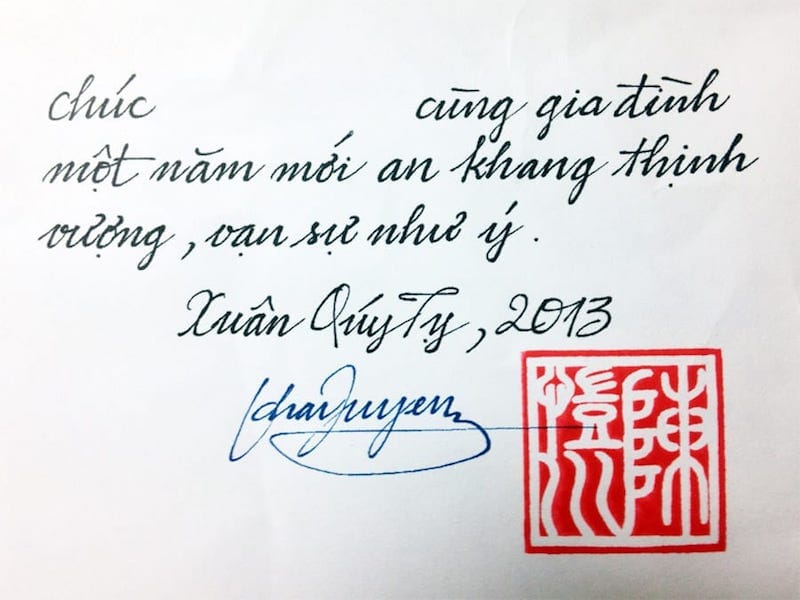
And now, a real world application, my new year greeting card, hand – written on iPad, printed on paper, with my signature and personal seal on it. Old vintage things are not to be perished, they just come back in new neoclassical forms, to have “inflated”, “degraded” contemporary values reprimanded!

styli

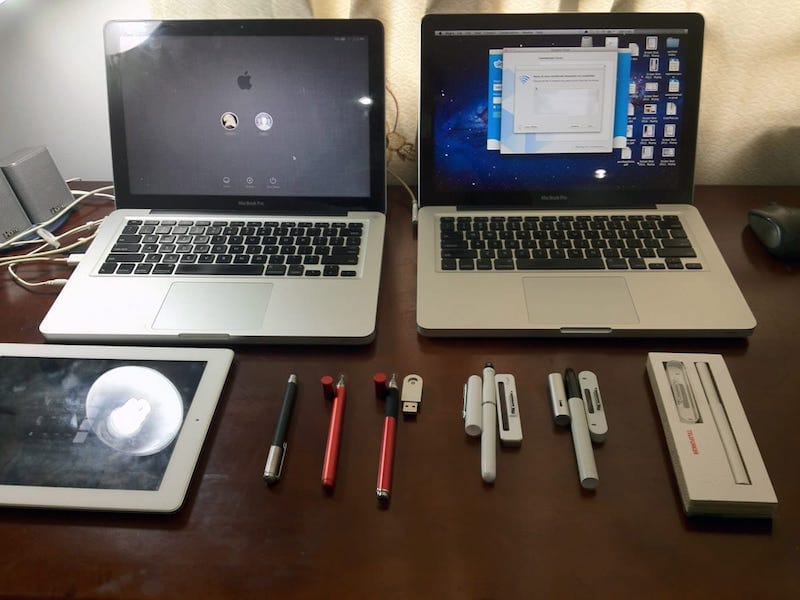
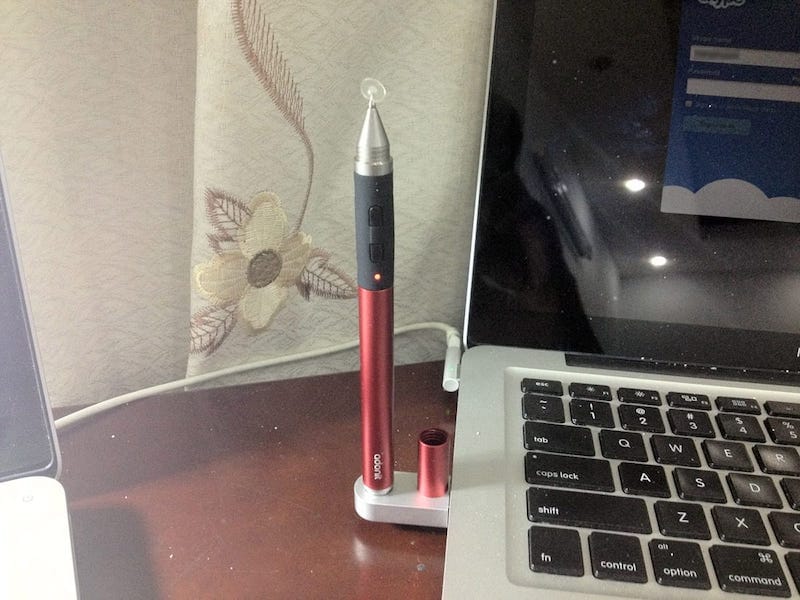
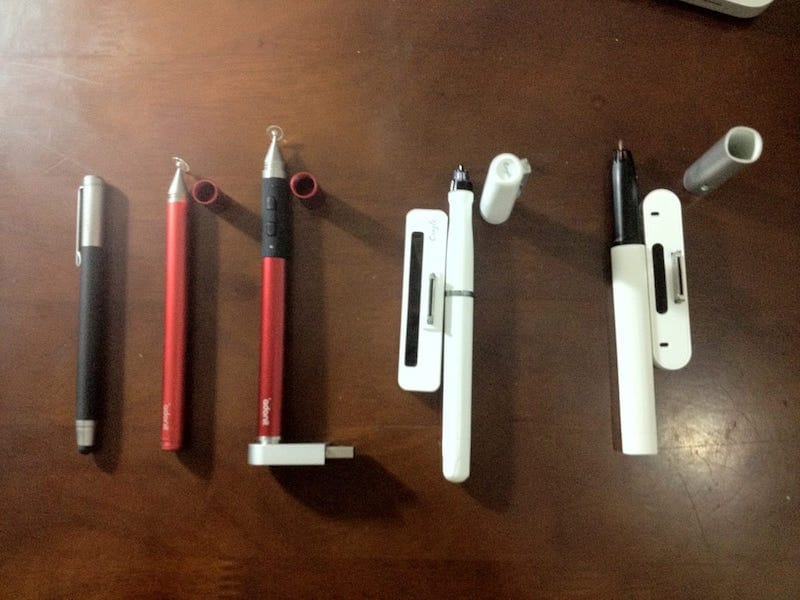
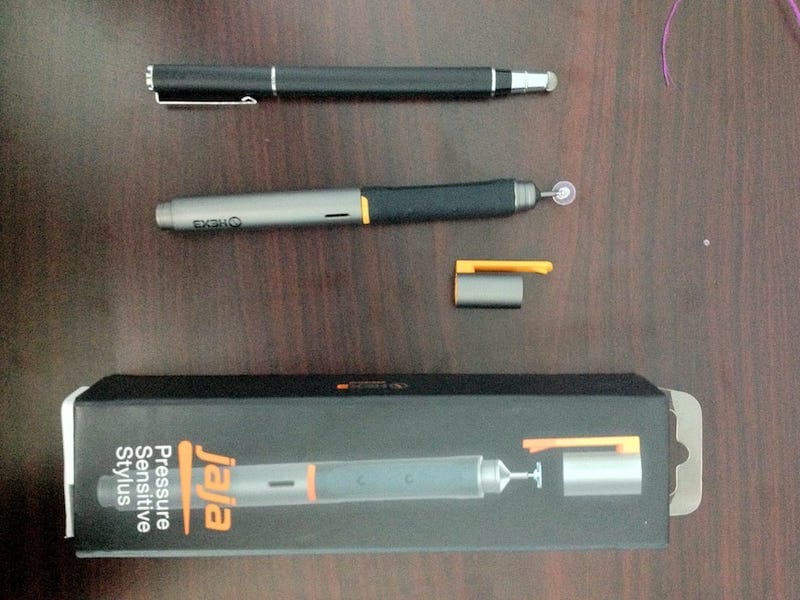
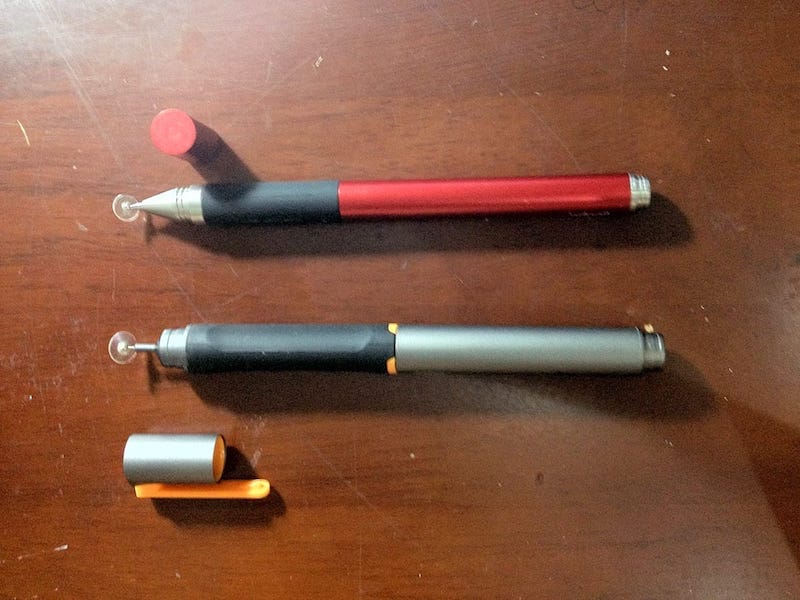
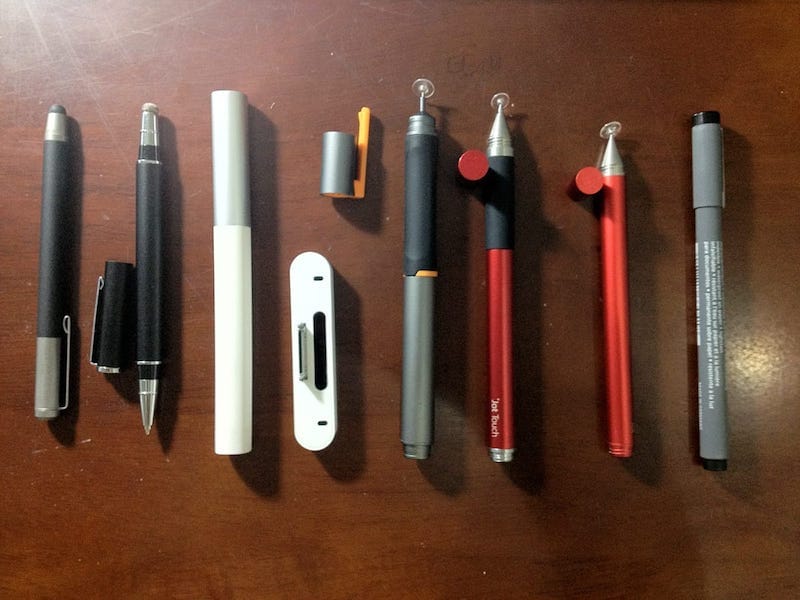
I was playing around with some iPad’s styli lately: the Wacom Bamboo stylus, TruGlide, Adonit Jot, Adonit Jot Touch, Jaja, Cregle’s iPen and ByZero. I’ve been loving the smoothness of Bamboo, but TruGlide is really an excellent one! The new Adonit Jot Touch seems to be promissing, and on the second position is Jaja (for pressure sensitive styli).

wwdc 2012

It would start within a week from now, the well – expected event of Apple’s world – wide developers conference of 2012 – WWDC 2012. To welcome the tech fair, on the left is a screen capture of what I’ve been working hard on for the whole last month (the video is not really clear since it’s shot with my phone), a photo browser UI like iPad’s Photos app. It takes time to learn insights into Core Graphics, Core Animation, and I’m still learning. For all those years of graphics I’ve been through, Apple UI and its graphics sysem are still sooo… brilliant and amazing to me! (and “our love has just begun”!) Keep heading North!

chuyện tình tự kể

Ngày nào, cho tôi biết, biết yêu em rồi, tôi biết tương tư, sau đây là câu chuyện tình tôi tự kể, ngày nào, biết mong chờ, biết rộn rã buồn vui đợi em dưới mưa… Chúng tôi quen nhau tính về thời gian chưa phải là quá lâu, chỉ một vài năm gì đó. Nhưng nguồn cơn, nguyên do câu chuyện có lẽ đã được vun vén, manh nha từ lâu rất lâu về trước, tôi thương em dễ có từ thủa mẹ về với cha.

Bao giờ biết tương tư - Tuấn Ngọc 

Những lý do, ngọn nguồn chẳng thể nào mà giải thích và truy nguyên cho được đã dần đưa chúng tôi lại với nhau tự lúc nào. Tình yêu nào rồi cũng sẽ đi qua nhiều thăng trầm, đã có lúc tôi cảm giác chẳng hiểu gì về em, nhiều khi sự khó khăn của em làm tôi nản chí, cũng có khi tôi đã hoang mang, nghi ngờ em và chính mình.

Nhưng với tình cảm chân thành, bằng trực giác tự nhiên mách bảo, chúng tôi đã vượt qua nhiều sóng gió, để đến một ngày: ngày nào, cảnh thiên đường, đã mở hé tình yêu là trái táo thơm, tôi ghé răng cắn vào… Đến đây thì hẳn các bạn đã đoán ra nàng thơ của tôi tên là… Apple –  hiện diện trên các MacBook, iPhone, iPod, iPad xinh xắn!

writing on the margins

This is just a post of my truly nonsense and random thought. Some notions are just interesting in their own forms, like writing on the margins or sub luna saltamus – dance beneath the moon… I just particularly like the phrase writing on the margins, the action and its meaning, that’s why this website layout is designed with that notion in mind, the left column is reserved for additional and complementary information, as side notes along main content.

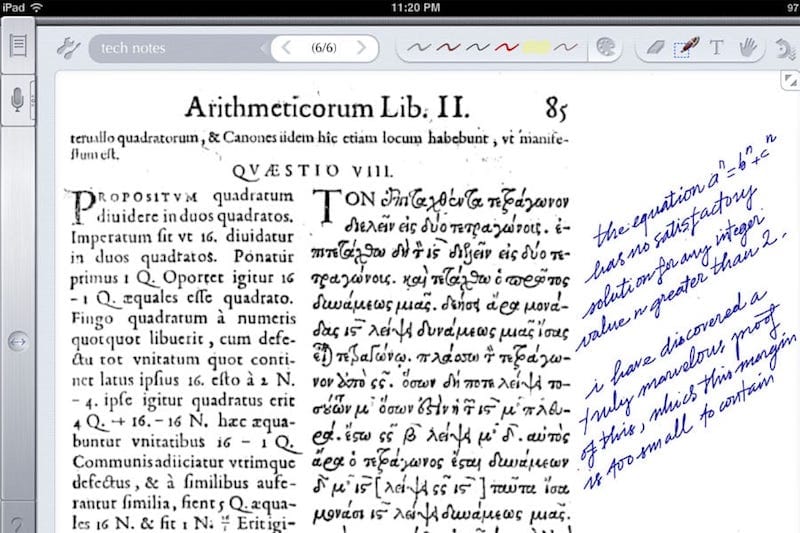
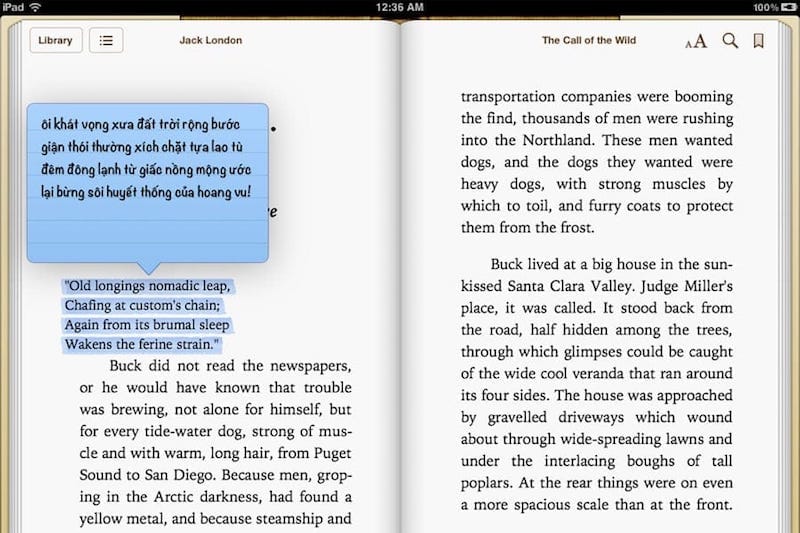
Take a look at the two iPad’s screenshots on the left and you would see how nice it is, writing on the margins in a modern and digital form, especially when you could still use your own handwriting with it. You may have noticed the two classical masterpieces (one in mathematics and the other in literature) referenced in those notes!

the new ipad

Just got the new iPad (or we called it: the iPad 3) in hand today and I’m stunned by it’s new retina display. There’s not such a fever like when the iPad 2 was released, I guess since the new iPad is almost identical to iPad 2 in appearance, people will consider about the fact that they won’t be able to show it off. In term of general performance, iPad 3 does not stand out to the previous iPad, or it could be worse in term of 3D – OpenGL performance according to some reviews. From a programmer’s point of view, this could easily be understood since doubling the resolution means 4 times the memory and processing power for each graphics API, which also means Apple has been pushing things over the Moore law’s limit!

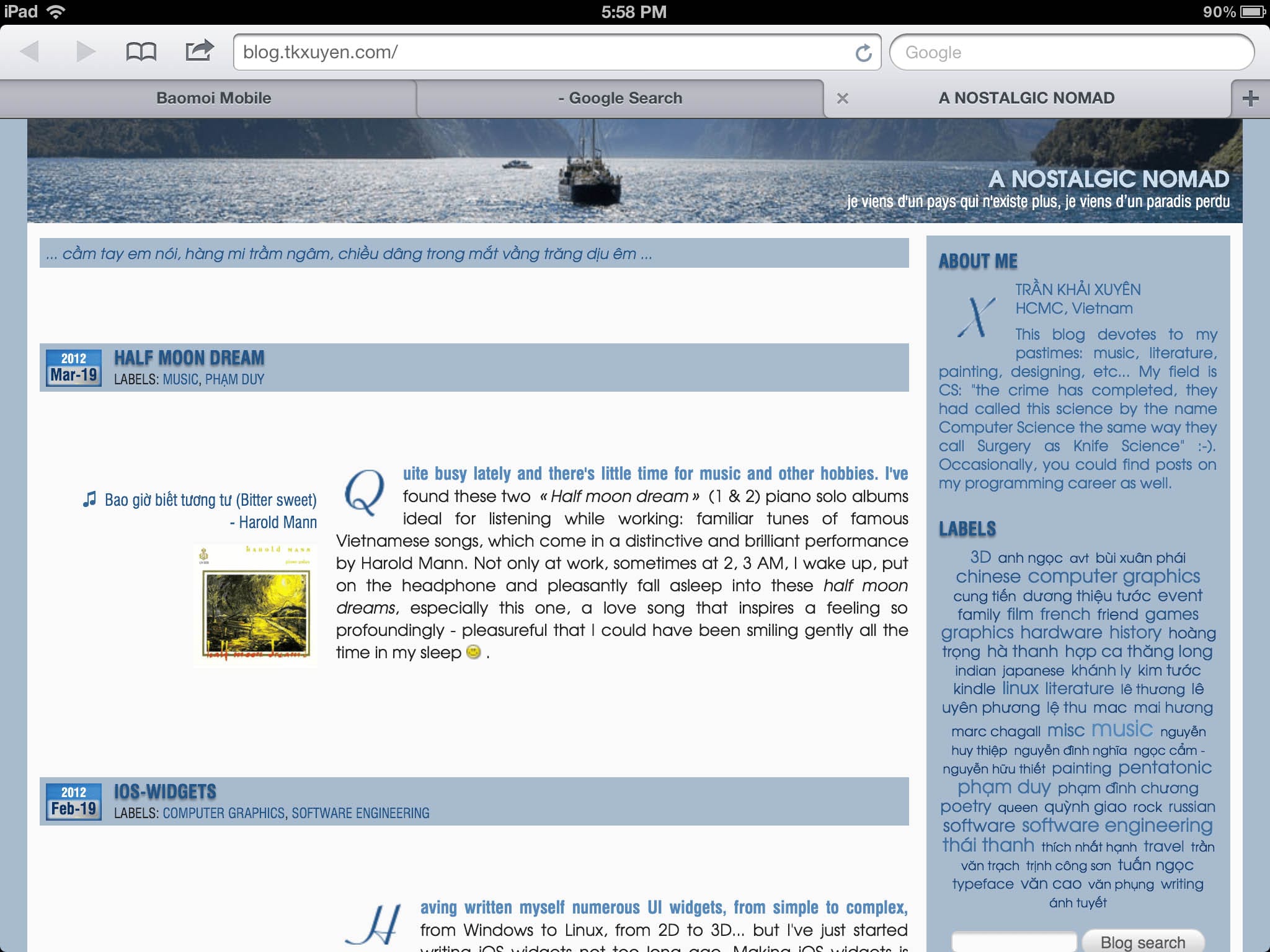
Personally I’m not really a passionate fan of these Mắc – Xinh – Tốt (Macintosh) assets, but professionally as a computer – graphics coder, I’ve always admired the prestigous 2D graphics tradition come with Apple’s products. Back to the retina display, on the left is a reduced – size screenshot of this blog taken on the iPad 3 (see full version here, it would take some times to load).

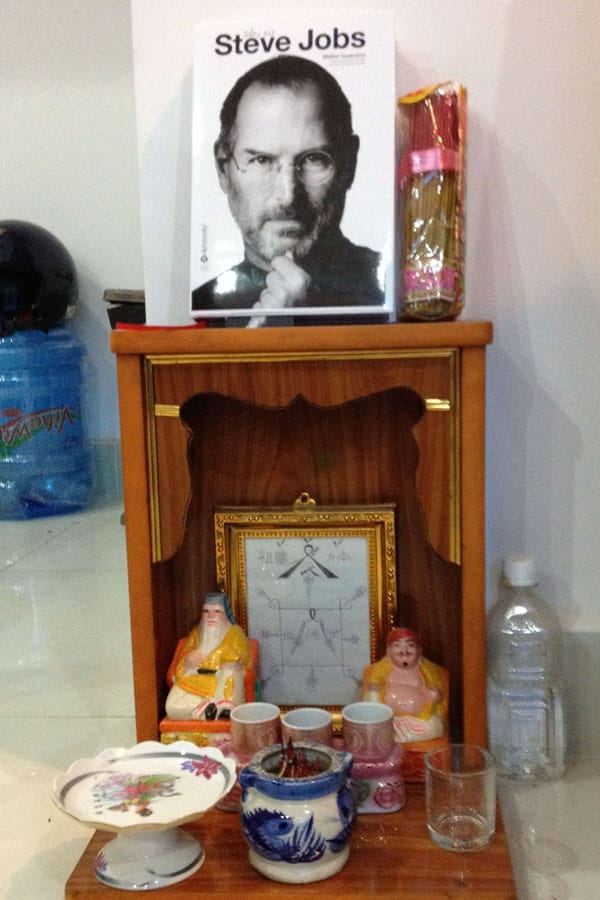
2048 x 1536 is a huge resolution that does magic to the vector things, e.g: displaying fonts! Not only the screen is much sharper, even at first look, its color tone appears to be truer, and the new iPad gamut covers 44% more into the sRGB color space compared to the previous iPad. The second picture: funny capture of Walter Isaacson’s Steve Jobs autobiography put on – top the God of Wealth’s altar in our office!

⓵⏎Mắc – Xinh – Tốt: a phonetical transcription of the name: Macintosh, which is a play–on–words, Mắc means: expensive, Xinh means: cute and Tốt means: good in Vietnamese.


ios-widgets

Having written myself numerous UI widgets, from simple to complex, from Windows to Linux, from 2D to 3D… but I’ve just started writing iOS widgets not too long ago. Making iOS widgets is really fun, for we have supports from the most powerful 2D graphics system ever built, that is CoreGraphics (Quartz 2D). The code, hosted on github, is released under MIT license, check it out for a demo project, I hope that these widgets would be useful somewhere, but yes, I know, don’t complain about the code quality, most is written in a rush and still have flaws in it, use at your own discretion!

1.   XFilePathHeader

This tabular header let you quickly browse a hierachy structure (like file system directories). The levels are shown as tabs, tap on a tab to jump to a parent folder, tap on the “Home” icon to jump to root folder.

2.   XSegmentedControl

The Apple’s standard UISegmentedControl only displays text, not image. This class lets you use image along with text (or image or text alone) in any orders (image then text, or text then image).

3.   XProgressTextField

This is a copy of Safari’s address textfield which shows a progress bar while the webpage is loading. Would continue to add more of these miscellaneous tiny widgets just for fun when I have time.

kindle touch

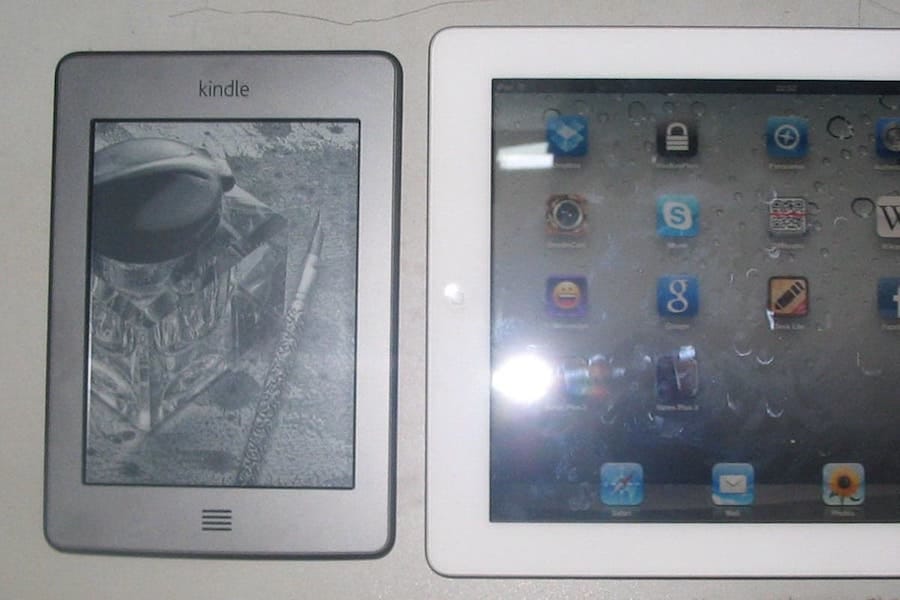
Well, having played with this “irresistible” Kindle Touch for almost two weeks. The good thing is that I can now continue with my favorite readings on e – ink display like before. The even better thing is that there’s no more clumsy buttons, only “touches”. I’m trying to keep my habit of reserving 4 ~ 6 hours a week for reading, and reading only, no email, no web surf meanwhile, just to be a little bit calm, slow and undistracted. The device now is smaller and fits into my jacket’s pocket so that I can carry it anywhere, just like a small notebook. Image on the left: Kindle Touch, next to an iPad 2 to compare the form – factors.

Updated, Jan 8th

A perfect complement for Kindle touch would be this SolarKindle, a cover and solar charger which would be available on the market next January to eliminate your need for charging a Kindle ever again!

handwriting

This is part of the really fascinating broader concept of neo – analog as mentioned in a previous post. Below is my handwriting with a stylus on my iPad (click to see large version), not too bad after 10 years of solely keyboard and mouse, not pen, right? Also, I’m quite excited with the coming Kindle touch (which should be delivered at end of the month). My thought is that it’s just a matter of time before e – ink would have color and refresh rate capabilities near those of conventional displays, and serious applications would be feasible within the vintage look and feel of e – ink!

the world is not flat

The book title reminds me of the same stupid question: how to put an elephant into a refrigerator. I still insist that you can not put a normal elephant into a normal refrigerator, no matter how people is arguing about that! The question: how to eat an elephant (answer: one bite at a time) actually makes more sense to me!

Friedman is right that there have been dramatic changes in the global economy, in the global landscape; in some directions, the world is much flatter than it has ever been, with those in various parts of the world being more connected than they have ever been, but the world is not flat… Not only is the world not flat: in many ways it has been getting less flat. (Nobel Prize – winning economist Joseph Stiglitz)

The popular expression that a capitalist will even sell you the rope you need to hang him with seems to be becoming increasingly true. Aronica and Ramdoo’s book is an important addition to the literature of globalization and a necessary therapy for all those whose minds have been in touch with Friedman’s glib phrases. (blogcritics.org)

I would tell you how I usually encounter a dialogue taken place in Vietnamese, a pattern that repeats over and over again, and people never learns a thing, neither do they actually have a little sense about real things behind it. Here’s how the dialogue would go on, taken an example to describe the pattern: A (a certain person): I’ve recently read the book “The world is flat”, and really love it! Ah ha, the world is truly flat!   Me: No, the world is not flat!   A: I would suppose you don’t mean it geographically, think about it like a metaphor to get the philosophy of the book, man!   Me: No, the world is not flat!   A: You never get a thing, you crazy!

By now, anyone with a second thought should recognise my meaning either geographically or metaphorically. After that I asked him something into the content of the book. It turned out he knows almost nothing of the book except its name, and parrots the name as if he had found a “holy truth”! Yes I would certainly understand, while everyone was reading and everyone was saying the world is flat, he wouldn’t dare saying (or even thinking) the opposite. My opinion about the book could be right, or it could be wrong, but actually I won’t argue on the surface of phrases, flat or not flat is just a matter of words, what important is the book’s content.

I’d read through the more than 300 pages of the book which takes its examples, facts… exclusively in the Information Technology contexts, either in India, China or other Asian, Latin countries. It is full of details of only the IT industries, details about out – sourcing, internet, software work flow, email, network phone… the things usually seen in outsourcing service. Obviously the author meant a similarity for other fields, other industries, which seems to be a too restrictive point of view, we all know that IT in fact is only a very small fraction of the economy (taken the VN textile industry alone for an example, its estimated yearly revenue is roughly 12 ~ 15 times bigger than the IT counterpart).

The book concentrates on globalisation: the trends of out – sourcing, the way people communicates, the way firms process information… The author propagates it as “a way to be”, a trend, a life style that is absolutely irreversible. Also Friedman considers open source software the most disruptive force of all of the trends since it allows knowledge to be freely distributed and decentralised efforts could be cooperated. Friedman also encourages young American to become scientists, engineers, mathematicians… leaving low – level labour jobs to other countries. The author also tried to relate those vast details with other profound social and political problems.

I have never read anything so “colonial” like that book. It takes a lot of facts, truths… in a small sector of the economy and tries to provide a biased and exaggerated point of view. To exactly quote the author: When the walls came down, and the windows came up, windows can not come from thin air, there’re always “invisible” walls somewhere, and most of the times, those invisibles are much more overwhelming than the visible ones. In fact the book only receives “warm appreciations” in the field it’s related with, and aiming to, that is IT, it does tremendously receive negative reviews right in the country of its author (you can easily check out the web for that).

The world has never been flat, anywhere, anytime. It’s not flat in the sense of people about their living conditions and standards. It’s not flat in everyone’s mental and psychological status. It’s not flat in different life styles, in people’s hugely diverse definitions and pursuits for happiness. It’s not flat even in the American (or any Western) societies, whose tradition has always been the supporting for personal values, think and do differently. It’s not flat as human as a physical and mental objects are bounded to geological and social constraints, and human is more a complex creature rather than, over copper wires, a piece of (possibly cleverly falsified) transmitted information.

vectorial

The classical SVG example rendered using a thin OpenVG layer on top of OpenGL (or Quartz) on a Mac. This is also to say goodbye to the old Lunar year (year of the tiger) that is ending!

Finished with my survey on vectorial graphics, in details, about rendering SVG using Quartz, OpenGL (ES) on Mac, iOS and some Android flatforms. I’d had the chances to systematize more my knowledge on vectorial: path, stroke, anti – aliasing, solid, gradient and pattern fill, etc… Todays, people’s all talking about 3D, OpenGL, DirectX, etc… While few mentions much about 2D stuffs, I’ve traced back some historical evolution paths, since I believe that it’s through history would we understand technologies.

In the beginning, there was… PostScript

It was John Warnock who kindled the idea, he joined Xerox in 1978 and an early version of PostScript (named InterPress) became the language to drive a laser printer. Laser printer was then a revolutionary device, which offers extraordinary graphics compared to the capability of dot or matrix printers. Warnock left and founded Adobe in 1982, the company that produced well – known graphics softwares including Illustrator, king of the vectorial editors.

Then there was DPS, PDF and Quartz

But it was Steve Job who realized the superiority of PostScript and urged John Warnock to popularize it. When Steve Jobs left Apple and started NeXT, he co – developed with Adobe DPS – Display PostScript, a derivative of PostScript – the language that drives the NeXT computer’s graphics system. When Steve has got back to Apple, DPS then evolved into what is now known as PDF, and Quartz is the C binding that bridges traditional Unix programmers to the Mac graphics world.

The X window system

The X’s designers also started with a PostScript RedBook in hand. But due to various reasons including the lack of in – depth consensus about vectorial, X maintains until now low level of PostScript support. The X server can only handle basic PostScript commands (it can’t even draw splines). X took a hybrid approach using both vectorial and raster – based solutions to the problem. Also the Unix root has an impact: X is the only true client/server windowing system to the current day.

Until now, the NeXT computer remains an idealistic symbol, pure vectorial remains a pursuit, perhaps for higher – standard devices, such as with this Backbone:

Backbone is an attempt (our attempt) at creating a Really Good Desktop. The metric we use for “Really Good” is our own. In short, to us, to carry on the NeXTSTEP® and OPENSTEP® spirit!

The Windows’ GDI

Born to be the youngest of all graphics systems, GDI learns nothing from it predecessors. Neither it is device and resolution independent (like Macs) nor a true client/server system (like X). GDI sticks to screen and the pixel unit with quite a lot implementation flaws. These flaws won’t become obvious until we come to serious editing, publishing and printing: text documents and graphics designs would never has the on – screen – display and printing qualities we would expect, though various 3rd party softwares would come to rescue somewhat the situations.

Then, things change with time

The 2D graphics systems on Mac, Windows, Unix… all has different origins, and all targets different real – world problem domains. All has hardware acceleration to various levels and qualities, and it’s hard to compare them in some cases. To the present day, no system is known to keep the original idealistic model that uses pure PostScript: X has been mixed from the beginning, Mac & iOS have switched to raster to some extent, GDI is essentially pixel – based. Then come the wind of change! It would be another story, another evolution path, but today, 3D hardwares has become quite popular with reasonable prices. It’s counter – intuitive to treat 2D as a separate part from 3D, and the trend is merging 2D to become a subset of 3D rendering. However, the process hasn’t been very easy, it would take some more time to reach maturity:

  • WPF (Windows Presentation Foundation): first came with Windows Vista, GDI now runs as part of DirectX 3D rendering environment. Vista was not a success indeed!

  • QuartzGL: Quartz2D runs on top of OpenGL since OS X 10.2 (Jaguar). However, QuartzGL is not enabled by default even in the current version (10.6 – Snow Leopard) since it’s still quite buggy.

  • GLX & AIGLX: both has some implementation problems and is competing to each other to become the official 3D extension for X.

Taken an arbitrary GDI’s API (such as MoveTo, LineTo…) we can see the parameters’ type is integer, which is in reality the pixel unit. The Quartz’s counterparts are always in float, a virtual unit so that the APIs can be device and resolution independent.

The so called “GDI printer” is actually a bitmap device, it lacks a PostScript interpreter and hence need to be attached to a computer to do the actual computing. Reason is obvious: cheapness, adding a PostScript interpreter would significantly raise the cost!

home servers


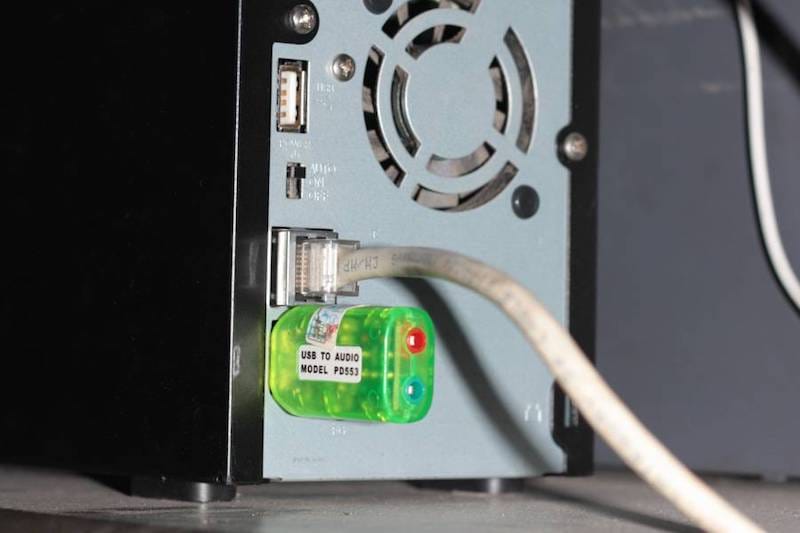
The C-Media usb board adds a cheap (~ $5) sound solution to the Debian box, sound quality is fair enough for “ad-hoc” listening (comparable to that of AC97 on-board chip, and for serious music, there’s already the home media player).

Quite a long time it takes me to finish and “stabilize” all these “home servers”… and finally here it is… On the left, you can see: #1: the 650 Watt UPS that provides about 3 hours of un – interrupted electricity for the whole system, #2: the WAP54G Access Point (hacked with OpenWRT), #3: the Comtrend ADSL router, #4: the LinkStation CHL (Debian Lenny: print server, 1T disk space for samba share, bittorrent server), #5: the LinkStation Duo (Debian Lenny: 1T of RAID-1 disk space for important data, SVN, Web, VPN servers (for remote access) and MPD music servers), #6: speakers.

All these miniature machines help streaming lossless music and HD video to the media player (LT-H90LAN – another Linux box resides in the living room). Except for the router (which is specialized hardware & firmware OEM-ed by Comtrend to FPT – the local ISP), all others devices runs Debian or another Linux variant. The total power consumption of the whole system is less than 50 Watt. Future computers would consume less than 1/10th of power compared to today’s ones… Power is the key, less power means less heat, less noise, more stable and more durable… the factors that make successful home services!

buffalo duo


My Buffalo, a 400 MHz, power-efficient ARM system (it consumes about 17W on average). The duo: two SATA disks (1TB each) running in RAID-1 configuration. The system can also act as a print server: most cheap home laser printer are not stand-alone device (lacking PostScript capability) and need to be attached to a PC in order to print, instead we can connect printer to this Buffalo box via usb and serve printing over network.

My newest toy: a Buffalo LinkStation Duo Network Attached Storage (NAS – or a poor man’s home server). Had thought about this long ago but don’t have time till now to dig a little bit low-level to get the thing to work! Basically what I want to have is a miniature general-purpose home server, which would run continuously 24/7. But you know with the temperature and electricity conditions here in HCMC, most PC would surely break down if let running continuously for a few months. The idea is to hack this NAS device to run Debian and turn it into a hybrid system: NAS (file server, torrent, UPnP…) and a home server which would handle a little more extra tasks. I took me a whole night to figure out how to do it.

1.   Boot the device via tftp, using u-boot, the universal bootloader. We need to to erase the HDD’s partition table (with something like: dd if=/dev/zero of=/dev/sd[a/b] count=1) to force the device into tftp boot.

2.   Telnet to the device and prepare the disks: using fdisk to apply a same partition structure to both two disks (/dev/sda and /dev/sdb) with the usual Linux FS: /boot, /swap, /(root), and /data). The disk structure would appear like this:

Device Boot Start End Blocks Id System
/dev/sda1 1 6 48163 fd Linux raid
/dev/sda2 7 1200 9590805 fd Linux raid
/dev/sda4 1201 60801 478745032 85 Linux extended
/dev/sda5 1201 1329 1036161 82 Linux swap
/dev/sda6 1330 60801 477708808 fd Linux raid

3.   Setup the RAID-1 (one-to-one mirror) structure, you can see that we mirror /boot (sda1, sdb1), /(root) (sda2, sdb2), and /data (sda6, sdb6), there’s no need to mirror /swap:

mdadm –create /dev/md0 –level=1 –raid-devices=2 /dev/sda1 /dev/sdb1
mdadm –create /dev/md1 –level=1 –raid-devices=2 /dev/sda2 /dev/sdb2
mdadm –create /dev/md2 –level=1 –raid-devices=2 /dev/sda6 /dev/sdb6

4.   Install Debian (Lenny) using debootstrap, a very handy tool to install Debian directly from a repository. DeBootStrap pulls the packages over network, build a new rootfs, after chroot-ing to the newly build system, pull and build the kernel from source. After that, we can use regular Debian commands to update, configure network, add softwares, etc… After rebooting, we’d got a brand new Debian with 1TB of RAID-1 disk space, which runs flawlessly and which is ready to serve my various automation tasks!

Notes: installing Debian would void the warranty and could easily brick your device, use the information at your own risk. The steps here are just summary, there’s been various try and fail to get the thing done, e.g: we need priorly to have binutils, wget, zlib and libssl binaries for debootstrap to work (download the deb files from Lenny’s repository, extract and copy over the Buffalo), after debootstrap-ing, I forgot to set the root password, and unable to login when the machine reboot, thus having to start the whole process over again. For further details, please consult the Buffalo NAS community.

UPDATE, Nov 18th, 2010

For a NAS which runs 24/7, it’s critical to monitor system status (temperature and the moving parts). I wrote this little fand script, a daemon to monitor hard disk temperature and adjust the fan’s speed accordingly. HDD’s temperature can be retrieved using smartmontools (most hard disk nowadays has S.M.A.R.T capabilities). And fan control on Buffalo LS Duo is done via the gpio module (thanks to talent hackers on the Buffalo NAS forum), something like this:

# values can be ‘off’, ‘slow’, ‘fast’ and ‘full’
$ echo ‘slow’> /proc/linkstation/gpio/fan

I’ve defined some thresholds, in a tropical country like VN, room temperature around 30° ~ 35° (Celsius) is a common thing, so if the HDD’s temperature is below 35°, we would turn off the fan. If it is between 35° ~ 40°, the fan speed would be ‘slow’, from 40° to 45°, the fan will be turned to ‘fast’, and if temperature excesses 45°, fan speed is set to ‘full’. Well, and even if 50° is reached, we would send a notification email (via sendmail) and shutdown the system. If you find it interesting, here is the fand scripts.

UPDATE, Nov 20th, 2010 (THE REAL DUO)

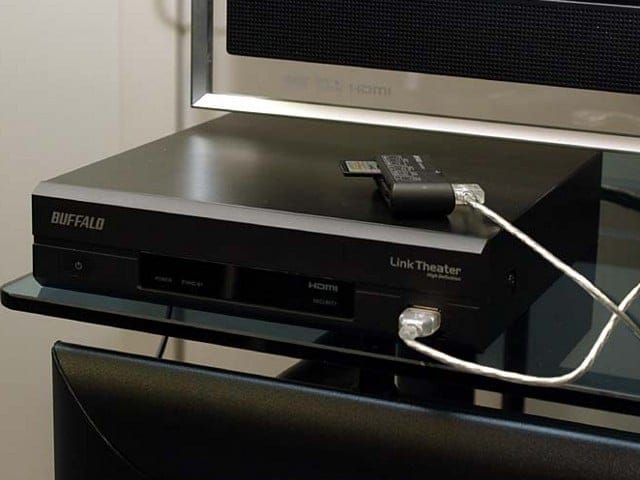
To pair with the Link-Station NAS is its cousin also from Buffalo, the Link-Theater LT-H90LAN. The LT-H90LAN reads media from Samba shares or DLNA server via LAN and is a 720p and 1080i HD-ready device. Although not Full-HD (1080p), that’s enough for my need (I don’t have a Full-HD TV in my house anyhow, maybe I’m waiting for 3D home video). It’s quite pleasing to enjoy good video quality and excellent audio in your living room, all streaming from a central NAS. The box also runs a variant of Linux (though hacking can be a pain, I would only left the device untouched for safe). This is one further step toward an all-Linux-devices home (thought I should buy an OpenMoko phone then).

kindle and feeds

After years in IT career facing monitors, it’s now time to care a little about your eyes, and I’m now using my Kindle for reading news, documents everyday! However web browsing on Kindle is quite inconvenient, there’s of course no touch screen (imagine how touch would look like with a 3fps responsiveness display), and the 5-ways button make web pages’ navigation a kind of clumsiness! I was thinking about some form of automation, basically we would need to convert some news-feeds into Kindle’s native format (mobi) for the ease of our reading, the steps below:
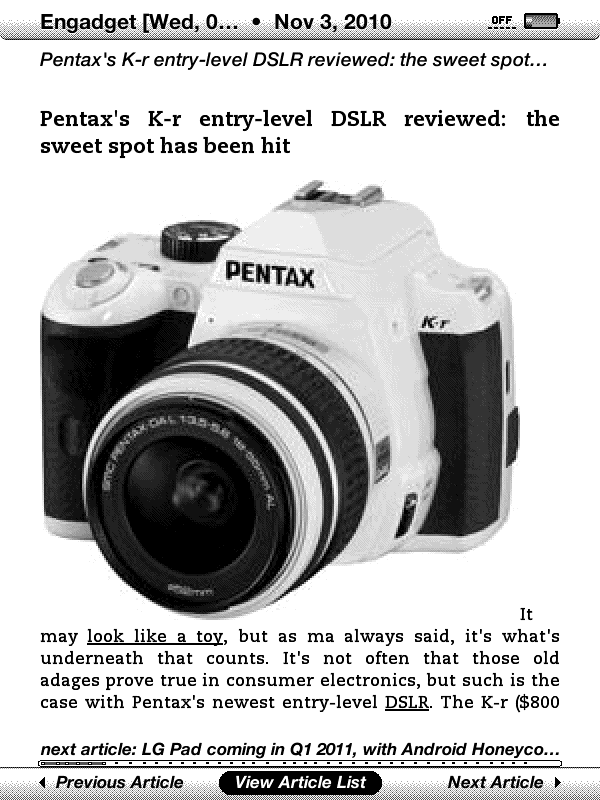
We’re going to use Calibre, the famous ebook-converting tool: sudo apt-get install calibre. Or you can install it (binary or source from) on Linux as guided here. The very nice feature of Calibre is that it can fetch news-feeds, parse and format them following a pre-defined rule-set called “recipe”, there’re hundreds of built-in recipes as well (“recipes” are actually python scripts used to parse and layout the data in html and some css). Below is how I fetch feeds from Engadget and VnExpress and convert them to .mobi, the native format that layouts very well on your Kindle:

$ ebook-convert /opt/calibre/resources/recipes/endgadget.recipe endgadget.mobi –output-profile=kindle
$ ebook-convert /opt/calibre/resources/recipes/vnexpress.recipe vnexpress.mobi –output-profile=kindle

Copy the files over your Kindle, the news feeds read out very very nice! (images on the left, click to enlarge). The next step is of course some further automation, you don’t want to do the whole thing manually everyday, do you!? All these works can be accomplished by a shell script, scheduled by crontab! Just have your home server prepare the documents and sync it to you via Dropbox, from which you can download and view on the device (Kindle naturally permits downloading .mobi documents). I’m using this way to serve myself latest news with coffee every morning!

kindle development without kdk

KDK, the Kindle’s Software Development Kit has been released for quite some times but Amazon still strictly restrict accessing to it, many many software developers (like me) have registered and received no reply. It is understandable that Amazon could be skeptical on what to put on Kindle’s app store, but it should not be that conservative toward the developing community. KDK is basically just a PBP (Personal Basic Profile) J2ME (Java Micro Edition) with Amazon’s extension, a Kindle emulator, and some tools…

Having no KDK doesn’t mean that we can not develop software for Kindle! Below are my notes on building, deploying an example application for Kindle. This would make cleared the steps needed to write applications for Kindle without the KDK. Please notes: the information is collected from many different sources, jailbreaking could be considered “illegal” according to some Term Of Use. Use the information at your own risk!

1.   Jailbreaking and usbnetwork

Download kindle-jailbreak and kindle-usbnetwork from here. Choose the files that is suitable for your device, e.g: for my Kindle 3 (wifi + 3G), it would be the jailbreak_0.4.N_k3g and usbnetwork_0.27.N_k3g. Copy the jailbreak_0.4.N_k3g file to your Kindle, then proceed to updating the system. The jailbreak exploits a hole in Busybox implementation to gain root access. Next, do the same thing with usbnetwork_0.27.N_k3g, which provides a secure shell via USB connection.

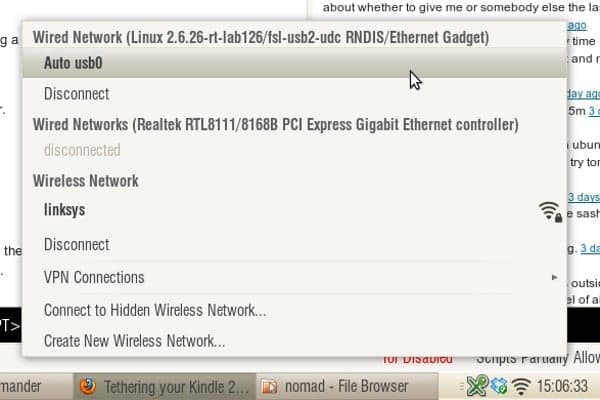
Launch the Search box on our Kindle, type ;debugOn, press enter to execute the command, then do the same thing with ~usbNetwork to start the sshd daemon. The default configuration would set Kindle to 192.168.2.2 and expect the connected PC to be 192.168.2.1. Now we’ve got root access and the entire FS (file system) in the palms of our hands. Spend some times exploring it, when done, put the Kindle back to normal use by issuing ~usbNetwork again, then ;debugOff.

2.   Key and file signing

This is the most important part! Kindle’s “kindlets” are exactly Java’s jar file with .azw2 extension, however, we can’t just simply copy and run it. The applet is linked against several system libraries located at: /opt/amazon/ebook/lib/Kindlet-1.1.jar and /opt/amazon/ebook/sdk/lib/*.jar (copy these files to your PC for local jar building in place of those provided by the KDK).

The .azw2 file must also be signed with 3 different keys located at: /var/local/java/keystore/developer.keystore and the security policy is defined at: /opt/amazon/ebook/security/. For more information on signing, please refer to this post. If you’re tweaking your Kindle and writing apps for it, I suggest that we would just use the signing key of Andrew de Quincey, the first one to figure out about this, so that free softwares can be easily shared among Kindle’s users.

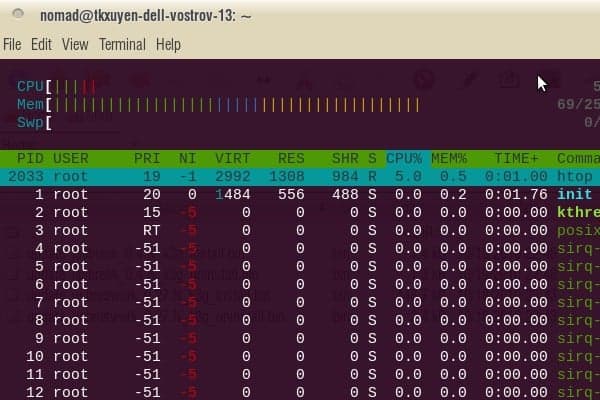
Configure the usbnetwork interface and access Kindle via sshd. Image below: the command htop running on Kindle’s ssh console.

When finished with hacking, we can un – install these two exploits to restore Kindle back to original state (and receive official updates from Amazon), but that would be after the next section, when we’d been able to deploy our own software on it!

3.   KindleGoban – an example app

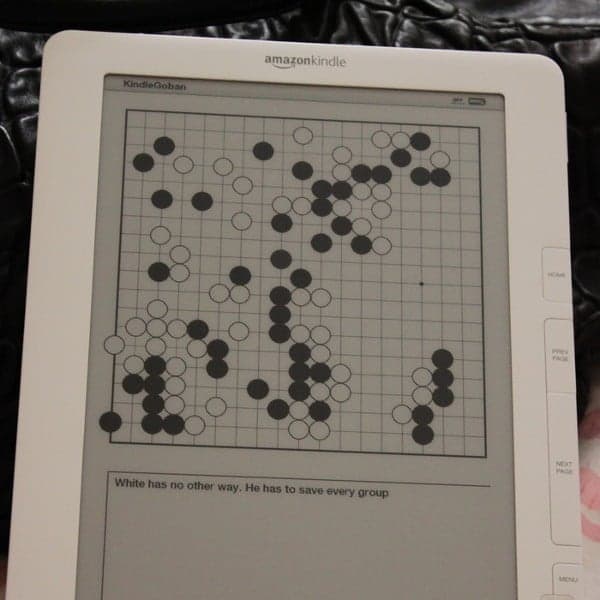
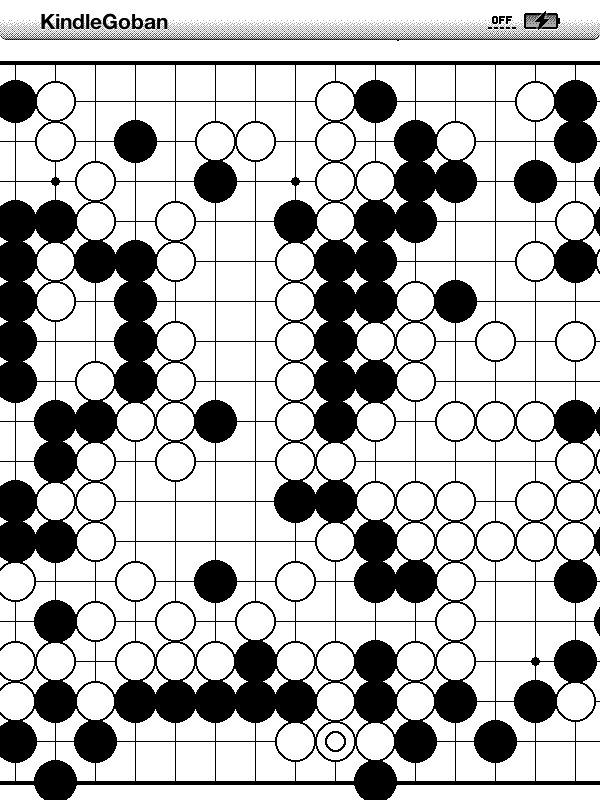
I’m going to deploy KindleGoban, a Go (weiqi) game viewer, as an example app. Adrian Petrescu, the man behind this open source game, is perhaps, an insider of Amazon’s KDK project. But technically he’s under a NDA (non disclosure agreement) and won’t be able to say anything except the publicly available information. However, he did indirectly provide valuable resources.

First, copy the developer_keystore (mentioned in #2) to your PC & Kindle (at /var/local/java/keystore/developer.keystore). Then download KindleGoban (and its dependency library KWT. Make some changes to the build.xml to include KWT (adding several widgets) and get rid of the KDK’s stuffs (which we don’t have). Then build, sign and deploy the .azw2 file to your Kindle. And there you are, a nice Go game viewer!

# first, build and sign the jar file
$ ant build.xml
$ jar cvfm KindleGoban.azw2 KindleGoban.mf bin/*
$ ./signkindlet developer_keystore KindleGoban.azw2
# copy the file over to your Kindle, also need
# to copy an example .sgf file for testing
$ scp KindleGoban.azw2 root@192.168.2.2:/mnt/us/documents

4.   Resources

This section gonna be regularly updated on the availability of documents, tools.. for development on Kindle. Please note most of these are from third – parties rather than Amazon, which are the results of hacking, reverse – engineering… and some other information indirectly available from the KDK. At the moment, we only have this official javadoc from Amazon which describes the KDK’s APIs.

  • Savory: a native ebook converting daemon for Kindle.
  • Kindle emulator: need to double check this.
  • KWT: Kindle Widget Toolkit.
  • Mangle: a manga viewer for Kindle.
  • Qindle: a Qt port for Kindle.

KindleGoban screenshots, this is, like most Kindle projects at the moment, is just starting, would expect more features in the time coming.