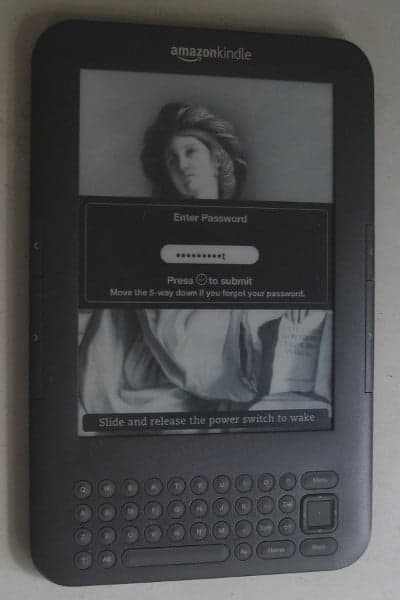
kindle 3


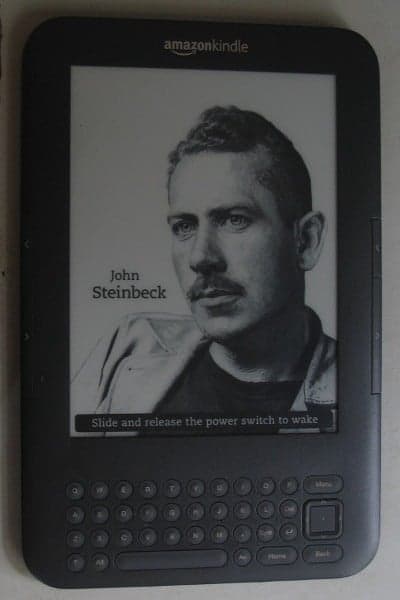
Can not resist to this temptation anymore. Kindle price dropped significantly lately and it’s time to pick a e-ink display book reader for myself. I’ve been curious about electronic paper display, the alternative to LCD or OLED displays widely used on hand – held. Actually there’s been various devices (phone, watch…) which make use of electronic paper, but none has the success like Kindle.

The first impression is that the display, which is 16 gray – scale colors, really looks like traditional paper, and reading on it is an actual pleasure. The screen refresh rate is quite low (maybe less then 6 fps), which means video would never be an option on Kindle. To my surprise, sound is extremely good, the external speaker produces stereo which may be far better than on my laptop. Wifi works fine and the experimental browser (which only supports JavaScript, no Flash, no Java) is enough for basic email and web surfing.

Connecting to my Linux box, the device appears as a normal USB mount to easily copy files over. I find Kindle very suitable for my needs: document reading, a bit of music, and casual web & email. Moreover, Kindle does not create the impression that it is an electronic device. The battery is advertised to last about 10 days (with wifi on, and even more with wifi off), so we don’t have to care about recharging very often. It simply boots up and runs, and displays nice pictures in screen – saver mode.

Amazon recently released Kindle’s SDK beta (Software Development Kit) with Java as the primary language (J2ME), and maybe C/C++ for system development. The machine’s GUI proposes to me a lot of interesting ideas on usabilities and UI design!

whatever happened to programming?

There’s the change that I’m really worried about: that the way a lot of programming goes today isn’t any fun because it’s just plugging in magic incantations – combine somebody else’s software and start it up. It doesn’t have much creativity. I’m worried that it’s becoming too boring because you don’t have a chance to do anything much new… The problem is that coding isn’t fun if all you can do is call things out of a library, if you can’t write the library yourself. If the job of coding is just to be finding the right combination of parameters, that does fairly obvious things, then who’d want to go into that as a career? (Coders at Work – Peter Siebel, quoting Donald Knuth)

Ví dụ về chức năng đơn giản nhất: resize ảnh trên các browsers, ảnh trên: Firefox, ảnh dưới: Chrome, (ảnh được chụp lại và hiển thị nguyên kích cỡ từ 2 browser, cả 2 dùng cùng một ảnh gốc kích thước lớn). Có thể thấy chức năng resize ảnh của Firefox, IE kém rất xa so với các browser khác.

Whatever happened to programming? Điều gì đã xảy ra với lập trình? Khi ở năm 1 đại học (1998), tôi có viết một 3D engine đơn giản bằng Borland C, lúc đó sách vở thiếu, internet thì chưa có. Mục tiêu đặt ra rất đơn giản: hiển thị (xoay) một đối tượng 3D đọc từ file mô tả tọa độ các đỉnh. Bằng những hình dung hình học đơn giản, tôi xây dựng một phép chiếu: giao điểm của đường thẳng từ mắt tới các đỉnh của vật thể với mặt phẳng chiếu chính là pixel được hiển thị trên màn hình. Sau đó ít lâu đọc thêm tài liệu, tôi mới biết đó gọi là: phép chiếu phối cảnh – perspective projection. Một số đoạn code released từ game Doom giúp tôi hiểu rõ hơn kỹ thuật chiếu dùng trong game thực: ray casting.

Sau đó 1 thời gian bắt đầu có internet, chúng tôi lại “say mê” tìm hiểu các kỹ thuật graphics “tối tân” hơn. Còn nhớ lúc đó có trang web winasm.net, nơi chỉ vẻ rất nhiều về Gouroud, Phong shading, light, bump mapping, sprites… Chúng tôi đọc các code viết chủ yếu bằng Assembly, rồi viết lại bằng C/C++ trong cái “engine” của mình. Chuyện là như thế, chúng tôi “nghĩ gì viết nấy”, đa số các trường hợp là “phát minh lại cái bánh xe”, bắt đầu bằng việc tự xây dựng những mô hình, thuật toán “ngây thơ” trong đầu. Cái “engine” của tôi so với các engine chuyên nghiệp bây giờ thì thật đáng xấu hổ, nhưng ít nhất chúng tôi hiểu những ý tưởng, nguyên tắc vận hành cơ bản.

Những điều kể ra trên đây chỉ mới là a, b, c… trong computer graphics, lĩnh vực có rất rất nhiều thuật toán, kỹ xảo, mánh khóe… hấp dẫn và độc đáo. Còn nhớ vì ham thích viết các chương trình đồ họa và xử lý ảnh nên một số môn khác tôi không chú ý tới. Như các môn AI, có lần tôi copy code của một người bạn về nộp làm bài tập (đã được cho phép). Đó chỉ là một chương trình chơi caro (croix-zero) dùng thuật toán A*, nhưng vì cúp cua nên tôi không biết về A*, ngồi cả đêm đọc xem cái chương trình đơn giản đó làm cái gì nhưng vẫn không tài nào hiểu được. Sau đó “bổ túc kiến thức” thì biết là A* cũng chẳng phải là điều gì phức tạp, nhưng nếu không có ý tưởng về thuật toán trong đầu… thì code cũng như một đám rừng chẳng cho anh biết được gì về nó.

Sau đó tôi viết nhiều về xử lý ảnh, tới đây thì nền tảng toán trở nên quan trọng, đa số các khái niệm là đủ phức tạp để không tự hình dung bằng trực quan trực giác được. Nhưng nghiên cứu kỹ lưỡng chút thì rồi chúng tôi cũng hiểu được ý tưởng đằng sau các khái niệm convolution, high – pass, low – pass filters… Nhờ những kiến thức đó mà bây giờ tôi có thể có được những nhận định đúng hơn, ví dụ như một chức năng tưởng chừng hết sức đơn giản như resize ảnh, nhưng cho đến tận bây giờ vẫn chưa được implement đúng trên hầu hết các trình xử lý ảnh phổ biến: GIMP, Photoshop… Có thể các bạn không tin điều này, nhưng GIMP, Photoshop, Firefox… resize ảnh bằng giải thuật tuyến tính nên có thể bỏ đi những thông tin quan trọng, và giữ lại những pixel không quan trọng.

Một số kỹ sư phần mềm nói với tôi: suốt nhiều năm đi làm chưa bao giờ anh ta phải cài đặt một thuật toán nào đã học ở trường, việc lập trình hiện tại chỉ là lắp ghép các module, library ở high – level, rất ít khi đụng đến bản chất thật low – level bên dưới. Tôi cũng đồng ý như thế, một số dự án đơn giản là làm việc ở high – level, không phải sản phẩm nào cũng đòi hỏi kỹ năng sáng tạo, đòi hỏi kỹ sư có hiểu biết sâu về các thuật toán chuyên biệt. Nhưng nói như vậy không có nghĩa là những kỹ năng đó không cần thiết và không quan trọng. Nếu không có những kỹ năng đó thì mãi mãi chúng ta chỉ làm được những công việc “làng nhàng”, thậm chí những công việc “làng nhàng” cũng đòi hỏi những khả năng know – how, tổ chức code nhất định. Trong nghề lập trình tôi vẫn ưa thích kiểu người hay “đi phát minh lại cái bánh xe”.

Thế nên mới biết là những điều nói ra càng đơn giản thì lại càng không đơn giản! Nhiều engineer trẻ tôi gặp sau này thường không có sự quan tâm tới những yếu tố đơn giản và cơ bản như thế. Dĩ nhiên những điều trên đây chẳng có gì to tát, cũng như đa số các vấn đề lập trình cũng không phải là điều gì lớn lao. Nhưng trước hết hãy cho tôi thấy bạn có hiểu biết cơ bản về vấn đề mình đang làm, đừng gọi hai vòng lặp for lồng nhau là: “thuật toán”, hãy có khả năng đọc hiểu mô tả của thuật toán và biến nó thành code chạy tốt… trước khi phán đó là những điều cơ bản không cần để ý tới. Tất cả bắt đầu với suy nghĩ của chính mình, với cái mô hình và trình tự trong đầu mình, chứ không phải bắt đầu với danh sách các khái niệm, chữ nghĩa, API… mà anh thậm chí không hiểu nội dung đằng sau nó! Sau đó thì mới có thể nói đến ý tưởng, điểm mạnh điểm yếu, chỗ dùng được (không dùng được) và sự khác biệt của các công nghệ!

Một cách rất quan trọng để hiểu công nghệ không phải là từ thuật toán, ý tưởng, mà là từ… lịch sử. Nếu quan tâm đọc lịch sử computer graphics, bạn sẽ biết đằng sau “Phong shading” là Bùi Tường Phong, một người Việt. Hay bạn sẽ hiểu tại sao SGI (Silicon Graphics Inc.) có nhiều ảnh hưởng đến thế, tại sao những phong cách, sản phẩm của công ty đó lại thiết đặt nên những tiêu chuẩn vàng trong cộng đồng computer graphics (ví dụ như OpenGL), tại sao máy Mac dùng UEFI chứ không dùng BIOS, tại sao NextStep và OpenStep dùng “vector display” chứ không phải là “bitmap display” như đa số các windowing system khác… Sự phát triển của công nghệ là một quá trình tiến hóa liên quan tới những yếu tố xã hội và con người, chứ không đơn giản là sự phức tạp hóa các ý tưởng kỹ thuật!

chinese rendering server

In my previous post, we can see the image – replacement technique being applied to mathematical formulas rendering. Replacing text by image can be seen in various Web’s techniques, mainly to display things that browser can’t! It’s a possibility that many Web technologies would never converge into common “form factors”: how many years have passed but SVG is still not supported on all browsers, how font technologies are still fighting stiffly with each other? Various issues would always remain unresolved and image replacement, though ugly and inconvenient, could be used as a temporary solution.

As you can see in the image above: the first line is a popular Chinese straight – stroke font that can be seen on most browsers, the next lines are nice calligraphy (brush – stroke) fonts that can hardly be seen on the web! I’m going to try using FreeType2 for a very specific problem: rendering Chinese fonts, the only reason is just simple: aesthetics! Searching around, I can’t find any simple, standalone solution: nice Chinese fonts are very big, a typical ttf file has size from 5MB to 50MB depending on the character set and quality (with that size, it’s obvious that we should use a server side solution). Packages like Pango or Cairo are too complex, and would require additional dependencies (which is unavailable on a free Linux host).

It takes me a whole day struggling with FreeType2’s reference and manual to get it work with Chinese fonts (quite different from conventional Latin fonts indeed), and finally here it is! You can access the executable at: http://tkxuyen.com/freetype2.php with the following syntax: freetype2.php ? text=… &font=… &size=… &color=… here is an example. Below are renderings with different sizes (anti – alias works really well):

text=洛阳城东桃李花飞来飞去落谁家&font=2&size=11&color=111111
text=洛阳城东桃李花飞来飞去落谁家&font=2&size=12&color=111111
text=洛阳城东桃李花飞来飞去落谁家&font=2&size=13&color=111111
text=洛阳城东桃李花飞来飞去落谁家&font=2&size=14&color=111111
text=洛阳城东桃李花飞来飞去落谁家&font=2&size=15&color=111111
text=洛阳城东桃李花飞来飞去落谁家&font=2&size=16&color=111111
text=洛阳城东桃李花飞来飞去落谁家&font=2&size=18&color=111111
text=洛阳城东桃李花飞来飞去落谁家&font=2&size=19&color=111111

and renderings with 3 different Chinese fonts (very big files, installed on server) and in different colors. Just note these fonts are a bit non-standard: they produce traditional Chinese characters as output, but only accept simplified Chinese as input:

text=洛阳城东桃李花飞来飞去落谁家&font=2&size=19&color=FF1111
text=洛阳城东桃李花飞来飞去落谁家&font=1&size=19&color=11FF11
text=洛阳城东桃李花飞来飞去落谁家&font=0&size=19&color=1111FF

Update, Jun 6th, 2021:

Due to some changes on my web-hosting, CGI is disabled for some reason. I really don’t have time to figure out why, so just temporarily remove the Chinese font rendering for now!

FreeType2 is an very handy open source library, it’s available on many flatform: Unix, Dos, Windows, Mac, Amiga, BeOS, Symbian… and it does a very good job of handling typefaces! Since FreeType2’s patent issues have expired since May, 2010, we would see an increasing application of FreeType2 in many areas.

This is my very simple C code (~250 LOC) to experiment with FreeType2: loading font, loading glyph, rendering bitmap, dealing with Unicode… To compile, just something like: gcc gifsave.c freetype2.c -o freetype2.cgi `pkg-config --cflags --libs freetype2`. I hope I can have time to extend the code into a more usable form: multi – line layout, alignment, RTF support, etc… Some restrictions are imposed to protect the server, if some text can’t be rendered (e.g: rendering dimensions are too large), an error image like this is displayed instead:

latex rendering server


Some example expressions rendered by MimeTeX (it’s good to appear to be smarter than you are!) If an expression fails to be rendered, you would see an error image like this:

Recently, the wonderful yourequations.com site (which I’ve been using to occasionally render mathematical expressions on web pages) has ceased it’s service due to heavy traffic. I was thinking about running my own LaTeX rendering server, things turned out to be pretty easy as follow, thanks to the excellent MimeTeX package, a LaTeX reduced subset. It’s also interesting to experiment the “stone age technique” of CGI, first download and compile the package:

wget http://www.forkosh.com/mimetex.zip
unzip mimetex.zip
cd mimetex
cc -DAA mimetex.c gifsave.c -lm -o latex.cgi
# test the binary, view the ‘fermat.gif’ image
./latex.cgi -i “a^2+b^2=c^2” -e fermat.gif

Uploaded to host, latex.cgi runs without any dependencies. The ugly thing with my (free) Linux host is that although it does allow CGI, it doesn’t allow CGI to return documents of type ‘image/gif’ no matter what. To work around, I wrote a small PHP script, which parses the GET input, calls CGI to generate and save image in a cache directory, then redirects request to the LaTeX image. This also helps not to expose your CGI directly on the web too!

// use ‘system’ command to execute CGI
$cmd = “$mimetex_path -e “.$full_filename;
$cmd = $cmd.” “.escapeshellarg($formula);
system($cmd,$status_code);
$text = $pictures_path.”/”.$filename;
return $text;

I’ve been always loving CGI for its simplicity, CGI, Perl, Python… old things never die! Although I have almost no experiences with them, they let you do whatever you want to given a little tweaking know – hows. Please note that MimeTeX is not as full – featured as LaTeX, it can’t render some too – complex expressions and it uses an ugly bitmap font. If your server has some LaTeX support, consider using MathTeX, a more advanced version from the same author.

Update, Jun 6th, 2021

Due to some changes on my web-hosting, CGI is disabled for some reason. I really don’t have time to figure out why, so just temporarily remove LaTeX rendering for now!

technical debt

Các yếu tố nội tại ảnh hưởng đến sự thành bại của một dự án phần mềm, chưa nói đến các yếu tố ngoại cảnh…

Những gì nhắc đến trong bài này không phải là “rocket science”, cũng chưa đáng gọi là công nghệ tối tân. Đó mới chỉ là các kiến thức cơ bản mà đa số có thể học được ở nhà trường, cộng với kinh nghiệm sau một vài năm làm việc! Tại sao thực trạng đa số coder Việt Nam như tôi thấy lại ảm đạm đến vậy? Những gì họ học được đều hình thức, hời hợt, nằm trên bề mặt con chữ và khái niệm suông, ít người có được kiến thức thực dụng khả dĩ tự làm được những product mới!

Một phần là do đa số coder làm việc trong những dự án out-source, code họ viết thường là những đoạn nhỏ không quá 1000 dòng, thêm vào trên khung sườn do người khác viết sẵn! Phần khác là khả năng tự tìm tòi, tự giải quyết vấn đề bằng chính suy nghĩ của mình. Nếu họ biết tự thử nghiệm những project cá nhân nhỏ cỡ 30 000 ~ 50 000 LOC chứ không copy & paste code thì kinh nghiệm, độ nhạy bén trong cách tiếp cận & giải quyết vấn đề, khả năng sử dụng ngôn ngữ & công nghệ của họ đã khác!

Một lý do nữa là do cách dạy, cách học từ chương chỉ giúp cho sinh viên có được một mớ ngôn từ, khái niệm trống rỗng mà không thực sự hiểu nội dung sâu bên trong của chúng, và càng không biết các cách ứng dụng, kỹ xảo dùng trong thực tế. Đa số né tránh các bài toán cấp thấp và cụ thể, thích sử dụng các thư viện có sẵn với lý do don’t reinvent the wheel – đừng phát minh lại cái bánh xe. Cách ngụy biện đó vẫn đứng vững cho đến khi chúng ta đi chế tạo cái xe thì phát hiện ra đến cái bánh chúng ta cũng chưa làm được!

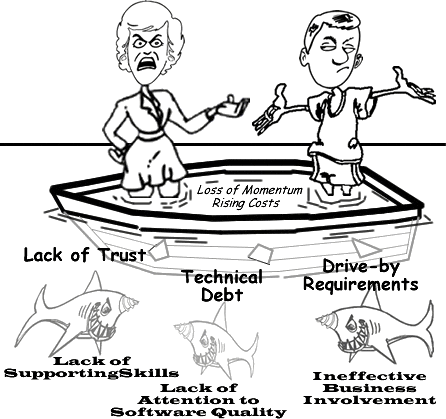
Technical debt là một ẩn dụ đôi khi được dùng trong ngành công nghệ phần mềm (CNPM), và là ẩn dụ đúng nhất cho thực trạng CNPM Việt Nam hiện tại. Phát triển phần mềm cũng như mọi công việc kinh doanh khác, về bản chất giống việc vay nợ, tức hiệu suất sinh lời phải đủ để trả lãi và quay vòng vốn trong một khoảng thời gian nhất định. Dĩ nhiên các yếu tố kỹ thuật khó lòng có thể được định lượng như tiền bạc, nhưng theo một nghĩa nào đó, nếu tỉ lệ các vấn đề được giải quyết thấp hơn so với tỉ lệ các vấn đề phát sinh, thì điều đó có nghĩa là dự án đang “tăng trưởng âm”. Tuy mượn một thuật ngữ từ lĩnh vực kinh tế, song “nợ kỹ thuật” thuần túy đề cập các vấn đề kỹ thuật như được trình bày sau đây:

NỢ LOẠI I

Đây đơn thuần là sự yếu kém về khả năng kỹ thuật và khả năng hiểu biết làm chủ công nghệ. Sự yếu kém này gồm nhiều dạng:

Kỹ năng cơ bản: có lần một senior engineer có 6 năm kinh nghiệm hỏi tôi về một khai báo C++ như sau (nằm trong file .cpp):

int CSomeClass::m_someVariable = 1;

Sau 1 phút xem xét vấn đề, tôi hiểu ngay là người này không biết cách khai báo “static member variable” trong một “C++ class”, anh ta nghĩ nó cũng giống Java, chỉ cần khai báo trong định nghĩa class (file .h) là đủ.

Khả năng am hiểu công nghệ: một lần khác, một technical manager trình bày với tôi về 3D, OpenGL… anh ta nói rất nhiều về các khái niệm, thuật ngữ, danh sách dài các API. Nhưng chỉ sau một vài câu hỏi, tôi biết ngay người này không hiểu cách thức hoạt động cơ bản của một 3D engine, chưa nói đến các chi tiết phức tạp của một 3D driver. Mãi 4 tháng sau đó, sau một quá trình mày mò, anh ta mới bắt đầu hiểu ra những yếu tố đơn giản như: các hàm vẽ 3D không làm việc cùng một cách như các hàm vẽ 2D.

Sự yếu kém của các coder Việt nam tập trung nhiều vào nhóm Nợ loại 1. Những kỹ năng cơ bản cần phải được đào tạo thật kỹ, không phải chỉ là lý thuyết mà còn là các kỹ thuật, kỹ xảo ứng dụng thực tế. Nó giống như một người nói về kiếm, dĩ nhiên anh ta có thể nói về các “kiếm chiêu”, “kiếm pháp” anh ta học (đọc) được ở đâu đó. Nhưng điều này hoàn toàn khác với chuyện anh ta có thể dùng kiếm để chiến thắng những đối thủ (dự án) khó khăn, sừng sỏ!

Yếu kém về kỹ năng cơ bản kéo dài thời gian thực hiện những feature nhỏ, làm không đúng cách khiến phải làm đi làm lại nhiều lần. Tôi đã thấy một người implement một UI’s button: đơn giản chỉ là vẽ một cái nút với 1 dòng text & image. Anh ta không thực sự hiểu nó làm việc như thế nào, anh ta copy code từ đâu đó. Có thể các bạn không tin nhưng đó là sự thật, cái button được sửa đi sửa lại suốt 6 tháng mà vẫn chưa hoạt động đúng!

Sự yếu kém trong hiểu biết công nghệ cơ bản dẫn đến nhiều hệ quả nghiêm trọng hơn: định hướng sai, không hiểu các yêu cầu hợp lý và không nhận ra những yêu cầu phi lý của khách hàng, phí phạm tài nguyên cho những bước đi sai lầm. Hậu quả nhẹ nhàng nhất là: chỉ giải quyết được vấn đề trong một số tình huống phiến diện, thiếu bài bản. Nhưng thường thì hậu quả không tốt đến thế: làm sai lệch các hiểu biết chung của dự án, sử dụng công cụ, công nghệ không đúng chỗ, đặt ra những mục tiêu không tưởng, không có thật.

NỢ LOẠI II

Là những quyết định sai lầm (về kỹ thuật hay quản lý) dưới các áp lực từ phía kinh doanh hoặc từ những độ đo, cách đánh giá không phản ánh sự thật, duy ý chí.

Một ví dụ nhỏ: sau khi định hướng, khung ứng dụng được dựng lên trên nền một “3D test driver”. Bản thân driver là một “school project” có cải tiến chút ít, bản thân ứng dụng được viết trên một số giả định về các khả năng mà driver và hardware có thể cung cấp. Sau khi test, ứng dụng không đạt yêu cầu, và do đó quyết định optimization được đưa ra: chúng ta biết việc này ảnh hưởng đến kiến trúc cơ bản và lâu dài của software nhưng trước hết nó phải pass được 1 số measures nhất định!

Dĩ nhiên người có kinh nghiệm sẽ hiểu ngay là các độ đo đặt không đúng chỗ: driver và application mới chỉ là những code đơn giản, khó lòng có thể optimize nhiều, hardware 2D cũ hoàn toàn không đáp ứng, thậm chí là không tương thích dù là trong concept với các yêu cầu 3D mới. Và cũng không khó khăn để nhận ra: dường như với tác giả cái “3D driver” này, đây mới là lần đầu tiên ông ta thử nghiệm các kỹ thuật 3D, dĩ nhiên các concepts “bài bản” vừa học được đều rất đẹp cho đến khi người ta biết rằng 1 “real world project” hoàn toàn khác 1 “school project”.

KẾT LUẬN

Những món nợ kỹ thuật dù lớn, dù nhỏ đều góp phần ảnh hưởng tới hiệu suất và sự thành bại của dự án. Tất cả đều có chung nguyên nhân: chất lượng nguồn nhân lực! Các thành viên cần phải được chuẩn bị (kiến thức & kinh nghiệm) cho vấn đề mình đang giải quyết, từ khâu design đến coding, cho đến các scopes & milestones của dự án. Trong một dự án nhiều người, nhiều giai đoạn, tất cả những món nợ này được tích lũy theo cấp số nhân: sửa sai trên những code sai của những định hướng sai… và kết quả là lãi mẹ đẻ lãi con và nợ trở thành không trả nổi.

engineering dogmas

Over the years in our software community, I’ve seen a lot of dogmas, myths and lies that spread like ‘cholera’. That only reflects the fact that many programmers just repeat like parrots what they ‘learned’ from school, news, books… without their own justification, and to some extent, reflect their lacking of experiences. A good engineer should, at least, have some abilities to judge the pros and cons, weak points and strong points, when to use, and when not to use a method, a language or a technology.

Design first, then code!

The principle is, in general, not wrong. However, pragmatically, a software’s final structure, architecture… is not achievable as product of an immediate thought or a single design cycle. In most cases, the “first design” is certainly not the correct one. It’s not in a deterministic process that we can build software, complex product would always requires a lot of trial and fail. And from my experiences, good designs are sustainable solutions after a tedious process of experiments to eliminate wrong directions. We need coders of strong analysis and experimental skills rather than the “evangelic designers”!

Where are the documents?

We are going to make clear distinction: do we need coders who really understand what they are doing, or we just need some paper to present to customers? In countless cases did I see that coders do not understanding what they are doing: they don’t understand a feature, they don’t know how to archive that, they are unable to judge the pros and cons, they just mechanically copy and paste code from somewhere. Documents only provide rough, general views on the matters. If you’re going to mention about a static-web-page project, I would agree that document is something. But if you’re mentioning system programming, it’s the code that is the document!

Poor skills and wrong knowledges

This is simply put: countless! Just to name a few:

Poor skills: once, a coder being asked to fix a “null pointer exception”. What he did is adding a “if (pointer != NULL)” line into the code. It’s not fixing, it’s just hiding, fixing is find out why the pointer is NULL, not prevent it from being executed! Another time, another coder, getting frustrated under a crash situation, place a “try… catch” around the buggy code segment. This is again, not fixing, with this way of hiding, we’re just going to accumulate faultinesses until the software crashes silently for no reasons!

Object oriented programming rules: OOP is more beautiful in theory than in practice. OOP provides a nice way for modeling, but it come at costs: bloating code. It is not until the project grows above 1M LOC that OOP become a burden, that we would need to do the “functional decomposition” optimization tasks. It’s the execution (functional) tree that decides performance, not the inheritance tree that obscures runtime characteristics!

Design pattern rules: this is again, not true! I agree that patterns reflect some good coding practices, but software could never be built from the so call “patterns” (there hasn’t been any such proven process). I really don’t understand what is a “singleton” if it’s essentially (in C/C++ syntax) a static variable, I also don’t understand what we need from a “factory” if it’s essentially a “switch… case” structure!?

Management myths

Managers tend to forget what they’d learned when they were coders. There’re lots of myths in software management, just some examples:

  • Software people is of a same type and the same background.

  • We already have a book that’s full of standards and procedures for building software. That provide out people with everything they need to know!

  • If we get behind schedule, we can add more programmers and catch up.

  • Project requirements continually change, but change can be easily accommodated because software is flexible.

There have been extensive criticisms on various OOP models and OOP implementations (Java, C#, C++, MFC, Objective C, glib…) The AntiPatterns wiki and many other authors provide good anti-examples on the uses of patterns!

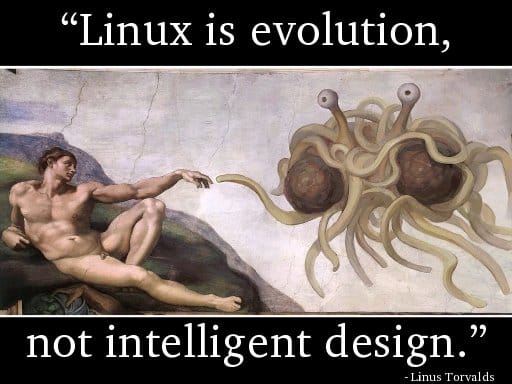
Linus Torvalds, being criticised: “the kernel has no obvious design”, had replied: “Linux is evolution, not intelligent designs”! The same applied for similarly complex projects!

Document is for understanding, but is not the understanding itself.

Software project management is the domain of vast diversity! No simple rules applied to a software process!

3d particles

Some funs with 3D effects. Just some years ago, rendering 3D particles like water, smoke, fire, fog… was an extremely hard task. I remember how struggling it was for me to build 3D models for a waterfall (with moving water) or a shouting-crowd stadium. It’s enjoyable to see how graphics has advanced in the past few years, these effects are now easily achievable.

Video above: the classical Utah teapot with steam coming out from its spout, rendered with Panda3D, the well-known open-source game engine originally released by Disney, which has a feature-rich C++ core with Python scripting for application development.

basic algorithms

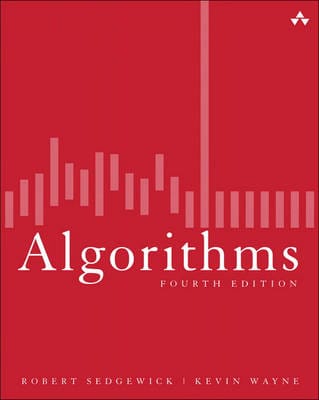
The book is my primary source of interest while being a freshman, which presents a wide range of algorithms in a very coherent and systematic way. I remember “rescuing” this hard-copy from a Fahasa‘s junk pile for about 4 USD, which from that time on became a student’s most precious thing! You can read the soft-copy here.

This is among the subjects I was very fascinated the early years at university: algorithms, graph theory, geometry, image processing… I was not quite good at “symbolic” math (like algebra), but “visual” math offered me much inspiration. The thing I would remember most is Robert Sedgewick‘s Algorithms, a book that I’ve read through over and over again many many times. It is indeed the most important Computer Science textbook that beginners MUST read until today.

The Java applet below is “refurbished” from the code I wrote the first year at college, which visualizes the nature of different sorting algorithms (original code was written in Borland C++ 3.1 with BGI – Borland Graphics Interface). This is among my various attempts to visualize the knowledge collected from the book, which had taught me that even a simple thing like “bubble sort” is not that “very simple”! Let select an algorithm in the dropdown list and click ‘Start’ and see the differences!

My visualizations above are very early (1997), much prior to those demonstrations on wiki. Later on, I’d learned that the author R.Sedgewick put a great emphasis on algorithms’ visualizing himself, his work used PostScript. Many new ways of visualization are really impressive and easy to understand, such as this (using JavaScript).

I started with with C/C++ at school, then continue with C/C++, Java, Design Patterns… on various projects. Later I abandoned Design Patterns (and Java), then I abandoned C++. To me there’s no Design Patterns, there’s only data structures and algorithms! Would write another post on the bloating and non-sense usages of Design Patterns later on!

It seems that most software engineers today lack fundamental knowledges and skills. It’s quite apparent that you could not rely on a guy talking about architecture, GoF’s design patterns… all the time but can not state the algorithmic differences between a DFS (depth first search) and a BFS (breadth first search).

3d graphical user interface

The code is written in C++ base on Clutter 1.2.4 library. It shows basic widgets: tabbed container, scrolling container, list box, combo box, check box, edit box, button, label, radio button…

This is my personal project in which I tried to evaluate some new ideas and concepts in using 3D techniques for GUI (Graphical User Interface). It’s quite tiny indeed (about 6000 LOC – line of code), all written by myself in about a month (mostly in my free times at weekends). So please don’t blame me on some un-completed or un-polished features, they are just for testing the ideas only. I would try to examine the trend of applying 3D graphics to GUI, but first, let have a look at the video below.

1.   The first thing to consider is not 3D engines or hardwares, it is about usability. Many traditional (2D) GUI out there are already complex and obstructive. GUI is about information presentation and presentation should be really simple and clear so that even my grand mother can understand and use. I’ve been seeking, trying to explore many new ways invented to represent information in 3D (or 2.5D) space, and I could say only a very very small percent of them could make a usable value. Users have long been familiar with 2D, and yet 3D hasn’t been very much persuasive.

2.   3D hardwares can be categorized into 3 groups (as listed on the left), and the 3D engine can be configured to off-load calculations to hardware. With the 1st type of device, only bitmap operations could be off-loaded. With the 2nd type of device, many drawing operations (the path_xxx functions) can be off-loaded. The 3rd type of hardware is most valuable since we can have its finish for ourselves a lot of work.

It’s important to understand the target device our software stack would be running on. If it is an out-date machine with just some blitters, we should use paint-like (aka: bitmaps) operations, while on most modern PC, draw-like (aka: 2D vector) operations are more encouraging. While bitmaps may offer nicer and more customizable GUI, the cons is it lacks the scalable ability that vector has.

3.   The last is about software implementation. Many of the graphics concepts are first introduced in software, which then embedded to hardware, which then standardized by software (like OpenGL or DirectX) again. Thus, many elements of a graphics pipeline is the production of a long history of interactive evolution. A graphics pipleline is not a general framework, it depends on very detailed, in-depth techniques to be operational in real-world application.

Game & graphics are the domains where most formal software methods would easily failed. 3D graphics developers should have good knowledge on graphics in general (bitmap and vector drawing), geometry, linear algebra & discrete maths, deep understanding on data-structures and algorithms… are strong pluses, advanced tips & tricks in coding and optimization is a must (game & graphics programming has always been a hell of tricks from the age of dawn) and finally good understanding on 3D techniques (model, scenegraph, projecting, shading, clipping, lighting, effects…)

3d

We are building something like this, a 3D user interface. Day by day, we’re witnessing more and more diversities in computer user interface: concepts, designs, look and feel, animations, effects… While some would stick to an bare – bone, obscured text console, the others prefer some fancy, eye – candy GUI with all its bells & whistles. Things are much easier now with many 3D libraries and tools. Remind me about how I did all the 3D things: polygon, mesh, texture, sprite, shading, lighting, scene – graph, etc… with C & assembly on DOS!