vectorial

The classical SVG example rendered using a thin OpenVG layer on top of OpenGL (or Quartz) on a Mac. This is also to say goodbye to the old Lunar year (year of the tiger) that is ending!

Finished with my survey on vectorial graphics, in details, about rendering SVG using Quartz, OpenGL (ES) on Mac, iOS and some Android flatforms. I’d had the chances to systematize more my knowledge on vectorial: path, stroke, anti – aliasing, solid, gradient and pattern fill, etc… Todays, people’s all talking about 3D, OpenGL, DirectX, etc… While few mentions much about 2D stuffs, I’ve traced back some historical evolution paths, since I believe that it’s through history would we understand technologies.

In the beginning, there was… PostScript

It was John Warnock who kindled the idea, he joined Xerox in 1978 and an early version of PostScript (named InterPress) became the language to drive a laser printer. Laser printer was then a revolutionary device, which offers extraordinary graphics compared to the capability of dot or matrix printers. Warnock left and founded Adobe in 1982, the company that produced well – known graphics softwares including Illustrator, king of the vectorial editors.

Then there was DPS, PDF and Quartz

But it was Steve Job who realized the superiority of PostScript and urged John Warnock to popularize it. When Steve Jobs left Apple and started NeXT, he co – developed with Adobe DPS – Display PostScript, a derivative of PostScript – the language that drives the NeXT computer’s graphics system. When Steve has got back to Apple, DPS then evolved into what is now known as PDF, and Quartz is the C binding that bridges traditional Unix programmers to the Mac graphics world.

The X window system

The X’s designers also started with a PostScript RedBook in hand. But due to various reasons including the lack of in – depth consensus about vectorial, X maintains until now low level of PostScript support. The X server can only handle basic PostScript commands (it can’t even draw splines). X took a hybrid approach using both vectorial and raster – based solutions to the problem. Also the Unix root has an impact: X is the only true client/server windowing system to the current day.

Until now, the NeXT computer remains an idealistic symbol, pure vectorial remains a pursuit, perhaps for higher – standard devices, such as with this Backbone:

Backbone is an attempt (our attempt) at creating a Really Good Desktop. The metric we use for “Really Good” is our own. In short, to us, to carry on the NeXTSTEP® and OPENSTEP® spirit!

The Windows’ GDI

Born to be the youngest of all graphics systems, GDI learns nothing from it predecessors. Neither it is device and resolution independent (like Macs) nor a true client/server system (like X). GDI sticks to screen and the pixel unit with quite a lot implementation flaws. These flaws won’t become obvious until we come to serious editing, publishing and printing: text documents and graphics designs would never has the on – screen – display and printing qualities we would expect, though various 3rd party softwares would come to rescue somewhat the situations.

Then, things change with time

The 2D graphics systems on Mac, Windows, Unix… all has different origins, and all targets different real – world problem domains. All has hardware acceleration to various levels and qualities, and it’s hard to compare them in some cases. To the present day, no system is known to keep the original idealistic model that uses pure PostScript: X has been mixed from the beginning, Mac & iOS have switched to raster to some extent, GDI is essentially pixel – based. Then come the wind of change! It would be another story, another evolution path, but today, 3D hardwares has become quite popular with reasonable prices. It’s counter – intuitive to treat 2D as a separate part from 3D, and the trend is merging 2D to become a subset of 3D rendering. However, the process hasn’t been very easy, it would take some more time to reach maturity:

  • WPF (Windows Presentation Foundation): first came with Windows Vista, GDI now runs as part of DirectX 3D rendering environment. Vista was not a success indeed!

  • QuartzGL: Quartz2D runs on top of OpenGL since OS X 10.2 (Jaguar). However, QuartzGL is not enabled by default even in the current version (10.6 – Snow Leopard) since it’s still quite buggy.

  • GLX & AIGLX: both has some implementation problems and is competing to each other to become the official 3D extension for X.

Taken an arbitrary GDI’s API (such as MoveTo, LineTo…) we can see the parameters’ type is integer, which is in reality the pixel unit. The Quartz’s counterparts are always in float, a virtual unit so that the APIs can be device and resolution independent.

The so called “GDI printer” is actually a bitmap device, it lacks a PostScript interpreter and hence need to be attached to a computer to do the actual computing. Reason is obvious: cheapness, adding a PostScript interpreter would significantly raise the cost!


whatever happened to programming?

There’s the change that I’m really worried about: that the way a lot of programming goes today isn’t any fun because it’s just plugging in magic incantations – combine somebody else’s software and start it up. It doesn’t have much creativity. I’m worried that it’s becoming too boring because you don’t have a chance to do anything much new… The problem is that coding isn’t fun if all you can do is call things out of a library, if you can’t write the library yourself. If the job of coding is just to be finding the right combination of parameters, that does fairly obvious things, then who’d want to go into that as a career? (Coders at Work – Peter Siebel, quoting Donald Knuth)

Ví dụ về chức năng đơn giản nhất: resize ảnh trên các browsers, ảnh trên: Firefox, ảnh dưới: Chrome, (ảnh được chụp lại và hiển thị nguyên kích cỡ từ 2 browser, cả 2 dùng cùng một ảnh gốc kích thước lớn). Có thể thấy chức năng resize ảnh của Firefox, IE kém rất xa so với các browser khác.

Whatever happened to programming? Điều gì đã xảy ra với lập trình? Khi ở năm 1 đại học (1998), tôi có viết một 3D engine đơn giản bằng Borland C, lúc đó sách vở thiếu, internet thì chưa có. Mục tiêu đặt ra rất đơn giản: hiển thị (xoay) một đối tượng 3D đọc từ file mô tả tọa độ các đỉnh. Bằng những hình dung hình học đơn giản, tôi xây dựng một phép chiếu: giao điểm của đường thẳng từ mắt tới các đỉnh của vật thể với mặt phẳng chiếu chính là pixel được hiển thị trên màn hình. Sau đó ít lâu đọc thêm tài liệu, tôi mới biết đó gọi là: phép chiếu phối cảnh – perspective projection. Một số đoạn code released từ game Doom giúp tôi hiểu rõ hơn kỹ thuật chiếu dùng trong game thực: ray casting.

Sau đó 1 thời gian bắt đầu có internet, chúng tôi lại “say mê” tìm hiểu các kỹ thuật graphics “tối tân” hơn. Còn nhớ lúc đó có trang web winasm.net, nơi chỉ vẻ rất nhiều về Gouroud, Phong shading, light, bump mapping, sprites… Chúng tôi đọc các code viết chủ yếu bằng Assembly, rồi viết lại bằng C/C++ trong cái “engine” của mình. Chuyện là như thế, chúng tôi “nghĩ gì viết nấy”, đa số các trường hợp là “phát minh lại cái bánh xe”, bắt đầu bằng việc tự xây dựng những mô hình, thuật toán “ngây thơ” trong đầu. Cái “engine” của tôi so với các engine chuyên nghiệp bây giờ thì thật đáng xấu hổ, nhưng ít nhất chúng tôi hiểu những ý tưởng, nguyên tắc vận hành cơ bản.

Những điều kể ra trên đây chỉ mới là a, b, c… trong computer graphics, lĩnh vực có rất rất nhiều thuật toán, kỹ xảo, mánh khóe… hấp dẫn và độc đáo. Còn nhớ vì ham thích viết các chương trình đồ họa và xử lý ảnh nên một số môn khác tôi không chú ý tới. Như các môn AI, có lần tôi copy code của một người bạn về nộp làm bài tập (đã được cho phép). Đó chỉ là một chương trình chơi caro (croix-zero) dùng thuật toán A*, nhưng vì cúp cua nên tôi không biết về A*, ngồi cả đêm đọc xem cái chương trình đơn giản đó làm cái gì nhưng vẫn không tài nào hiểu được. Sau đó “bổ túc kiến thức” thì biết là A* cũng chẳng phải là điều gì phức tạp, nhưng nếu không có ý tưởng về thuật toán trong đầu… thì code cũng như một đám rừng chẳng cho anh biết được gì về nó.

Sau đó tôi viết nhiều về xử lý ảnh, tới đây thì nền tảng toán trở nên quan trọng, đa số các khái niệm là đủ phức tạp để không tự hình dung bằng trực quan trực giác được. Nhưng nghiên cứu kỹ lưỡng chút thì rồi chúng tôi cũng hiểu được ý tưởng đằng sau các khái niệm convolution, high – pass, low – pass filters… Nhờ những kiến thức đó mà bây giờ tôi có thể có được những nhận định đúng hơn, ví dụ như một chức năng tưởng chừng hết sức đơn giản như resize ảnh, nhưng cho đến tận bây giờ vẫn chưa được implement đúng trên hầu hết các trình xử lý ảnh phổ biến: GIMP, Photoshop… Có thể các bạn không tin điều này, nhưng GIMP, Photoshop, Firefox… resize ảnh bằng giải thuật tuyến tính nên có thể bỏ đi những thông tin quan trọng, và giữ lại những pixel không quan trọng.

Một số kỹ sư phần mềm nói với tôi: suốt nhiều năm đi làm chưa bao giờ anh ta phải cài đặt một thuật toán nào đã học ở trường, việc lập trình hiện tại chỉ là lắp ghép các module, library ở high – level, rất ít khi đụng đến bản chất thật low – level bên dưới. Tôi cũng đồng ý như thế, một số dự án đơn giản là làm việc ở high – level, không phải sản phẩm nào cũng đòi hỏi kỹ năng sáng tạo, đòi hỏi kỹ sư có hiểu biết sâu về các thuật toán chuyên biệt. Nhưng nói như vậy không có nghĩa là những kỹ năng đó không cần thiết và không quan trọng. Nếu không có những kỹ năng đó thì mãi mãi chúng ta chỉ làm được những công việc “làng nhàng”, thậm chí những công việc “làng nhàng” cũng đòi hỏi những khả năng know – how, tổ chức code nhất định. Trong nghề lập trình tôi vẫn ưa thích kiểu người hay “đi phát minh lại cái bánh xe”.

Thế nên mới biết là những điều nói ra càng đơn giản thì lại càng không đơn giản! Nhiều engineer trẻ tôi gặp sau này thường không có sự quan tâm tới những yếu tố đơn giản và cơ bản như thế. Dĩ nhiên những điều trên đây chẳng có gì to tát, cũng như đa số các vấn đề lập trình cũng không phải là điều gì lớn lao. Nhưng trước hết hãy cho tôi thấy bạn có hiểu biết cơ bản về vấn đề mình đang làm, đừng gọi hai vòng lặp for lồng nhau là: “thuật toán”, hãy có khả năng đọc hiểu mô tả của thuật toán và biến nó thành code chạy tốt… trước khi phán đó là những điều cơ bản không cần để ý tới. Tất cả bắt đầu với suy nghĩ của chính mình, với cái mô hình và trình tự trong đầu mình, chứ không phải bắt đầu với danh sách các khái niệm, chữ nghĩa, API… mà anh thậm chí không hiểu nội dung đằng sau nó! Sau đó thì mới có thể nói đến ý tưởng, điểm mạnh điểm yếu, chỗ dùng được (không dùng được) và sự khác biệt của các công nghệ!

Một cách rất quan trọng để hiểu công nghệ không phải là từ thuật toán, ý tưởng, mà là từ… lịch sử. Nếu quan tâm đọc lịch sử computer graphics, bạn sẽ biết đằng sau “Phong shading” là Bùi Tường Phong, một người Việt. Hay bạn sẽ hiểu tại sao SGI (Silicon Graphics Inc.) có nhiều ảnh hưởng đến thế, tại sao những phong cách, sản phẩm của công ty đó lại thiết đặt nên những tiêu chuẩn vàng trong cộng đồng computer graphics (ví dụ như OpenGL), tại sao máy Mac dùng UEFI chứ không dùng BIOS, tại sao NextStep và OpenStep dùng “vector display” chứ không phải là “bitmap display” như đa số các windowing system khác… Sự phát triển của công nghệ là một quá trình tiến hóa liên quan tới những yếu tố xã hội và con người, chứ không đơn giản là sự phức tạp hóa các ý tưởng kỹ thuật!

chinese rendering server

In my previous post, we can see the image – replacement technique being applied to mathematical formulas rendering. Replacing text by image can be seen in various Web’s techniques, mainly to display things that browser can’t! It’s a possibility that many Web technologies would never converge into common “form factors”: how many years have passed but SVG is still not supported on all browsers, how font technologies are still fighting stiffly with each other? Various issues would always remain unresolved and image replacement, though ugly and inconvenient, could be used as a temporary solution.

As you can see in the image above: the first line is a popular Chinese straight – stroke font that can be seen on most browsers, the next lines are nice calligraphy (brush – stroke) fonts that can hardly be seen on the web! I’m going to try using FreeType2 for a very specific problem: rendering Chinese fonts, the only reason is just simple: aesthetics! Searching around, I can’t find any simple, standalone solution: nice Chinese fonts are very big, a typical ttf file has size from 5MB to 50MB depending on the character set and quality (with that size, it’s obvious that we should use a server side solution). Packages like Pango or Cairo are too complex, and would require additional dependencies (which is unavailable on a free Linux host).

It takes me a whole day struggling with FreeType2’s reference and manual to get it work with Chinese fonts (quite different from conventional Latin fonts indeed), and finally here it is! You can access the executable at: http://tkxuyen.com/freetype2.php with the following syntax: freetype2.php ? text=… &font=… &size=… &color=… here is an example. Below are renderings with different sizes (anti – alias works really well):

text=洛阳城东桃李花飞来飞去落谁家&font=2&size=11&color=111111
text=洛阳城东桃李花飞来飞去落谁家&font=2&size=12&color=111111
text=洛阳城东桃李花飞来飞去落谁家&font=2&size=13&color=111111
text=洛阳城东桃李花飞来飞去落谁家&font=2&size=14&color=111111
text=洛阳城东桃李花飞来飞去落谁家&font=2&size=15&color=111111
text=洛阳城东桃李花飞来飞去落谁家&font=2&size=16&color=111111
text=洛阳城东桃李花飞来飞去落谁家&font=2&size=18&color=111111
text=洛阳城东桃李花飞来飞去落谁家&font=2&size=19&color=111111

and renderings with 3 different Chinese fonts (very big files, installed on server) and in different colors. Just note these fonts are a bit non-standard: they produce traditional Chinese characters as output, but only accept simplified Chinese as input:

text=洛阳城东桃李花飞来飞去落谁家&font=2&size=19&color=FF1111
text=洛阳城东桃李花飞来飞去落谁家&font=1&size=19&color=11FF11
text=洛阳城东桃李花飞来飞去落谁家&font=0&size=19&color=1111FF

Update, Jun 6th, 2021:

Due to some changes on my web-hosting, CGI is disabled for some reason. I really don’t have time to figure out why, so just temporarily remove the Chinese font rendering for now!

FreeType2 is an very handy open source library, it’s available on many flatform: Unix, Dos, Windows, Mac, Amiga, BeOS, Symbian… and it does a very good job of handling typefaces! Since FreeType2’s patent issues have expired since May, 2010, we would see an increasing application of FreeType2 in many areas.

This is my very simple C code (~250 LOC) to experiment with FreeType2: loading font, loading glyph, rendering bitmap, dealing with Unicode… To compile, just something like: gcc gifsave.c freetype2.c -o freetype2.cgi `pkg-config --cflags --libs freetype2`. I hope I can have time to extend the code into a more usable form: multi – line layout, alignment, RTF support, etc… Some restrictions are imposed to protect the server, if some text can’t be rendered (e.g: rendering dimensions are too large), an error image like this is displayed instead:

latex rendering server


Some example expressions rendered by MimeTeX (it’s good to appear to be smarter than you are!) If an expression fails to be rendered, you would see an error image like this:

Recently, the wonderful yourequations.com site (which I’ve been using to occasionally render mathematical expressions on web pages) has ceased it’s service due to heavy traffic. I was thinking about running my own LaTeX rendering server, things turned out to be pretty easy as follow, thanks to the excellent MimeTeX package, a LaTeX reduced subset. It’s also interesting to experiment the “stone age technique” of CGI, first download and compile the package:

wget http://www.forkosh.com/mimetex.zip
unzip mimetex.zip
cd mimetex
cc -DAA mimetex.c gifsave.c -lm -o latex.cgi
# test the binary, view the ‘fermat.gif’ image
./latex.cgi -i “a^2+b^2=c^2” -e fermat.gif

Uploaded to host, latex.cgi runs without any dependencies. The ugly thing with my (free) Linux host is that although it does allow CGI, it doesn’t allow CGI to return documents of type ‘image/gif’ no matter what. To work around, I wrote a small PHP script, which parses the GET input, calls CGI to generate and save image in a cache directory, then redirects request to the LaTeX image. This also helps not to expose your CGI directly on the web too!

// use ‘system’ command to execute CGI
$cmd = “$mimetex_path -e “.$full_filename;
$cmd = $cmd.” “.escapeshellarg($formula);
system($cmd,$status_code);
$text = $pictures_path.”/”.$filename;
return $text;

I’ve been always loving CGI for its simplicity, CGI, Perl, Python… old things never die! Although I have almost no experiences with them, they let you do whatever you want to given a little tweaking know – hows. Please note that MimeTeX is not as full – featured as LaTeX, it can’t render some too – complex expressions and it uses an ugly bitmap font. If your server has some LaTeX support, consider using MathTeX, a more advanced version from the same author.

Update, Jun 6th, 2021

Due to some changes on my web-hosting, CGI is disabled for some reason. I really don’t have time to figure out why, so just temporarily remove LaTeX rendering for now!

3d particles

Some funs with 3D effects. Just some years ago, rendering 3D particles like water, smoke, fire, fog… was an extremely hard task. I remember how struggling it was for me to build 3D models for a waterfall (with moving water) or a shouting-crowd stadium. It’s enjoyable to see how graphics has advanced in the past few years, these effects are now easily achievable.

Video above: the classical Utah teapot with steam coming out from its spout, rendered with Panda3D, the well-known open-source game engine originally released by Disney, which has a feature-rich C++ core with Python scripting for application development.

basic algorithms

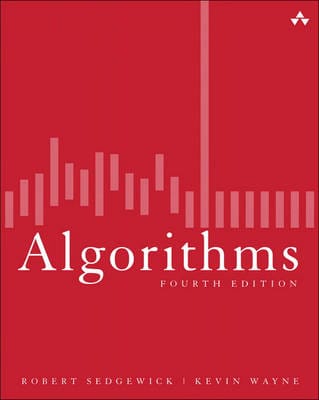
The book is my primary source of interest while being a freshman, which presents a wide range of algorithms in a very coherent and systematic way. I remember “rescuing” this hard-copy from a Fahasa‘s junk pile for about 4 USD, which from that time on became a student’s most precious thing! You can read the soft-copy here.

This is among the subjects I was very fascinated the early years at university: algorithms, graph theory, geometry, image processing… I was not quite good at “symbolic” math (like algebra), but “visual” math offered me much inspiration. The thing I would remember most is Robert Sedgewick‘s Algorithms, a book that I’ve read through over and over again many many times. It is indeed the most important Computer Science textbook that beginners MUST read until today.

The Java applet below is “refurbished” from the code I wrote the first year at college, which visualizes the nature of different sorting algorithms (original code was written in Borland C++ 3.1 with BGI – Borland Graphics Interface). This is among my various attempts to visualize the knowledge collected from the book, which had taught me that even a simple thing like “bubble sort” is not that “very simple”! Let select an algorithm in the dropdown list and click ‘Start’ and see the differences!

My visualizations above are very early (1997), much prior to those demonstrations on wiki. Later on, I’d learned that the author R.Sedgewick put a great emphasis on algorithms’ visualizing himself, his work used PostScript. Many new ways of visualization are really impressive and easy to understand, such as this (using JavaScript).

I started with with C/C++ at school, then continue with C/C++, Java, Design Patterns… on various projects. Later I abandoned Design Patterns (and Java), then I abandoned C++. To me there’s no Design Patterns, there’s only data structures and algorithms! Would write another post on the bloating and non-sense usages of Design Patterns later on!

It seems that most software engineers today lack fundamental knowledges and skills. It’s quite apparent that you could not rely on a guy talking about architecture, GoF’s design patterns… all the time but can not state the algorithmic differences between a DFS (depth first search) and a BFS (breadth first search).

parallax

A “3D clip” made by myself just for fun, strictly speaking, this is not 3D video but rather a pseudo – 3D effect, parallax, (tiếng Việt: thị sai) created totally from still images (see on the left). My video is partially inspired by this excellent CSS – only parallax. It’s quite easy to figure out how to acquire this, but let read about the definition from wiki.

This is also a popular technique in game programming, some early (and current) games choose to reduce a full 3D scene to several layers, some use parallax – mapping to acquire a pseudo – spatial effect, all helps eliminating excessive 3D computations. Clip made from random still images captured at Khe Gà, Phan Thiết.

3d graphical user interface

The code is written in C++ base on Clutter 1.2.4 library. It shows basic widgets: tabbed container, scrolling container, list box, combo box, check box, edit box, button, label, radio button…

This is my personal project in which I tried to evaluate some new ideas and concepts in using 3D techniques for GUI (Graphical User Interface). It’s quite tiny indeed (about 6000 LOC – line of code), all written by myself in about a month (mostly in my free times at weekends). So please don’t blame me on some un-completed or un-polished features, they are just for testing the ideas only. I would try to examine the trend of applying 3D graphics to GUI, but first, let have a look at the video below.

1.   The first thing to consider is not 3D engines or hardwares, it is about usability. Many traditional (2D) GUI out there are already complex and obstructive. GUI is about information presentation and presentation should be really simple and clear so that even my grand mother can understand and use. I’ve been seeking, trying to explore many new ways invented to represent information in 3D (or 2.5D) space, and I could say only a very very small percent of them could make a usable value. Users have long been familiar with 2D, and yet 3D hasn’t been very much persuasive.

2.   3D hardwares can be categorized into 3 groups (as listed on the left), and the 3D engine can be configured to off-load calculations to hardware. With the 1st type of device, only bitmap operations could be off-loaded. With the 2nd type of device, many drawing operations (the path_xxx functions) can be off-loaded. The 3rd type of hardware is most valuable since we can have its finish for ourselves a lot of work.

It’s important to understand the target device our software stack would be running on. If it is an out-date machine with just some blitters, we should use paint-like (aka: bitmaps) operations, while on most modern PC, draw-like (aka: 2D vector) operations are more encouraging. While bitmaps may offer nicer and more customizable GUI, the cons is it lacks the scalable ability that vector has.

3.   The last is about software implementation. Many of the graphics concepts are first introduced in software, which then embedded to hardware, which then standardized by software (like OpenGL or DirectX) again. Thus, many elements of a graphics pipeline is the production of a long history of interactive evolution. A graphics pipleline is not a general framework, it depends on very detailed, in-depth techniques to be operational in real-world application.

Game & graphics are the domains where most formal software methods would easily failed. 3D graphics developers should have good knowledge on graphics in general (bitmap and vector drawing), geometry, linear algebra & discrete maths, deep understanding on data-structures and algorithms… are strong pluses, advanced tips & tricks in coding and optimization is a must (game & graphics programming has always been a hell of tricks from the age of dawn) and finally good understanding on 3D techniques (model, scenegraph, projecting, shading, clipping, lighting, effects…)

typeface

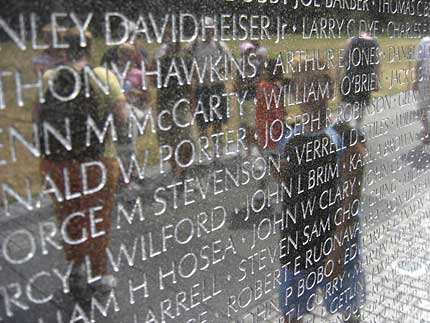
All names on the Vietnam wall in Washington DC was carved in Optima, a font designed by the legendary Hermann Zapf. Optima style is well-balanced between ancience and modernity, it’s said that Zapf used golden ratio in designing it!

Since it began long time ago, my obsession for typefaces has never stopped. From typography to calligraphy, from Latin letters to Chinese brush characters, from hand-writing to web fonts… typefaces represent the most basic, most intrinsic but most important to a visual identity: it’s not the thing they see, it’s the thing they read! Typeface, it’s not about a style of writing or printing, it’s about the long traditions of hand writing, wood and metal letters printing continue into the digital age, it’s about aesthetics!

Nowadays, for typography, www is still the “lowest common denominator”, where just a handful of typefaces meet. It’s really hard to demonstrate the beauty of typefaces on the web. Previously I had a post on web embedded font, other solutions exist using Flash or JavaScript to render fonts on web pages. Up-to the present day, I’ve never felt pleased with the aesthetics quality of any Vietnamese font yet!

Take a look at our major (printed) newspapers (e.g: Tuoi Tre, Thanh Nien…) and even art & designing magazines, most of them sticks to the very basic (and ugly) Arial or Verdana, why don’t they consider using more elegant ones like Helvetica or Palatino? (these have Vietnamese Unicode support already) Yet, there are also many nice free font families to use: Gentium, Liberation, DejaVu, Linux Libertine, Droid, Bitstream Vera

Look at the prices of professional fonts sold on many type foundries, you would understand values of the work! A font designer is somewhat similar to a sword-maker, their names don’t appear on publishing, book, newspaper… but those products bear the tacit pride of centuries-old craftsmanship. Image below: the flowery Zapfino, named after Hermann Zapf, shipped with Mac OS X, now serving as test-bed for many font-rendering engines.

3d

We are building something like this, a 3D user interface. Day by day, we’re witnessing more and more diversities in computer user interface: concepts, designs, look and feel, animations, effects… While some would stick to an bare – bone, obscured text console, the others prefer some fancy, eye – candy GUI with all its bells & whistles. Things are much easier now with many 3D libraries and tools. Remind me about how I did all the 3D things: polygon, mesh, texture, sprite, shading, lighting, scene – graph, etc… with C & assembly on DOS!

ô ăn quan

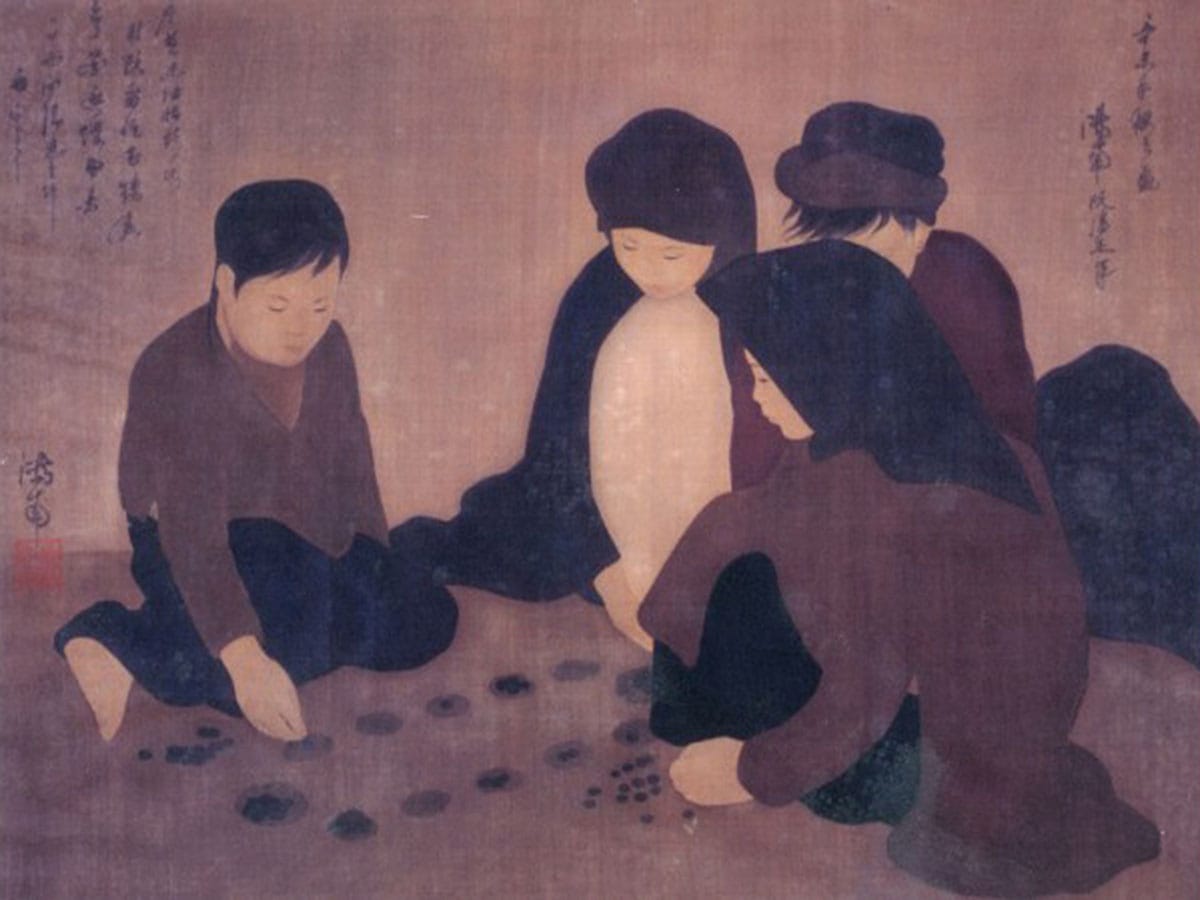
Có 50 quân dân, và 2 quân quan, mỗi quan tương đương 10 dân. Người chơi có quyền chọn di chuyển theo hướng bất kỳ, những game Mancala khác chỉ được di chuyển theo một chiều nhất định.

Ăn quân ở ô kế tiếp trong lượt đi chứ không phải ở ô đối diện của đối phương. Khi đến lượt mình mà không còn quân để đi thì phải bỏ 5 quân đã ăn được vào 5 ô của mình để tiếp tục chơi. Trường hợp không có đủ 5 quân thì phải vay của đối phương và trả lại khi trò chơi kết thúc.

Trò chơi dân gian Việt Nam Ô ăn quan thuộc họ Mancala, có nguồn gốc châu Phi và có hàng chục biến thể khác nhau trên thế giới. Khi nhỏ, tôi có chơi trò này vài lần, gọi theo tên địa phương là Ô làng chứ không phải Ô ăn quan. Hôm nay thử nhìn cái game này dưới góc độ tin học xem sao! Ô ăn quan có một số luật khác với những game Mancala khác.

Những luật bên, nhất là luật thêm & mượn quân làm Ô ăn quan phức tạp hơn nhiều so với những biến thể Mancala khác. Viết một chương trình cho máy tính chơi Ô ăn quan không phải là quá dễ dàng, dùng những heuristic đơn giản (hill-climbing, min-max, hay brute-force đến một độ sâu nhất định…) không đủ bảo đảm máy tính sẽ thắng trong nhiều trường hợp.

Trên internet, tôi không tìm được game Ô ăn quan nào theo đúng luật Việt Nam. Một số là những biến thể gần giống Ô ăn quan, một số tác giả claim là đã viết Ô ăn quan nhưng không cung cấp được link download. Có vẻ như game này không dể như khi vừa mới nghĩ đến! Bạn nào có ý kiến về chiến thuật chơi game này xin được trao đổi để cùng phát triển một trò chơi hoàn chỉnh.

Bên đây là screenshot của một Java applet tôi vừa viết trong vài tiếng đồng hồ, cho phép 2 người chơi với nhau (máy tính chỉ kiểm luật, chưa phải là một chương trình cho máy tính chơi thực sự). Những hiệu ứng đồ họa: di chuyển quân, ăn quân nhìn rất giống thật, graphics được vẽ bằng Photoshop: những viên sỏi và bàn chơi được vẽ bằng phấn trên mặt sân xi-măng… gợi lại những kỷ niệm thủa nhỏ.

minesweeper

Two more hours of work and I’ve added this hexagonal tiles to my MineSweeper! Anyone interested in the game can found the tiny binary and source code (450 LOC) here. Mine sweeping with hexagons is quite a different experience! More about MineSweeper, a simple game?

On the left: Minesweeper with hexagonal tiles

virtualization

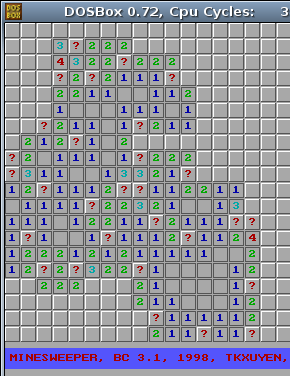
MineSweeper running in DOSBox

Click the demo page below (jpcapplet.jar – 1.8 MB in size), it would take some times to load, embedded in it is a DOS image (floppy.img) of a floppy’s size (1.4 MB). In Linux, using dd to create a blank image file, launch JPC app, mount the empty image, fdisk to give it a partition structure, format to give it a bootable FAT12 file system, copy the files over, edit autoexec.bat to have the game run at startup, and voila – there you are, the classic DOS game of MineSweeper on the web!

Beside is screen-shot of my very first programming, the classic MineSweeper, an exercise I did first year at university. After getting started with Borland C++ 3.1, I began to write numerous toys like this; small games, graphics, animation, 3D… are among the things I was very fond of. We still had not had Internet in Vietnam then, lacking of information, we’d reinvented many wheels, including a package for displaying 3D objects (in form of polygon mess), a complete GUI for DOS with window, menu, toolbar, all kinds of controls: combo, list, button… But as they say: don’t reinvent the wheel, unless you plan on learning more about wheels, the reason we did all that fun stuff.

Back to my MineSweeper, it’s tiny, about 350 LOC (Line Of Code), using BGI (Borland Graphics Interface), C/C++ and some ASM. Yesterday, just want to check the old source, but didn’t have a Windows machine at hand, I needed to run the Borland C++ 3.1 compiler on my Linux box. Wine is good for many Windows applications, but it simply won’t work with pure DOS programs. Then I found DOSBox, you start it up in form of a console, mount a directory in local file system, have BC 3.1 installed and compiles flawlessly, and MineSweeper runs well on this virtual DOS on top of Linux!

That’s some layers of virtualization, say I want more, I want to show MineSweeper on the web, but don’t want to make change to the code, or even to the compiled binary. Could it be possible? The answer is: YES! You would need JPC, a pure Java IBM-PC emulator, it runs where there is Java: x86, RISC, mobile phone… On top of it, you can run a bundle of different OS: DOS, Linux, Windows… Then comes the delicate distinction between virtualization and emulation, hardwares, softwares, all can be virtualized to some great extent. Imagine you would run some games & utilities on a virtual DOS (or Linux) running inside JPC, hosted in Firefox browser, which in turn runs on Windows (or Linux)!

JPC can only bring about 20% power of the native machine, and even a tiny game like this is overkill to it, and mouse functioning is really crappy too. But that’s suffice to demonstrate the idea, JPC could be improved I believe. More games would be added to this Web DOS console later on! Anyone still remember Tetris, Croix-Zero, Snake, Mario…? So, what’s the points for JPC? Demonstrating the fractal principles in hardware, software evolution? Too much “nostalgia” for the “good old days” – DOS games? Anything else or just reinventing the wheel? The answer may be so, but I love this idea of cultivating the past, and pop out new things for the future!

math expression on www

I rarely need to write mathematics expressions on the web, but the last time I did, it took me some times to figure out just how to do. It’d turned out to be pretty easy, there’s a free LaTeX rendering server at yourequations.com. Excellent site! Just feed it with a LaTeX expression, it would render an image for you to put on your web page. This may be the best solution for now, while waiting for an workable HTML version that supports math.

There’s also a guide to embed this feature onto Blogger blogs (and also WordPress, and some PHP forums…) Just insert your LaTeX code between the pre (or code) tags as below and the jsTeXrender JavaScript would do the rest for you. This works fine for any browser with JavaScript support (mouse over the expressions and you would see the underlying LaTeX code). You may also need this LaTeX Reference Card for a list of LaTeX’s symbols.

Update, Otc 1st, 2010

Due to heavy traffic, yourequations.com has ceased the service. Please see this new post on how to run a LaTeX rendering server of your own!

CMS 2.0 released

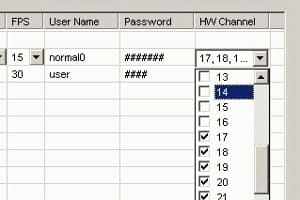
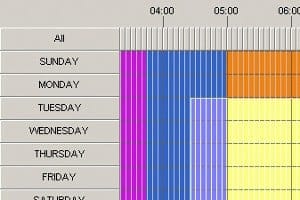
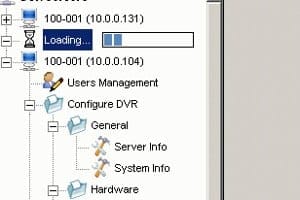
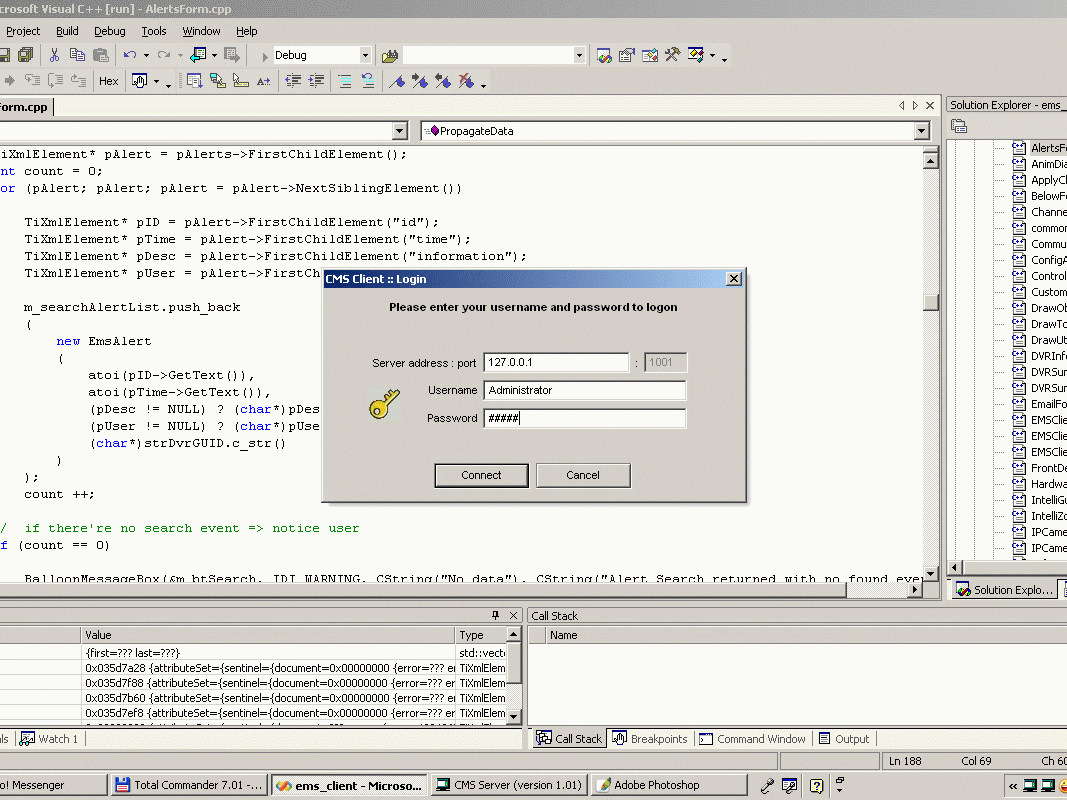
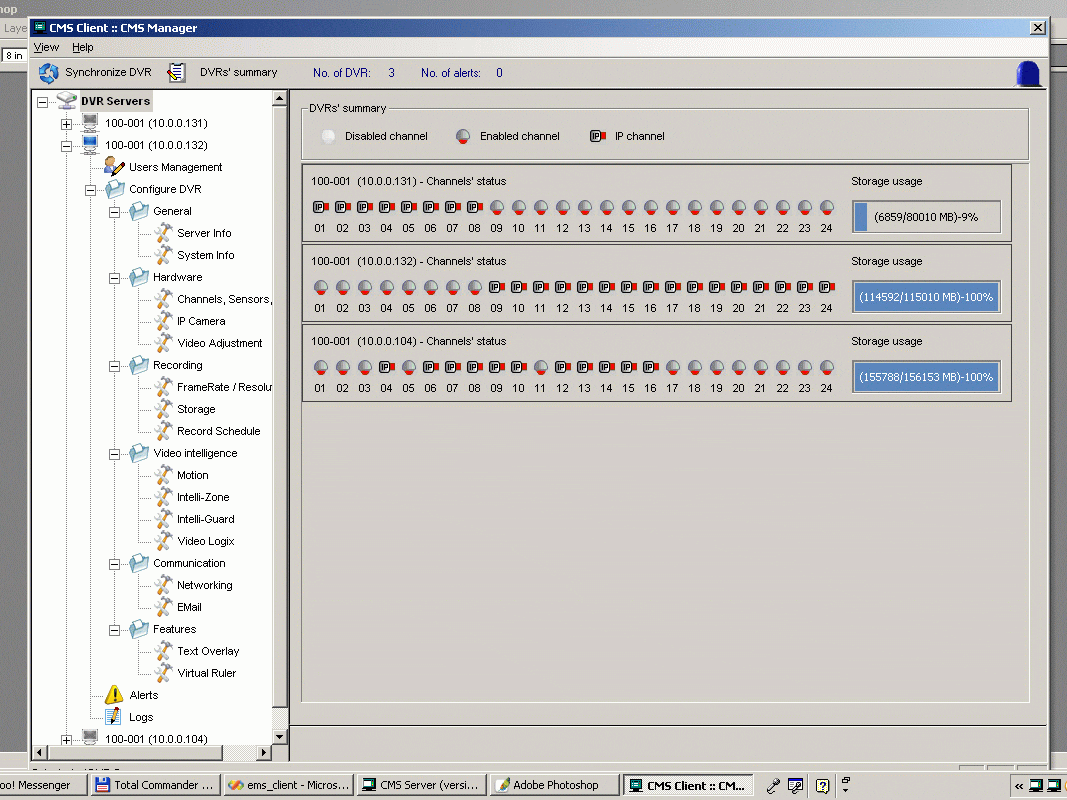
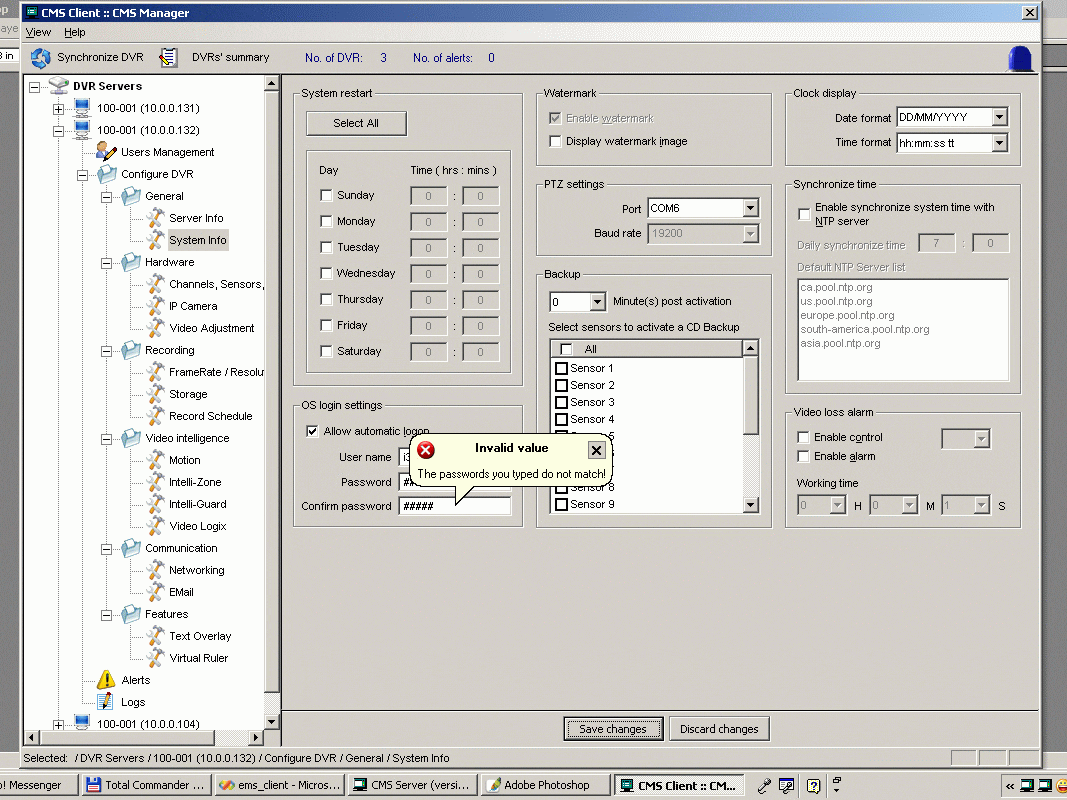
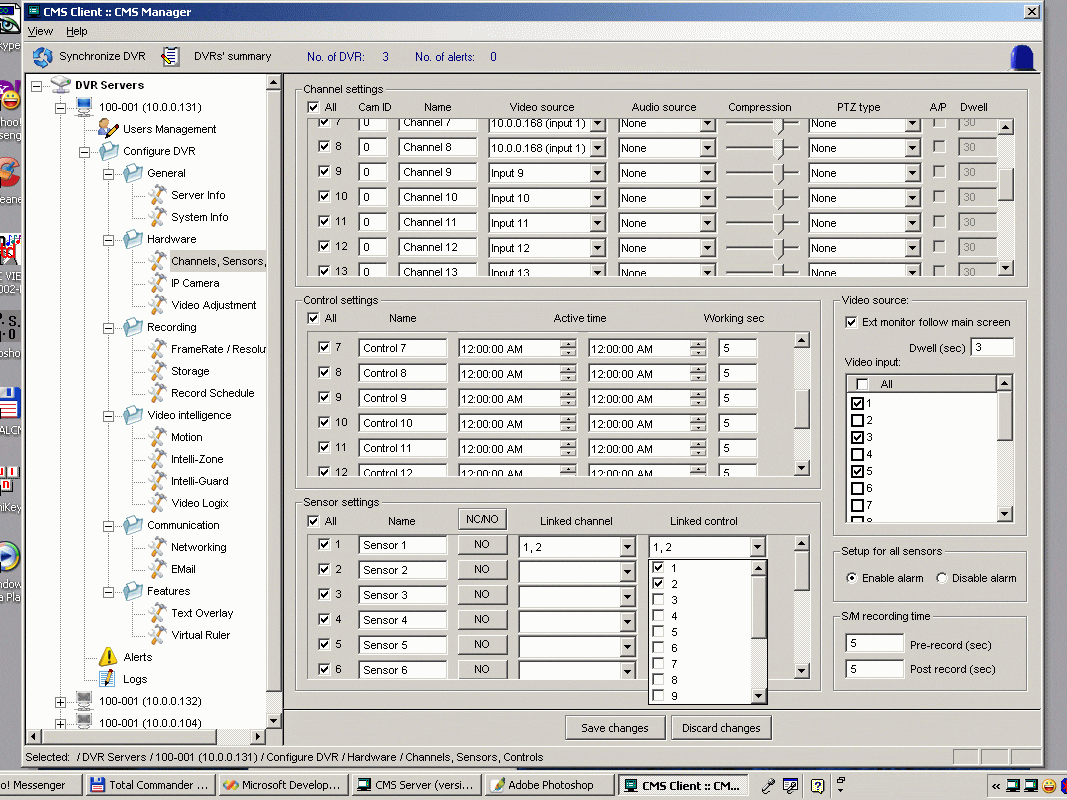
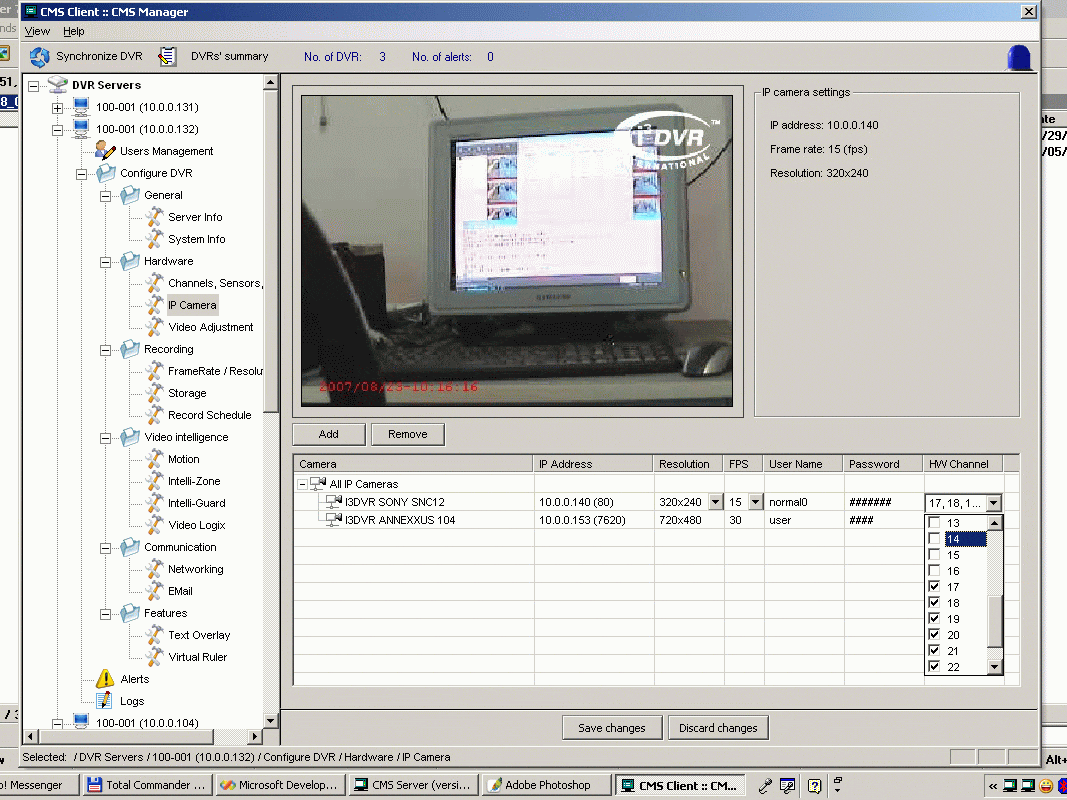
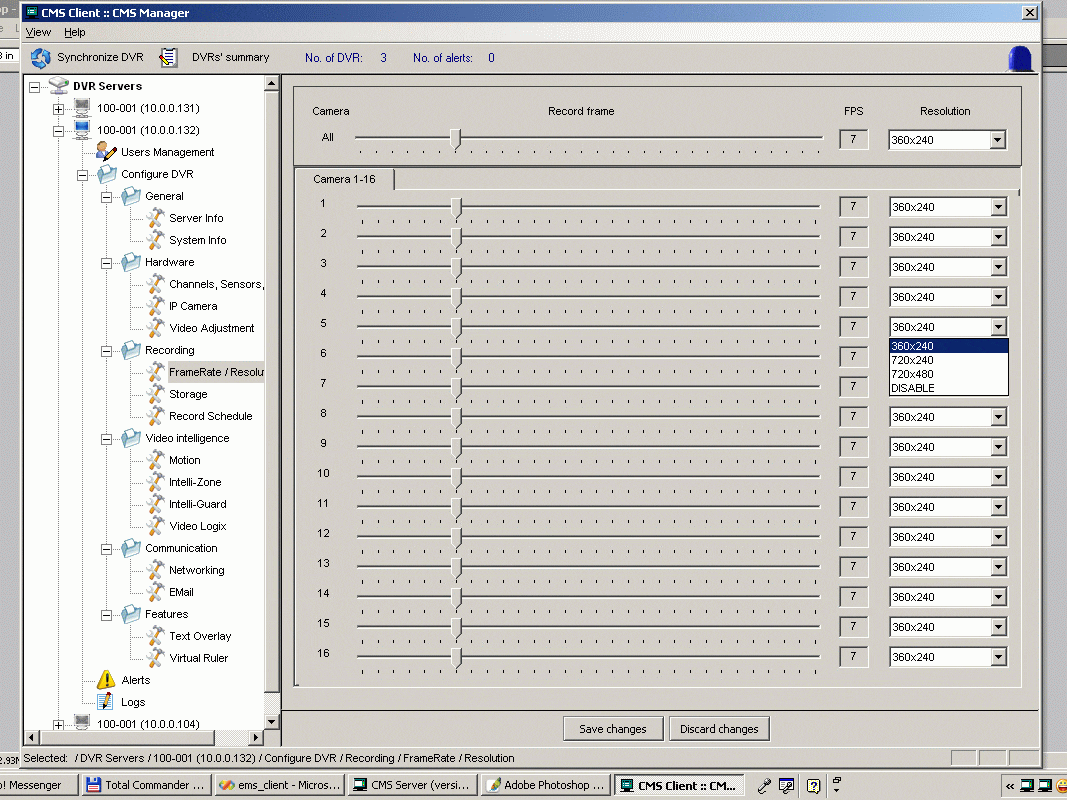
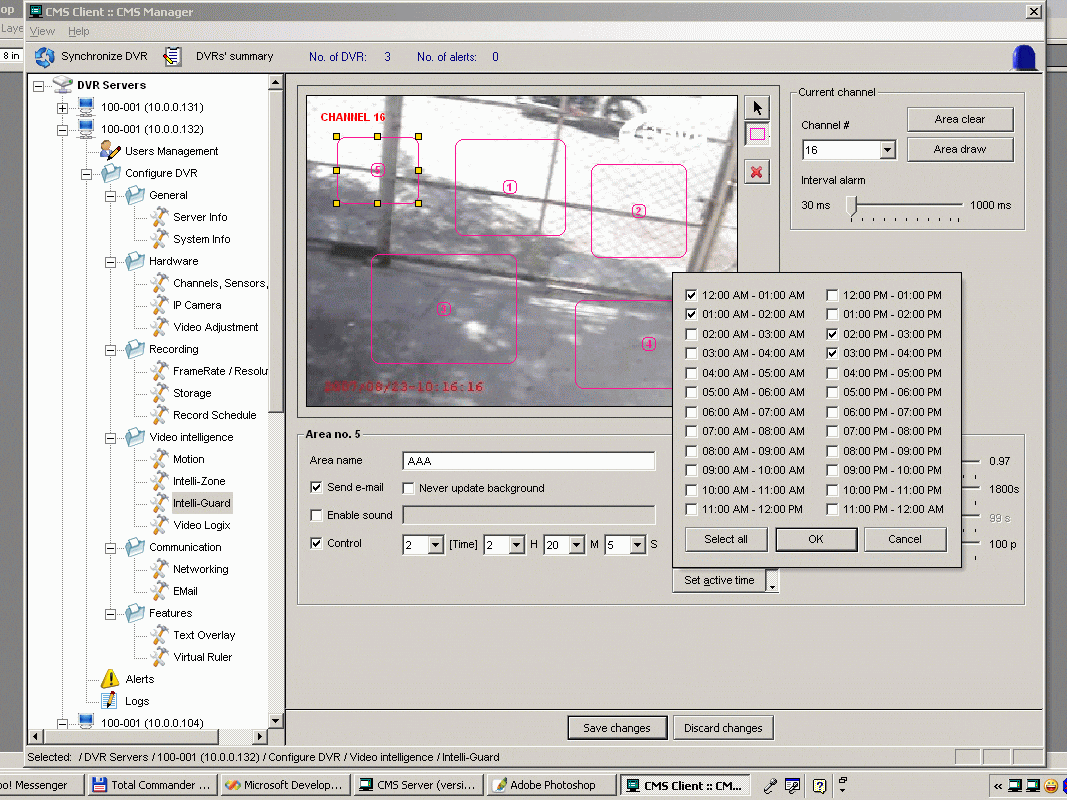
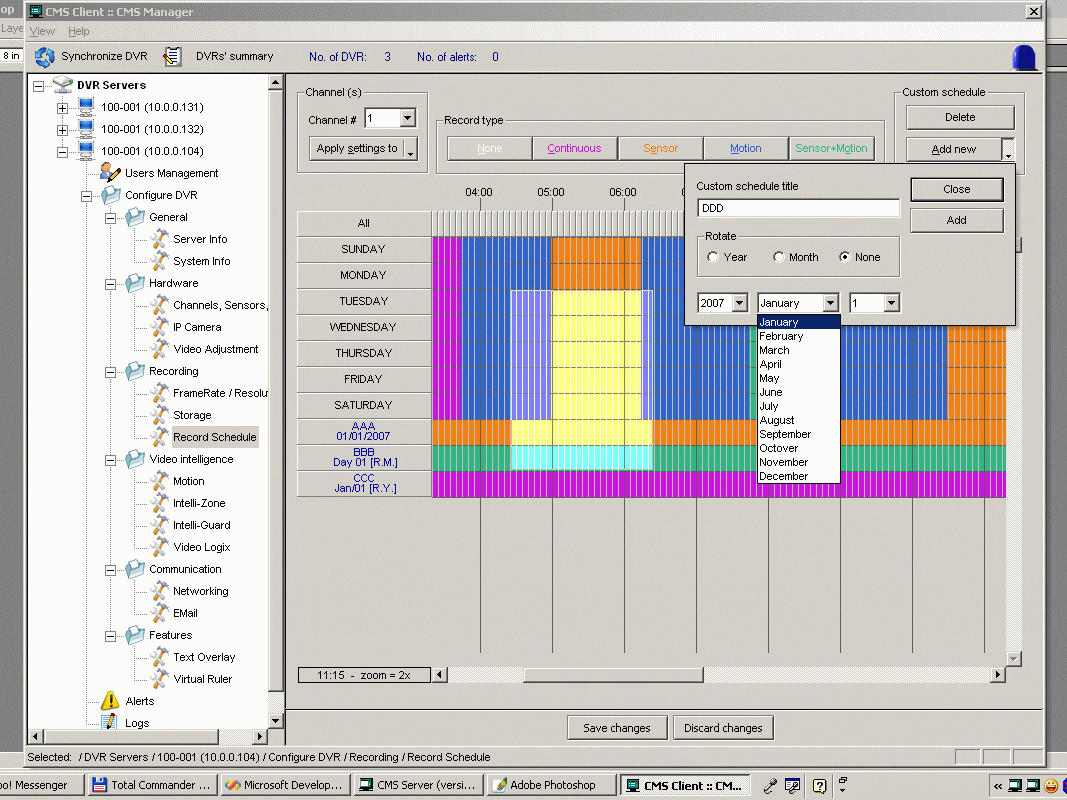
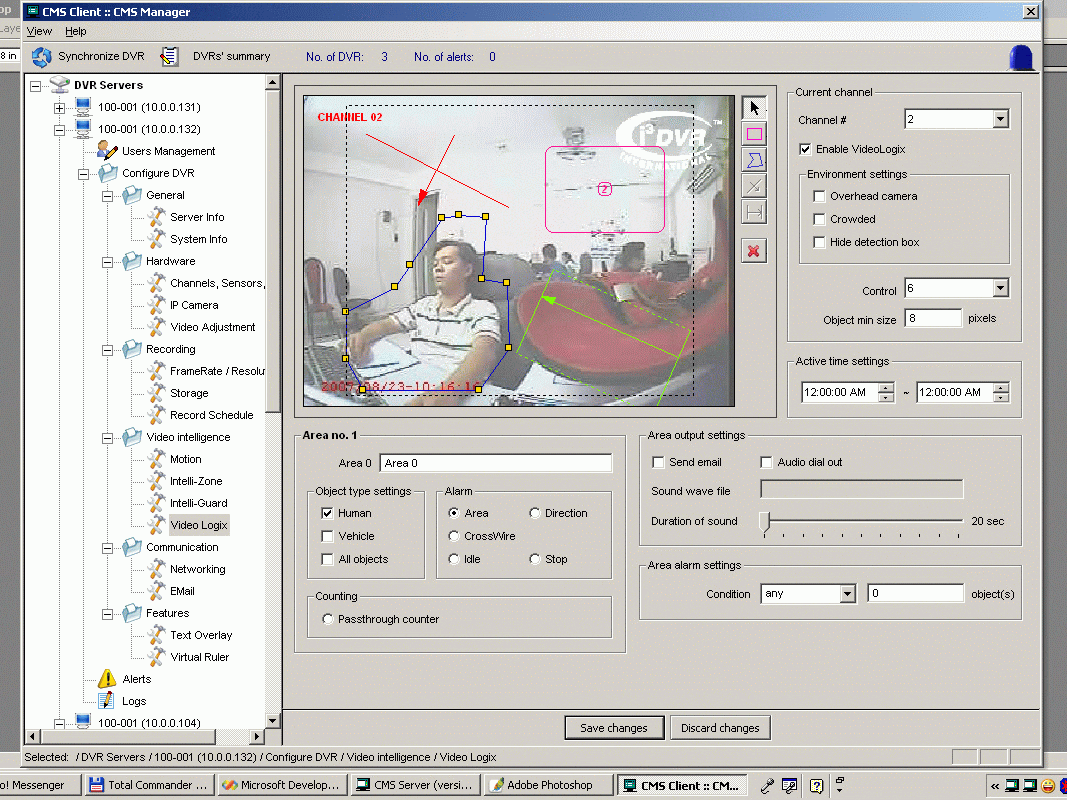
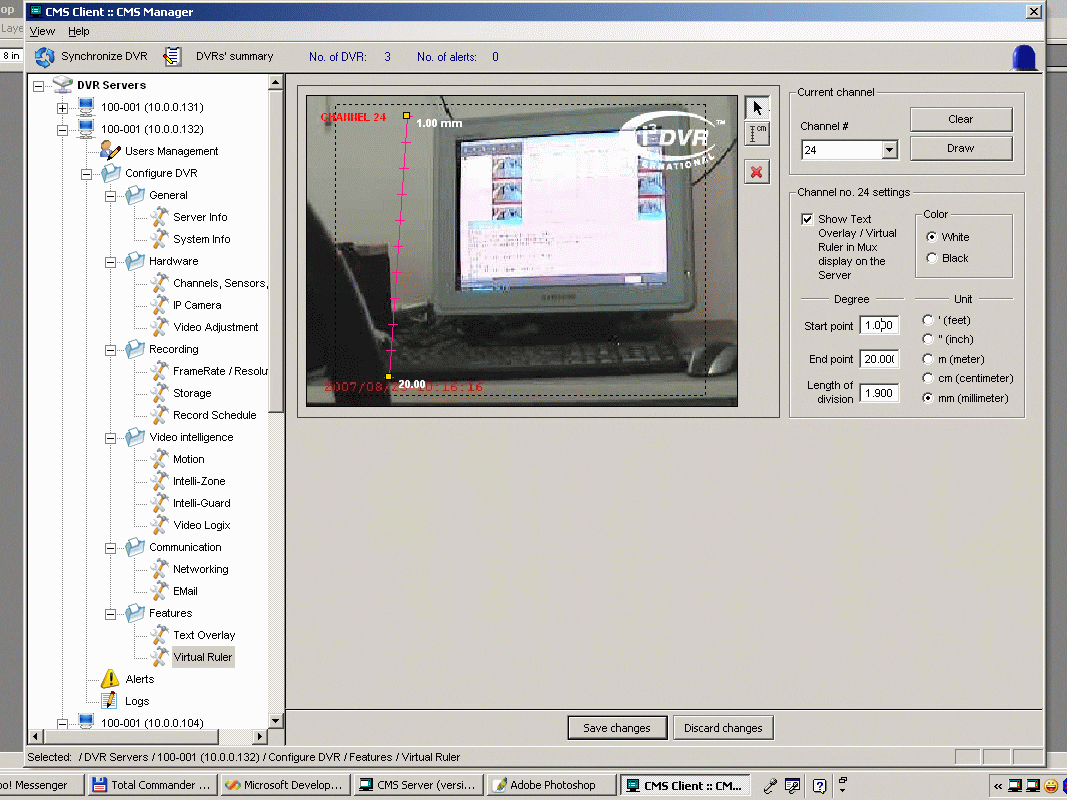
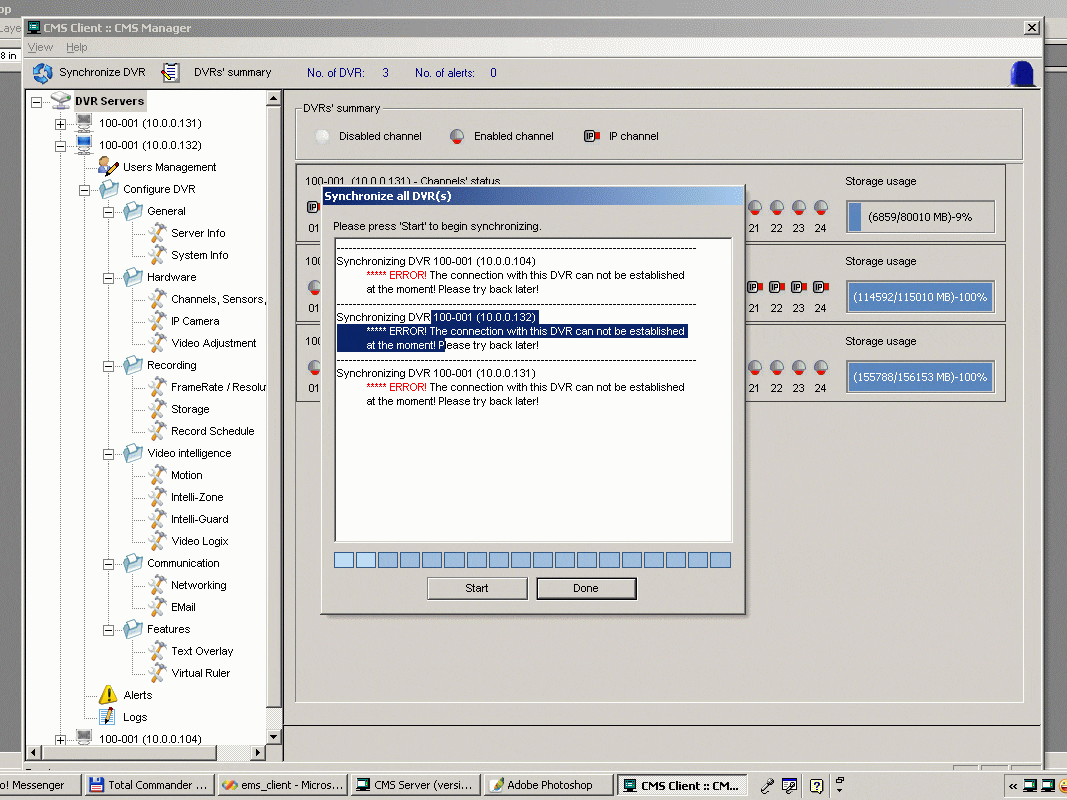
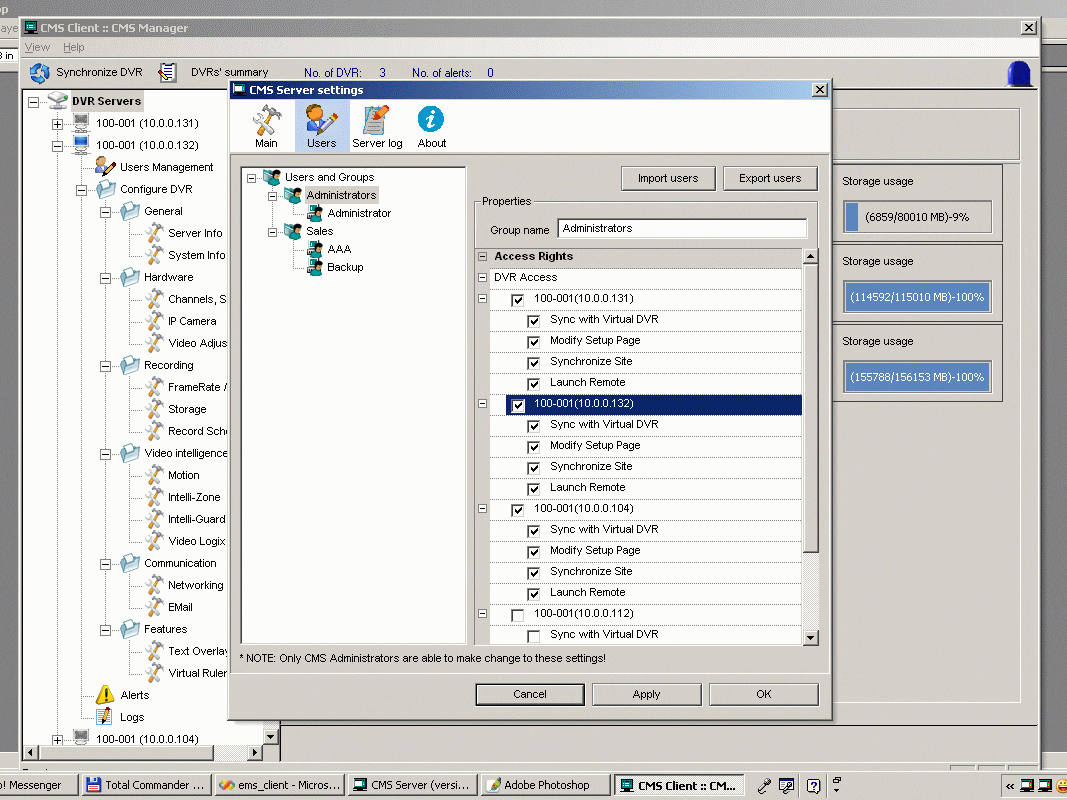
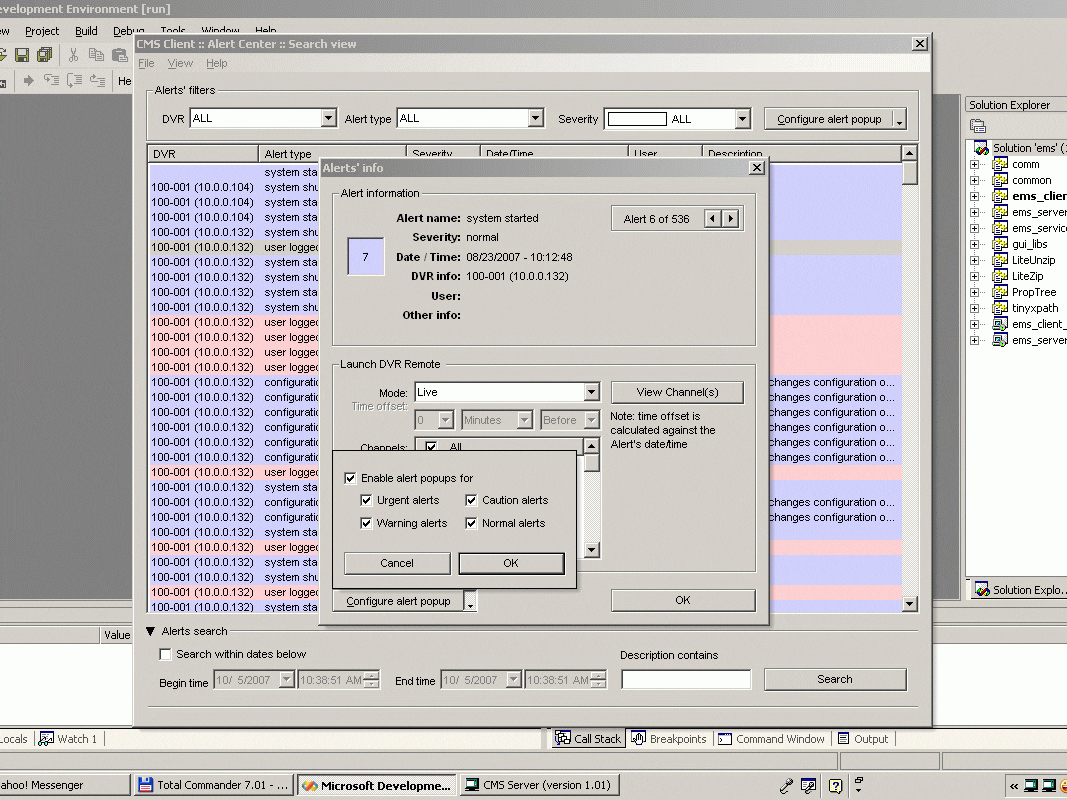
Some typical UI features:

Data & input validation using XPath

Custom-drawn combobox (with check-box item)

Custom-drawn grid with tens of thousand cells

Simple vector object editing

Custom-draw tree with loading effect

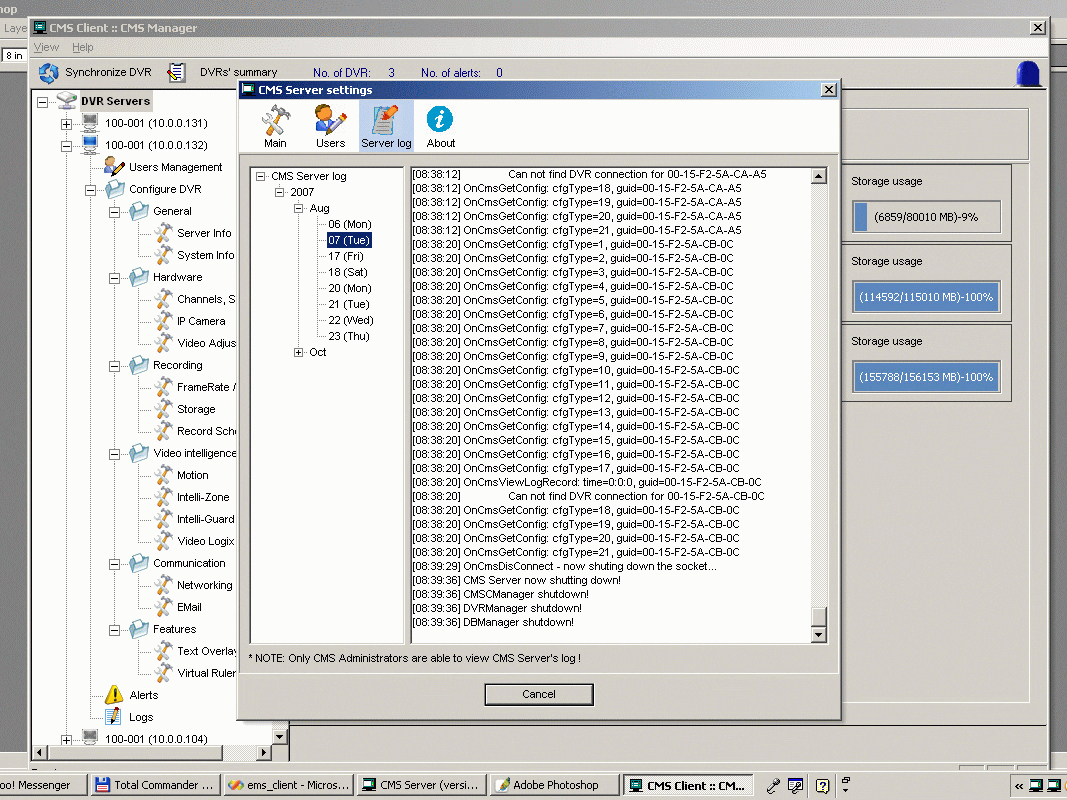
The CMS project, in which I’m the team leader, has come to it’s second phase, with major features completed. Although I felt tired with the on-going work, it’s my most beloved product. CMS (short for Central Management System) serves as a gateway through which clients manage the DVR Servers (Digital Video Recorder). The product demonstrates many technologies & programming techniques, just to name a few:

  • IOCP (IO completion port): the multi-threaded IOCP server has proved to be very efficient, hundreds of concurrent connections won’t rise CPU usage to higher than 5%. However, the connections are stateless, it’s best that we would add a state-machine to better control the traffic.

  • TCP + XML communication: we devise a draft protocol like XML-RPC or SOAP, which bases on TCP rather than HTTP.

  • XML data storage: all network command & data is presented in XML. With version-numbered XML, we hope to solve the backward compatibility problem ever existed with so many releases of our main DVR products.

  • XML processing is made easy thank to the wonderful TinyXML and TinyXPath libraries. I must emphasize that XPath makes XML processing much more feasible, it greatly reduces the number of LOC (line of code) and procedural complexity.

  • A sophisticated client MFC GUI demonstrates various GUI programming techniques, almost every tricks with MFC GUI has been gathered in this product: heavy custom-draw controls, flicker-freed rendering, advanced input validation…

  • Some borrowed concepts from other flatforms: the elegant “signal & slot” are added to handle complicated interaction between GUI’s elements (in addition to MFC’s message queue mechanism).

I have some lessons learned after the project:

  • It’s a MUST that you have a team with members of the same professional level. This would make sure the members would easily understand each others and share a common culture.

  • C/C++ is still a MUST for real time programming tasks (it’s “half-civilized nature” makes it a strong language). And the use of some matured flat-form: boost, wxWidget… would greatly help the developing process.

  • It’s only by the desire for creation & creativity that programmer would offer an excellent product. The culture of a developing team is somewhat like honey-bees, who collect pollen little by little to make honey and wax.

I’ve been involved in many projects, some is more interesting, some is more difficult than this one. But this is the first one that I’d made, everything from A to Z. It’s now time to leave I3 but I must say this is the project that I loved and two years at I3 was a special time in my career! Looking at the screenshots below, you would see that CMS is very rich in it’s designs about information presentation.