engineering dogmas

Over the years in our software community, I’ve seen a lot of dogmas, myths and lies that spread like ‘cholera’. That only reflects the fact that many programmers just repeat like parrots what they ‘learned’ from school, news, books… without their own justification, and to some extent, reflect their lacking of experiences. A good engineer should, at least, have some abilities to judge the pros and cons, weak points and strong points, when to use, and when not to use a method, a language or a technology.

Design first, then code!

The principle is, in general, not wrong. However, pragmatically, a software’s final structure, architecture… is not achievable as product of an immediate thought or a single design cycle. In most cases, the “first design” is certainly not the correct one. It’s not in a deterministic process that we can build software, complex product would always requires a lot of trial and fail. And from my experiences, good designs are sustainable solutions after a tedious process of experiments to eliminate wrong directions. We need coders of strong analysis and experimental skills rather than the “evangelic designers”!

Where are the documents?

We are going to make clear distinction: do we need coders who really understand what they are doing, or we just need some paper to present to customers? In countless cases did I see that coders do not understanding what they are doing: they don’t understand a feature, they don’t know how to archive that, they are unable to judge the pros and cons, they just mechanically copy and paste code from somewhere. Documents only provide rough, general views on the matters. If you’re going to mention about a static-web-page project, I would agree that document is something. But if you’re mentioning system programming, it’s the code that is the document!

Poor skills and wrong knowledges

This is simply put: countless! Just to name a few:

Poor skills: once, a coder being asked to fix a “null pointer exception”. What he did is adding a “if (pointer != NULL)” line into the code. It’s not fixing, it’s just hiding, fixing is find out why the pointer is NULL, not prevent it from being executed! Another time, another coder, getting frustrated under a crash situation, place a “try… catch” around the buggy code segment. This is again, not fixing, with this way of hiding, we’re just going to accumulate faultinesses until the software crashes silently for no reasons!

Object oriented programming rules: OOP is more beautiful in theory than in practice. OOP provides a nice way for modeling, but it come at costs: bloating code. It is not until the project grows above 1M LOC that OOP become a burden, that we would need to do the “functional decomposition” optimization tasks. It’s the execution (functional) tree that decides performance, not the inheritance tree that obscures runtime characteristics!

Design pattern rules: this is again, not true! I agree that patterns reflect some good coding practices, but software could never be built from the so call “patterns” (there hasn’t been any such proven process). I really don’t understand what is a “singleton” if it’s essentially (in C/C++ syntax) a static variable, I also don’t understand what we need from a “factory” if it’s essentially a “switch… case” structure!?

Management myths

Managers tend to forget what they’d learned when they were coders. There’re lots of myths in software management, just some examples:

  • Software people is of a same type and the same background.

  • We already have a book that’s full of standards and procedures for building software. That provide out people with everything they need to know!

  • If we get behind schedule, we can add more programmers and catch up.

  • Project requirements continually change, but change can be easily accommodated because software is flexible.

There have been extensive criticisms on various OOP models and OOP implementations (Java, C#, C++, MFC, Objective C, glib…) The AntiPatterns wiki and many other authors provide good anti-examples on the uses of patterns!
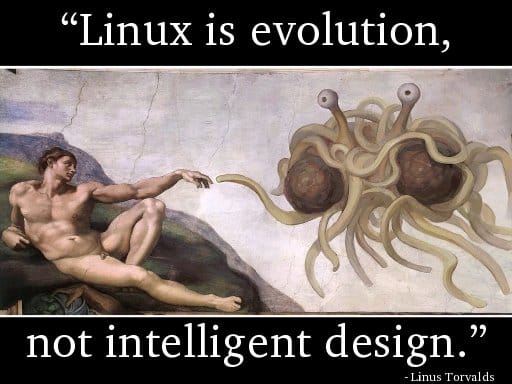
Linus Torvalds, being criticised: “the kernel has no obvious design”, had replied: “Linux is evolution, not intelligent designs”! The same applied for similarly complex projects!
Document is for understanding, but is not the understanding itself.
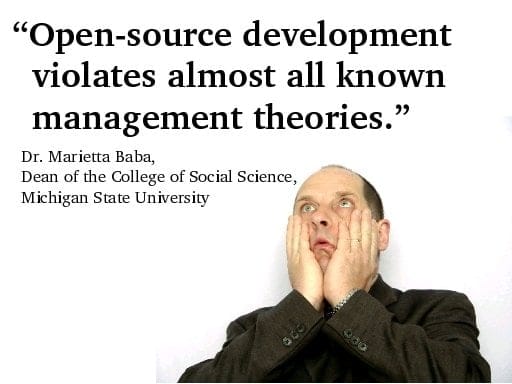
Software project management is the domain of vast diversity! No simple rules applied to a software process!
3d particles

Some funs with 3D effects. Just some years ago, rendering 3D particles like water, smoke, fire, fog… was an extremely hard task. I remember how struggling it was for me to build 3D models for a waterfall (with moving water) or a shouting-crowd stadium. It’s enjoyable to see how graphics has advanced in the past few years, these effects are now easily achievable.

Video above: the classical Utah teapot with steam coming out from its spout, rendered with Panda3D, the well-known open-source game engine originally released by Disney, which has a feature-rich C++ core with Python scripting for application development.

basic algorithms

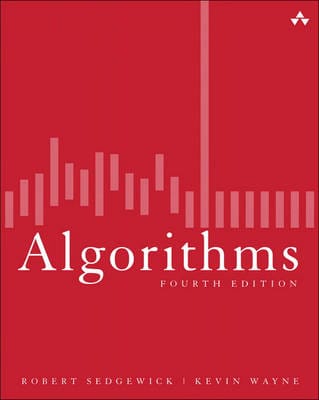
The book is my primary source of interest while being a freshman, which presents a wide range of algorithms in a very coherent and systematic way. I remember “rescuing” this hard-copy from a Fahasa‘s junk pile for about 4 USD, which from that time on became a student’s most precious thing! You can read the soft-copy here.

This is among the subjects I was very fascinated the early years at university: algorithms, graph theory, geometry, image processing… I was not quite good at “symbolic” math (like algebra), but “visual” math offered me much inspiration. The thing I would remember most is Robert Sedgewick‘s Algorithms, a book that I’ve read through over and over again many many times. It is indeed the most important Computer Science textbook that beginners MUST read until today.

The Java applet below is “refurbished” from the code I wrote the first year at college, which visualizes the nature of different sorting algorithms (original code was written in Borland C++ 3.1 with BGI – Borland Graphics Interface). This is among my various attempts to visualize the knowledge collected from the book, which had taught me that even a simple thing like “bubble sort” is not that “very simple”! Let select an algorithm in the dropdown list and click ‘Start’ and see the differences!

My visualizations above are very early (1997), much prior to those demonstrations on wiki. Later on, I’d learned that the author R.Sedgewick put a great emphasis on algorithms’ visualizing himself, his work used PostScript. Many new ways of visualization are really impressive and easy to understand, such as this (using JavaScript).

I started with with C/C++ at school, then continue with C/C++, Java, Design Patterns… on various projects. Later I abandoned Design Patterns (and Java), then I abandoned C++. To me there’s no Design Patterns, there’s only data structures and algorithms! Would write another post on the bloating and non-sense usages of Design Patterns later on!

It seems that most software engineers today lack fundamental knowledges and skills. It’s quite apparent that you could not rely on a guy talking about architecture, GoF’s design patterns… all the time but can not state the algorithmic differences between a DFS (depth first search) and a BFS (breadth first search).

3d graphical user interface

The code is written in C++ base on Clutter 1.2.4 library. It shows basic widgets: tabbed container, scrolling container, list box, combo box, check box, edit box, button, label, radio button…

This is my personal project in which I tried to evaluate some new ideas and concepts in using 3D techniques for GUI (Graphical User Interface). It’s quite tiny indeed (about 6000 LOC – line of code), all written by myself in about a month (mostly in my free times at weekends). So please don’t blame me on some un-completed or un-polished features, they are just for testing the ideas only. I would try to examine the trend of applying 3D graphics to GUI, but first, let have a look at the video below.

1.   The first thing to consider is not 3D engines or hardwares, it is about usability. Many traditional (2D) GUI out there are already complex and obstructive. GUI is about information presentation and presentation should be really simple and clear so that even my grand mother can understand and use. I’ve been seeking, trying to explore many new ways invented to represent information in 3D (or 2.5D) space, and I could say only a very very small percent of them could make a usable value. Users have long been familiar with 2D, and yet 3D hasn’t been very much persuasive.

2.   3D hardwares can be categorized into 3 groups (as listed on the left), and the 3D engine can be configured to off-load calculations to hardware. With the 1st type of device, only bitmap operations could be off-loaded. With the 2nd type of device, many drawing operations (the path_xxx functions) can be off-loaded. The 3rd type of hardware is most valuable since we can have its finish for ourselves a lot of work.

It’s important to understand the target device our software stack would be running on. If it is an out-date machine with just some blitters, we should use paint-like (aka: bitmaps) operations, while on most modern PC, draw-like (aka: 2D vector) operations are more encouraging. While bitmaps may offer nicer and more customizable GUI, the cons is it lacks the scalable ability that vector has.

3.   The last is about software implementation. Many of the graphics concepts are first introduced in software, which then embedded to hardware, which then standardized by software (like OpenGL or DirectX) again. Thus, many elements of a graphics pipeline is the production of a long history of interactive evolution. A graphics pipeline is not a general framework, it depends on very detailed, in-depth techniques to be operational in real-world application.

Game & graphics are the domains where most formal software methods would easily failed. 3D graphics developers should have good knowledge on graphics in general (bitmap and vector drawing), geometry, linear algebra & discrete maths, deep understanding on data-structures and algorithms… are strong pluses, advanced tips & tricks in coding and optimization is a must (game & graphics programming has always been a hell of tricks from the age of dawn) and finally good understanding on 3D techniques (model, scenegraph, projecting, shading, clipping, lighting, effects…)

3d

We are building something like this, a 3D user interface. Day by day, we’re witnessing more and more diversities in computer user interface: concepts, designs, look and feel, animations, effects… While some would stick to an bare – bone, obscured text console, the others prefer some fancy, eye – candy GUI with all its bells & whistles. Things are much easier now with many 3D libraries and tools. Remind me about how I did all the 3D things: polygon, mesh, texture, sprite, shading, lighting, scene – graph, etc… with C & assembly on DOS!

vim for programmer

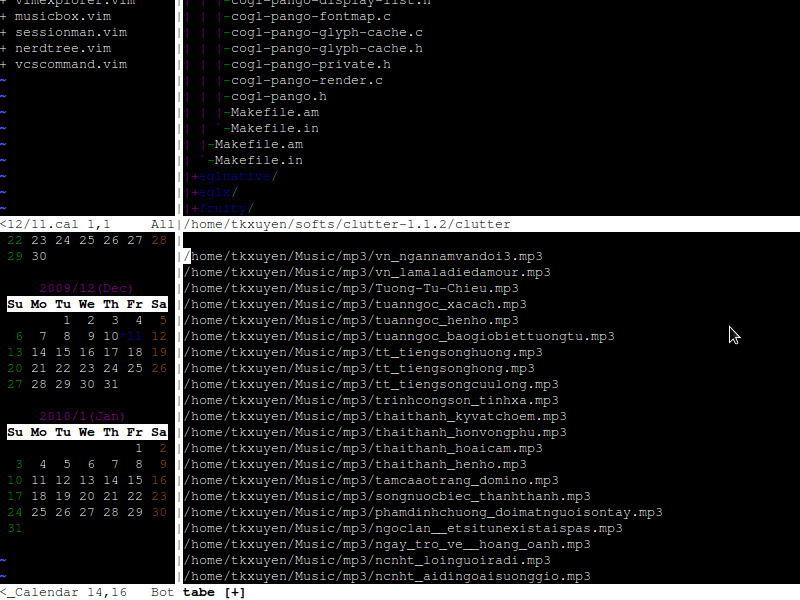
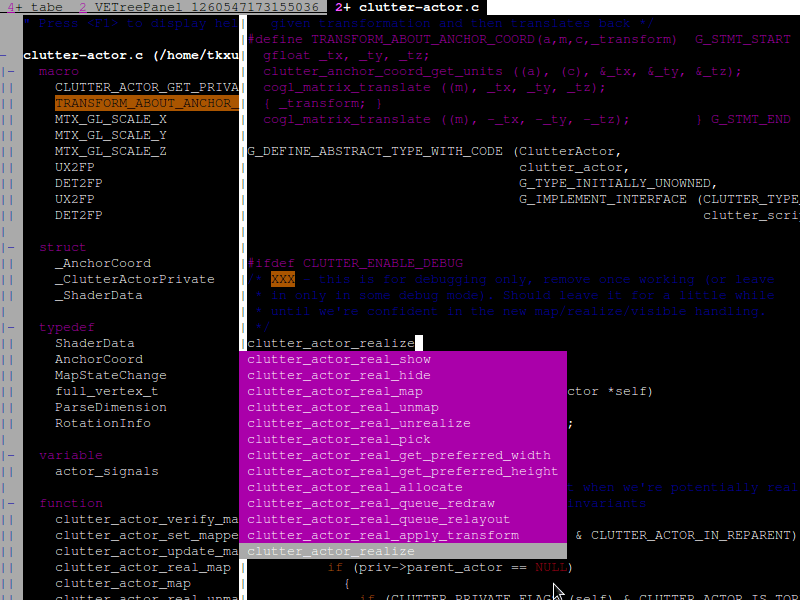
VIM “IDE” with symbol – browsing and auto – completion

Various utilities inside VIM: media player, calendar, file explorer…

I have been using VIM for most of my daily programming, and everyday, I’ve been discovering new things about VIM. We can tune VIM into a full-fledged and powerful IDE (Integrated Development Environment) that far surpasses every others! With ctags and taglist.vim, we can build tags database, which would then enable searching, browsing all symbols, variables, functions in a code – base. cscope enhances ctags even more with advanced search & browsing features. And I would need no external diff tool since we’d already have vimdiff to compare and merge code.

Working with different types of version – control system, we’d already had vcscommand.vim, which can help interfacing with svn, cvs or git! To interact with file system, I would use NERDTree or vimExplorer, a lot of tasks with fs is done even without leaving VIM! I’m not fool enough trying to do everything with VIM, but there are many other plug-ins that you would find useful: a.vim and c.vim would help you a lot in C/C++ programming, calendar.vim helps you viewing date, and keeping small notes (diary) for each day, musicbox.vim serves you with media playing inside VIM, and vimail helps send, receiving emails with just a few convenient keystrokes!

fooled by randomness

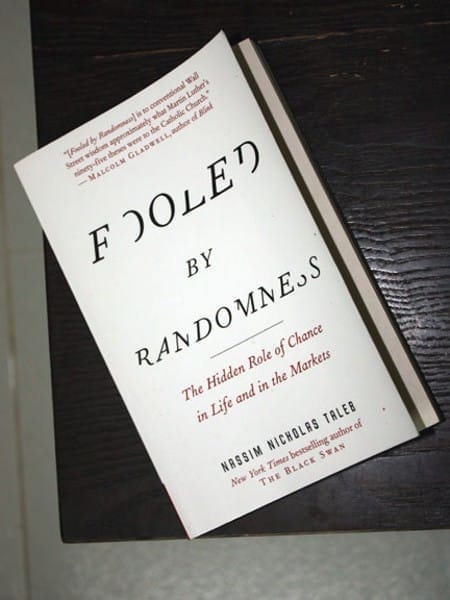
Usually on my birthday, I would receive messages like: Congratulation to the Party! Congratulation to the government! Congratulation to President Ho Chi Minh! (the day happens to be also the Man’s birthday). But last month, I received this book, a nice gift from a friend, a soft – paperback hard – copy of the famous writing: Fooled by Randomness! I’m now half – way through the book, a bit difficult for non – English – native readers, but really interesting in every details!

My major hobby is teasing people who take themselves & the quality of their knowledge too seriously & those who don’t have the courage to sometimes say: I don’t know. You may not be able to change the world but… (www . fooled by randomness . com)

As with every outstanding thinkers and thinkings, the book’s caused controversies since it was first published (2001), written by Nassim Nicholas Taleb, a skeptical scholar and at the same time, a successful trader. I’ve been for long, looking forward to these types of cognitive thoughts! It’s too soon to have some comments on the book, but for now, the debate between Einstein and Heisenberg, between determinism and un – determinism would just go on!

elektronika

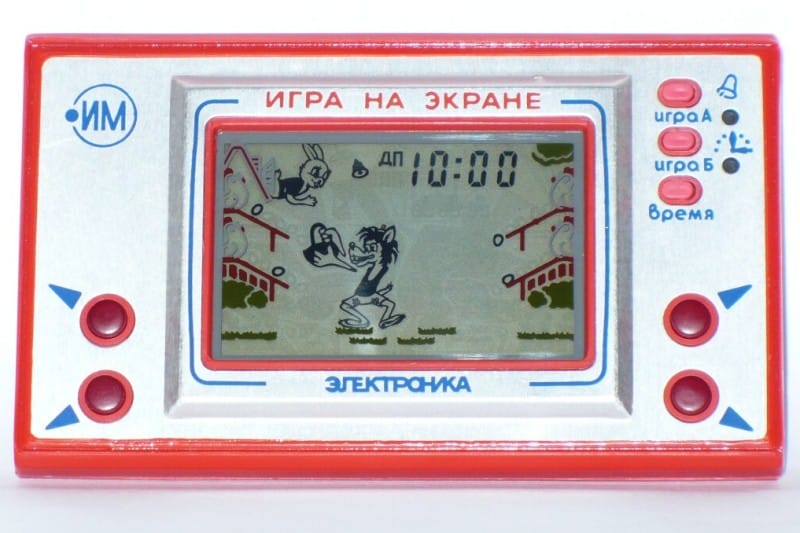
Russian Elektronika clone

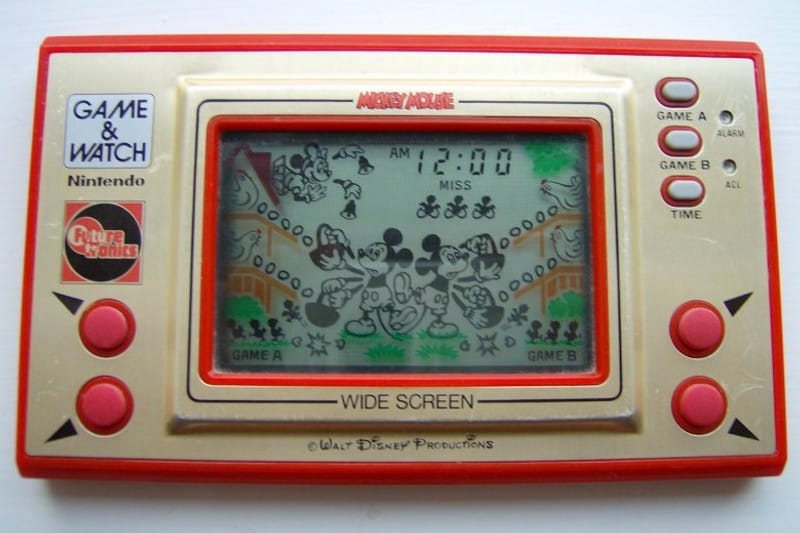
Nintendo Game & Watch original.

A very sweet souvenir, a sudden reminiscence that happen to recall, my first computer game. Some day in the mid-80s, I’d got a gift, a Soviet built, hand-held device. I still remember the sound, the addictive feelings came with it! The game featured a wolf, a rabbit, likely to be seen in the Nu, pogodi! cartoon series (pronounced by us – little child as nupacachi). The game’s goal is trying to catch falling eggs, if an egg missed, it breaks and a chick is born. If 4 chicks are born, you lose! I played hundreds of games on this pad, then batteries ran out but can’t find anywhere replacement back then.

Several years later, in the late-80s, these types of games became obsolete, then seen the Nintendo’s Famicom console widespread. Now I know it was a clone of Egg (a variant of Mickey Mouse), played on console manufactured by Nintendo. Although capable of building super computers, the Soviet Union was, at the time, in shortage of consumer goods, they choose to reverse engineer various Western products.

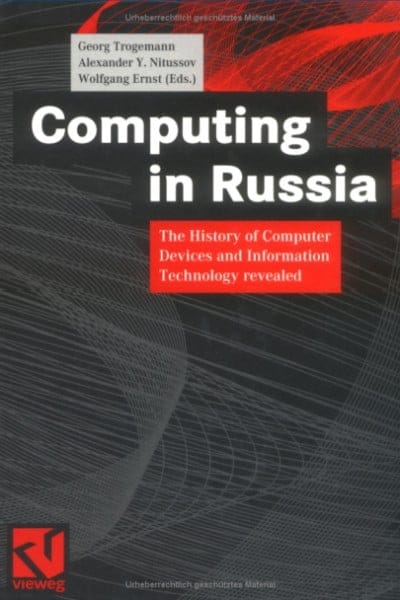
It’s very interesting to learn about separate branches of electronics and computer science in the USSR. They had distinctive type of computers, architectures, operating systems, programming languages… Some are even found nowadays quite bizarre like the trinary computers (as apposed to binary systems we’re extensively using). It should be noticed that the Russian had very successful specific-purpose models that offer superior power in narrow fields (such as ballistic computing). Areas in their separated genealogical branches of science and technology remain mysterious until today, some are covered in the book Computing in Russia, a highly-recommended reading!

Update, May, 13rd, 2009

It was kind of a very first and famous game, yet only ones at the time know about it, in the early and mid 80s. After searching a while, I found various simulators for playing the Game & Watch series, on Linux, on Windows and even on Mac. On the left is Flash version of the game, the Soviet variant named Nu, pogodi!, you can guess from Cyrillic letters above the screen. Enjoy!

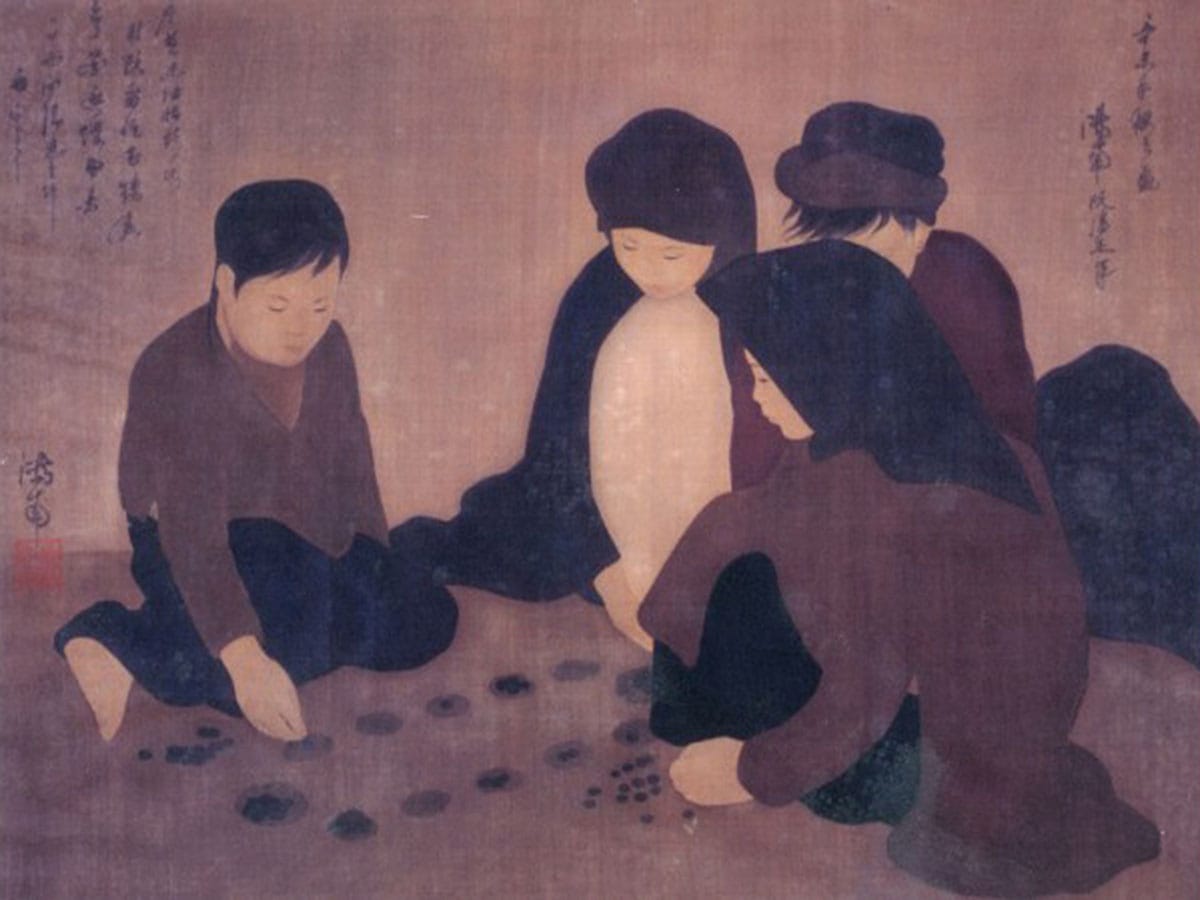
ô ăn quan

Có 50 quân dân, và 2 quân quan, mỗi quan tương đương 10 dân. Người chơi có quyền chọn di chuyển theo hướng bất kỳ, những game Mancala khác chỉ được di chuyển theo một chiều nhất định.

Ăn quân ở ô kế tiếp trong lượt đi chứ không phải ở ô đối diện của đối phương. Khi đến lượt mình mà không còn quân để đi thì phải bỏ 5 quân đã ăn được vào 5 ô của mình để tiếp tục chơi. Trường hợp không có đủ 5 quân thì phải vay của đối phương và trả lại khi trò chơi kết thúc.

Trò chơi dân gian Việt Nam Ô ăn quan thuộc họ Mancala, có nguồn gốc châu Phi và có hàng chục biến thể khác nhau trên thế giới. Khi nhỏ, tôi có chơi trò này vài lần, gọi theo tên địa phương là Ô làng chứ không phải Ô ăn quan. Hôm nay thử nhìn cái game này dưới góc độ tin học xem sao! Ô ăn quan có một số luật khác với những game Mancala khác.

Những luật bên, nhất là luật thêm & mượn quân làm Ô ăn quan phức tạp hơn nhiều so với những biến thể Mancala khác. Viết một chương trình cho máy tính chơi Ô ăn quan không phải là quá dễ dàng, dùng những heuristic đơn giản (hill-climbing, min-max, hay brute-force đến một độ sâu nhất định…) không đủ bảo đảm máy tính sẽ thắng trong nhiều trường hợp.

Trên internet, tôi không tìm được game Ô ăn quan nào theo đúng luật Việt Nam. Một số là những biến thể gần giống Ô ăn quan, một số tác giả claim là đã viết Ô ăn quan nhưng không cung cấp được link download. Có vẻ như game này không dể như khi vừa mới nghĩ đến! Bạn nào có ý kiến về chiến thuật chơi game này xin được trao đổi để cùng phát triển một trò chơi hoàn chỉnh.

Bên đây là screenshot của một Java applet tôi vừa viết trong vài tiếng đồng hồ, cho phép 2 người chơi với nhau (máy tính chỉ kiểm luật, chưa phải là một chương trình cho máy tính chơi thực sự). Những hiệu ứng đồ họa: di chuyển quân, ăn quân nhìn rất giống thật, graphics được vẽ bằng Photoshop: những viên sỏi và bàn chơi được vẽ bằng phấn trên mặt sân xi-măng… gợi lại những kỷ niệm thủa nhỏ.

minesweeper

Two more hours of work and I’ve added this hexagonal tiles to my MineSweeper! Anyone interested in the game can found the tiny binary and source code (450 LOC) here. Mine sweeping with hexagons is quite a different experience! More about MineSweeper, a simple game?

On the left: Minesweeper with hexagonal tiles